
Metadata Infrastructure in the SCF IZ
Bibliographic Records
If the owning Institution's item record is attached to a Network Zone bibliographic record, the SCF copy of the item record will also be attached to the same NZ bib record. The SCF holding and item records are suppressed from discovery in Primo.
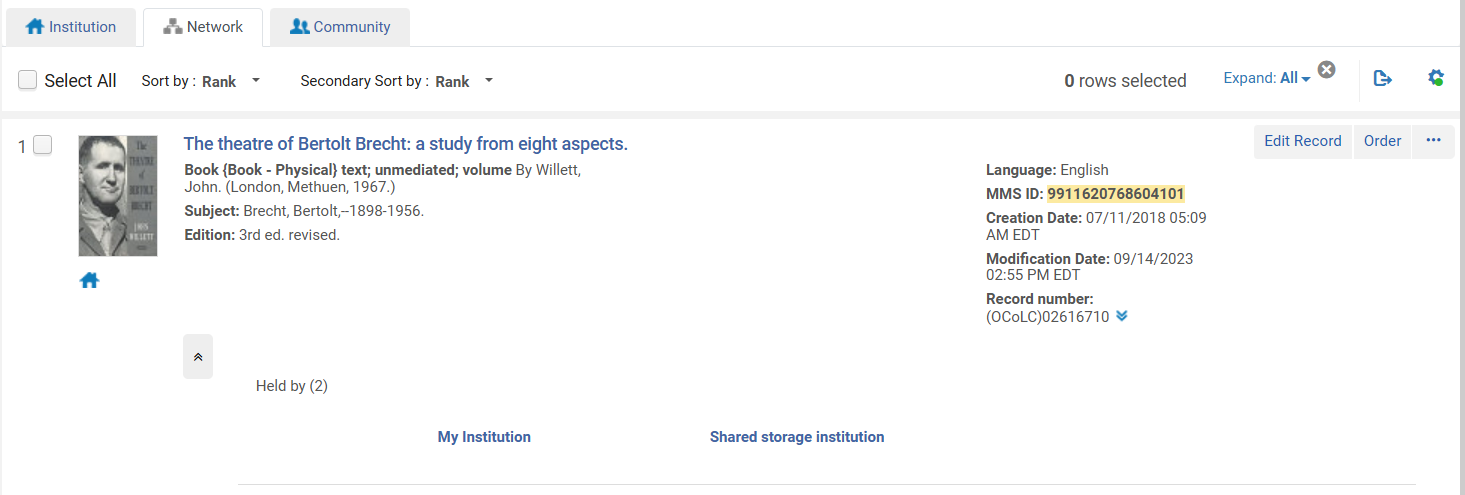
If the owning Institution's item record is NOT attached to a Network Zone bibliographic record (if it is attached to an IZ-only record), then the SCF copy of the item record will be attached to a suppressed copy of the IZ-only bibliographic record.
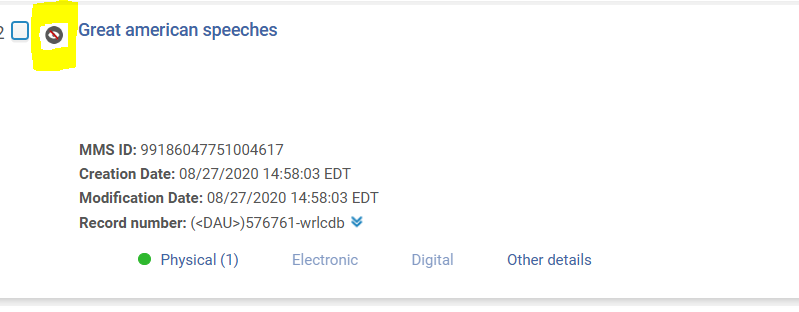
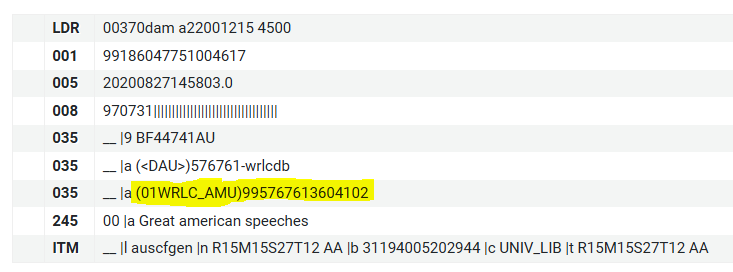
The SCF copy of the bib record will have the MMS Id of the owning Institution's record in the 035 field; the inclusion of the MMS Id allows for requests of non-NZ linked items to occur.
Any updates made to the owning Institution's bib record will NOT be transferred to the SCF copy of the bib record.
If an SCF item is moved to a different bib record, please open a WRLC Service Desk ticket (servicedesk@wrlc.org) so that the SCF copy can be updated. Without this necessary step, requests for this item may fail. For more policies like this, see the Updating SCF items (barcodes, bibliographic records, etc.) page.
Holding Records
All SCF holding record copies are suppressed from Discovery.
Any updates made to the owning Institution's holding record will NOT be transferred to the SCF copy of the holding record.
Item Records
The SCF copy of the item record has a few key differences from the original owning Institution item record.
The barcode will have an 'X' appended to the end. In addition, a provenance code is added to keep track of which Institution owns the item.
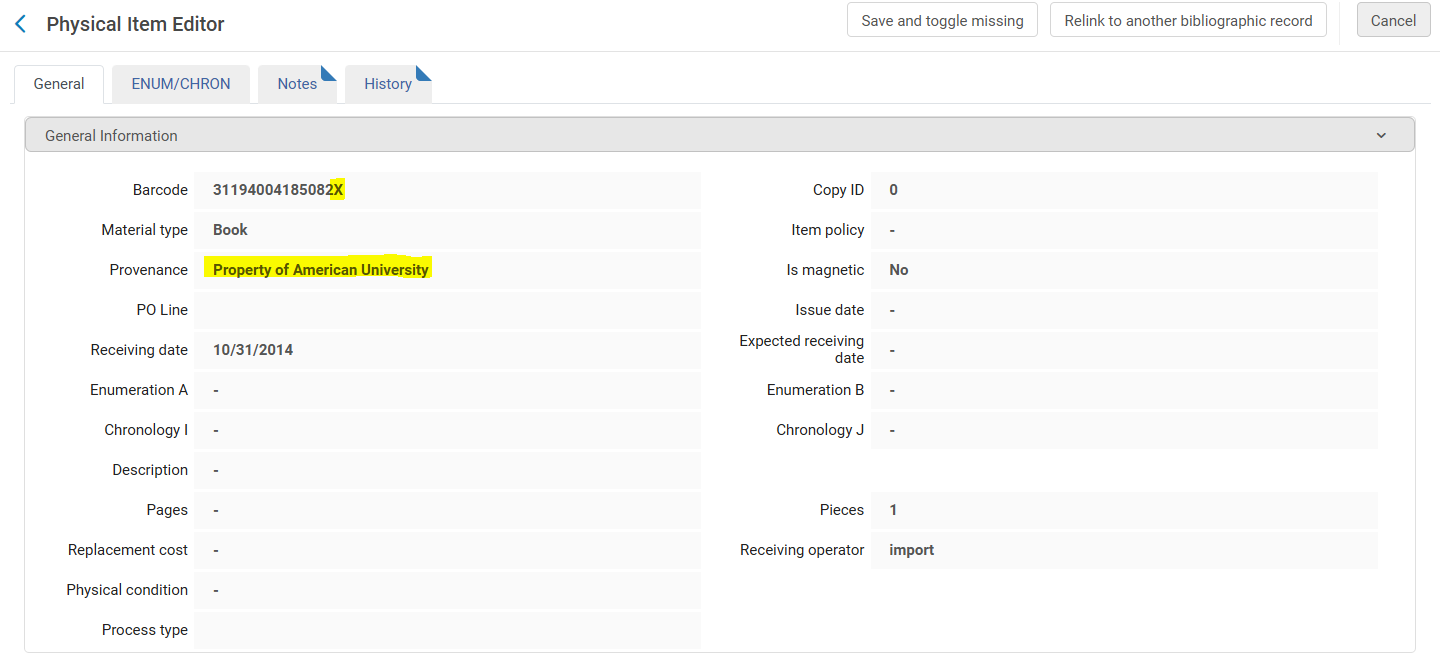
Unlike the bib and holding records, updates made in the following fields to the owning Institution's copy of the item record will be transferred to the SCF copy:
- Material type
- Description
- Enumeration A
- Enumeration B
- Enumeration C
- Enumeration D
- Chronology I
- Chronology J
- Chronology K
If the barcode of an SCF item is changed, please open a WRLC Service Desk ticket (servicedesk@wrlc.org) so that the SCF copy can be updated. For more policies like this, see the Updating SCF items (barcodes, bibliographic records, etc.) page.
Item Locations
The permanent or temporary WRLC location in the owning Institution IZ is transferred to the SCF IZ as a permanent location.
If the item location in the owning IZ has one of the following location codes, the item in the SCF IZ will have the exact same location.
| gal arch |
| mu arch |
| ocsk |
| ocskp |
| ocsmr |
| ocssc |
| ocst |
| SCF_Hold |
| udc jazz |
| wral |
| wrlc |
| wrlc cgrc |
| wrlc dis |
| wrlc hida |
| wrlc natg |
| wrlc sgrc |
| wrlc shrm |
| wrlc shrp |
| wrlc snsa |
| wrlc stnc |
| wrlc stor |
| wrlc stru |
| wrlc_stru |
Any SCF location in the owning IZ that is NOT listed above will be given the default location of wrlc stor in the SCF IZ.
Primo VE
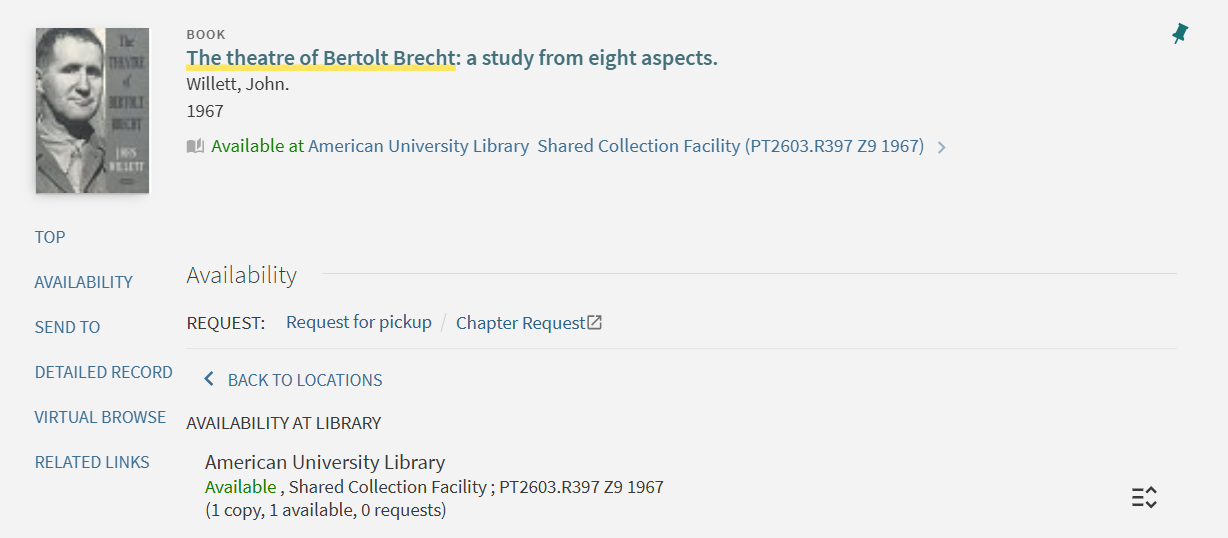
Although there are two record copies for each item, the patron only sees one item in Primo because all SCF records are suppressed.
For example, this bib record has both American University and SCF holdings attached.
In Primo, only the American University holdings are visible to the patron.
No comments to display
No comments to display