Terms of Use (TOU)
A Terms of Use is a bundle of specific fulfillment policies (such as loan periods, fine structures, and renewal options) that are applied to items, patrons, or services within a library.
-
TOUs are attached to Fulfillment Unit Rules to determine the policies applied when a patron requests a service (e.g., a Loan, Request, or Booking).
-
Any changes made to a policy within a TOU are immediately applied wherever that TOU is in use.
For more information on TOUs, please see Alma Knowledgebase page Configuring Terms of Use.
Configuring Terms of Use
-
Navigate to the Terms of Use Management page (Configuration Menu > Fulfillment > Physical Fulfillment > Terms of Use and Policies).
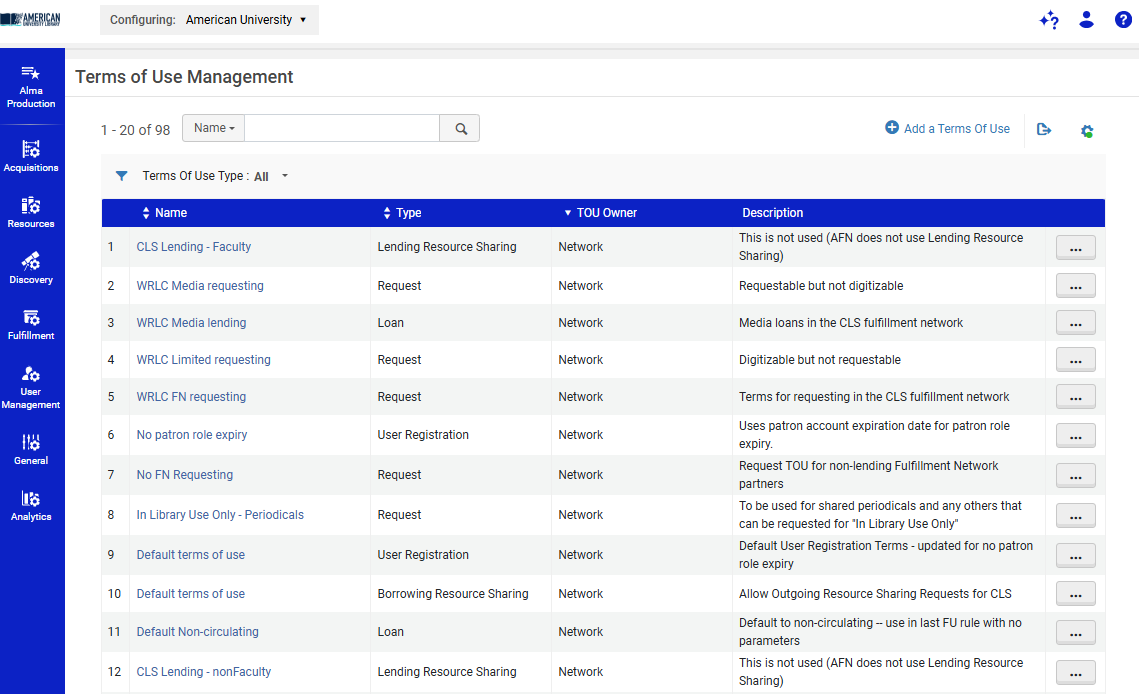
-
Select Add Set of Terms of Use to start the configuration wizard.
-
Step 1: General Information
-
Enter a Name (required) and an optional Description.
-
Select the Type (e.g., Loan, Request, Booking, or Resource Sharing).
-
Select Next.
-
-
Step 2: Policies
-
This page lists all the policies that will be included in this TOU (e.g., Loan Policy, Fine Policy, Request Policy).
-
Select a policy from the drop-down list for each policy type.
-
To create a new policy, select Add from the row actions list.
-
To edit an existing policy (which will change it everywhere it's used), select Edit.
-
Select Next.
-
-
Step 3: Review
-
Review the details of the new TOU set.
-
Select Save to finalize and add the new Terms of Use to the list.
-
Viewing Related Fulfillment Rules
You can easily see which Fulfillment Unit Rules are using a specific TOU:
-
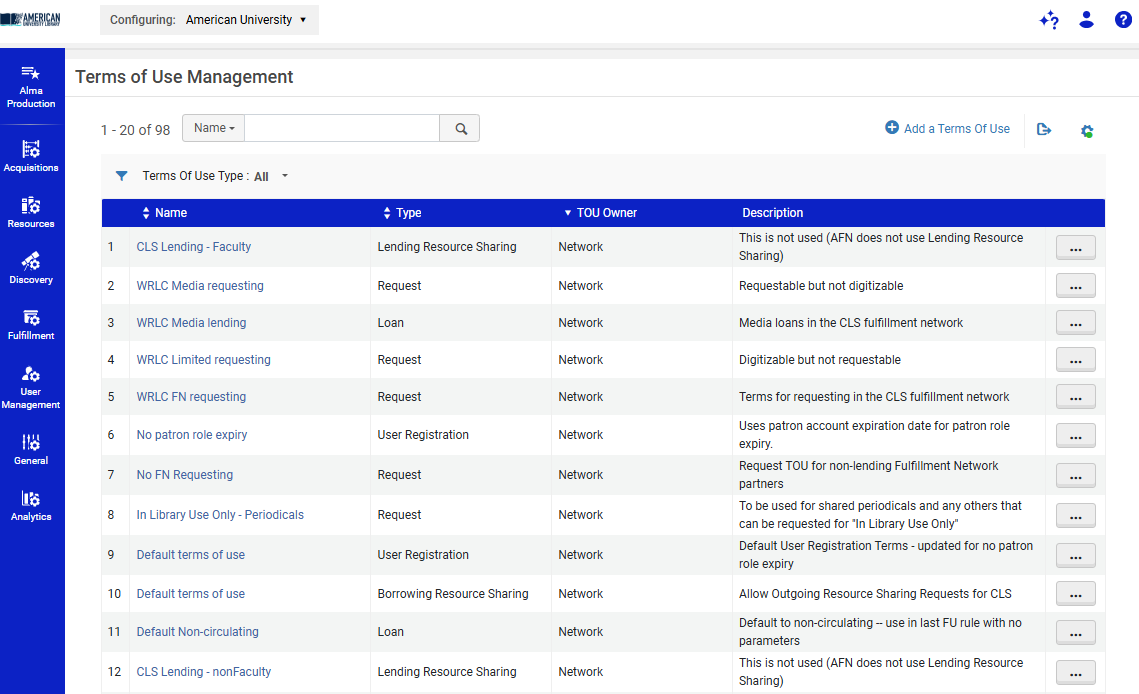
On the Terms of Use Management page, select Show Related Fulfillment Rules from the row actions list for a specific TOU.
-
The resulting page displays all the rules that currently employ that Terms of Use.
Using TOUs in Fulfillment Units
TOUs are attached to specific Fulfillment Units via Fulfillment Rules. Each Fulfillment Rule uses one TOU, and the rules determine when the specific TOU is applied to a transaction.
For instructions on how to associate TOUs with specific Fulfillment Rules, please see the WRLC Alma wiki page Fulfillment Unit Rules.
Configuring Maximum Renewal TOU
The Maximum Renewal Period policy defines the total amount of time a patron may retain a loaned item beginning from the original loan date, including all renewals.
Per ExLibris documentation, "Alma doesn't count the number of renewals for a loan. Renewal limits are managed by the 'Maximum Renewal Period' policy in the Loan Terms of Use (TOU) which indicates the total period of time that a user may have the loaned item." (ExLibris: Loan doesn't renew as expected in Alma)
Example: CLS Maximum Renewal Period configurations:
- Students:
- 42-day initial loan period plus 3 renewals
- Configure Maximum Renewal Period = 168 Days
- 42-day initial loan period plus 3 renewals
- Faculty/Instructors:
- 1 year total loan period including renewals
- Configure Maximum Renewal Period = 365 Days
- 1 year total loan period including renewals
If the desired Maximum Renewal Period policy is already available within the Terms of Use (TOU), you may select and update the existing policy as needed; skip ahead to Step #4
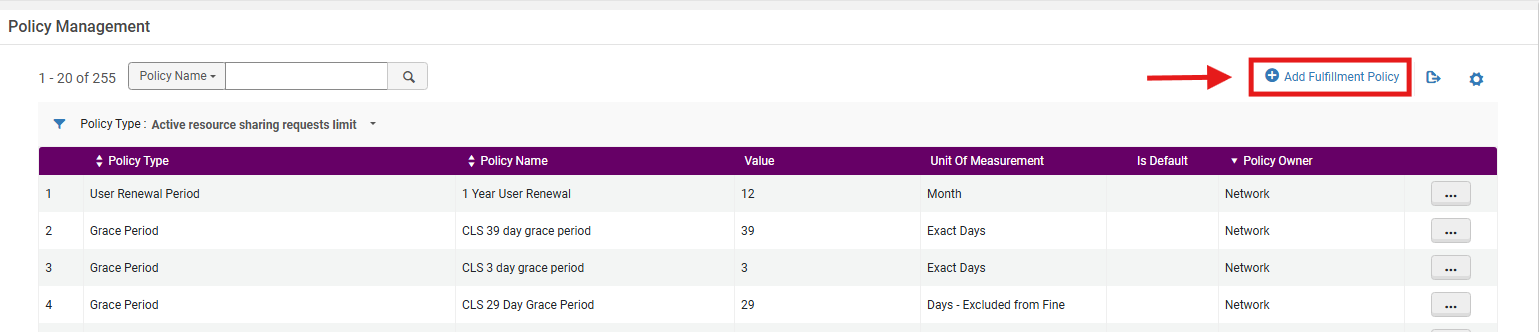
1. If the policy is not available, first create a new policy through: Configuration > Fulfillment > Physical Fulfillment > Advanced Policy Configuration> Add Fulfillment Policy
2. From the Select Fulfillment Policy Type list, locate and select the desired policy> Maximum Renewal Period; select Next

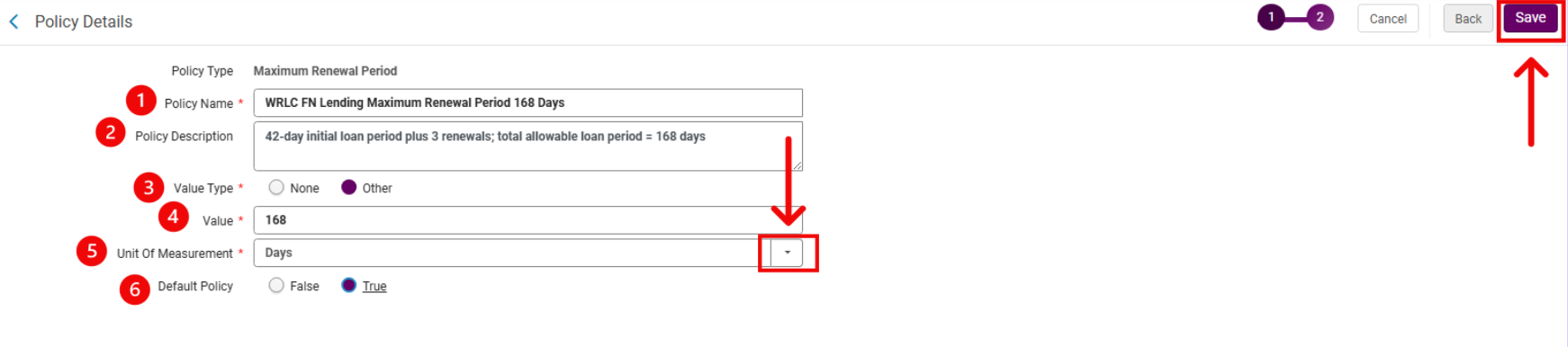
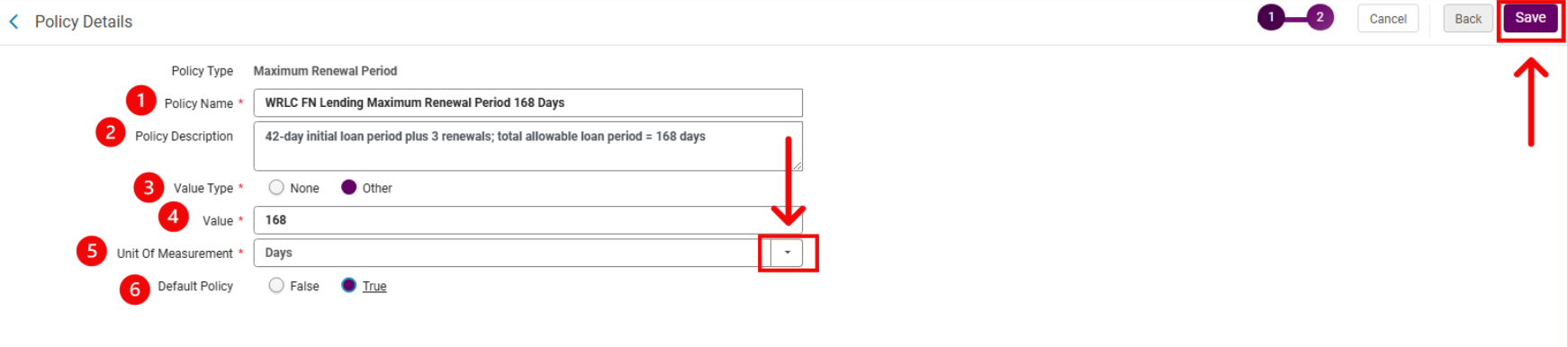
3. In the Policy Details page, complete the policy form to configure the new policy's values:
- Enter a Policy Name, for example:
- WRLC FN Lending Maximum Renewal Period 168 Days
- WRLC Faculty Lending Maximum Renewal Period 365 Days
- Enter a Policy Description, for example:
- 42-day initial loan period plus 3 renewals; total allowable loan period = 168 days
- 1 year total allowable loan period including renewals
- 42-day initial loan period plus 3 renewals; total allowable loan period = 168 days
- From the Value Type drop-down menu, select Other
- Selecting Other enables the fields required to configure the policy duration and unit of measurement.
- In the Value field, enter the desired total loan duration
- From the Unit of Measurement drop-down menu, select the appropriate unit: Days
- Set Default Policy according to local library policy
- Select True if this policy should be the default option for this policy type
- Select False if this policy should only be available for selection when needed
- Select Save
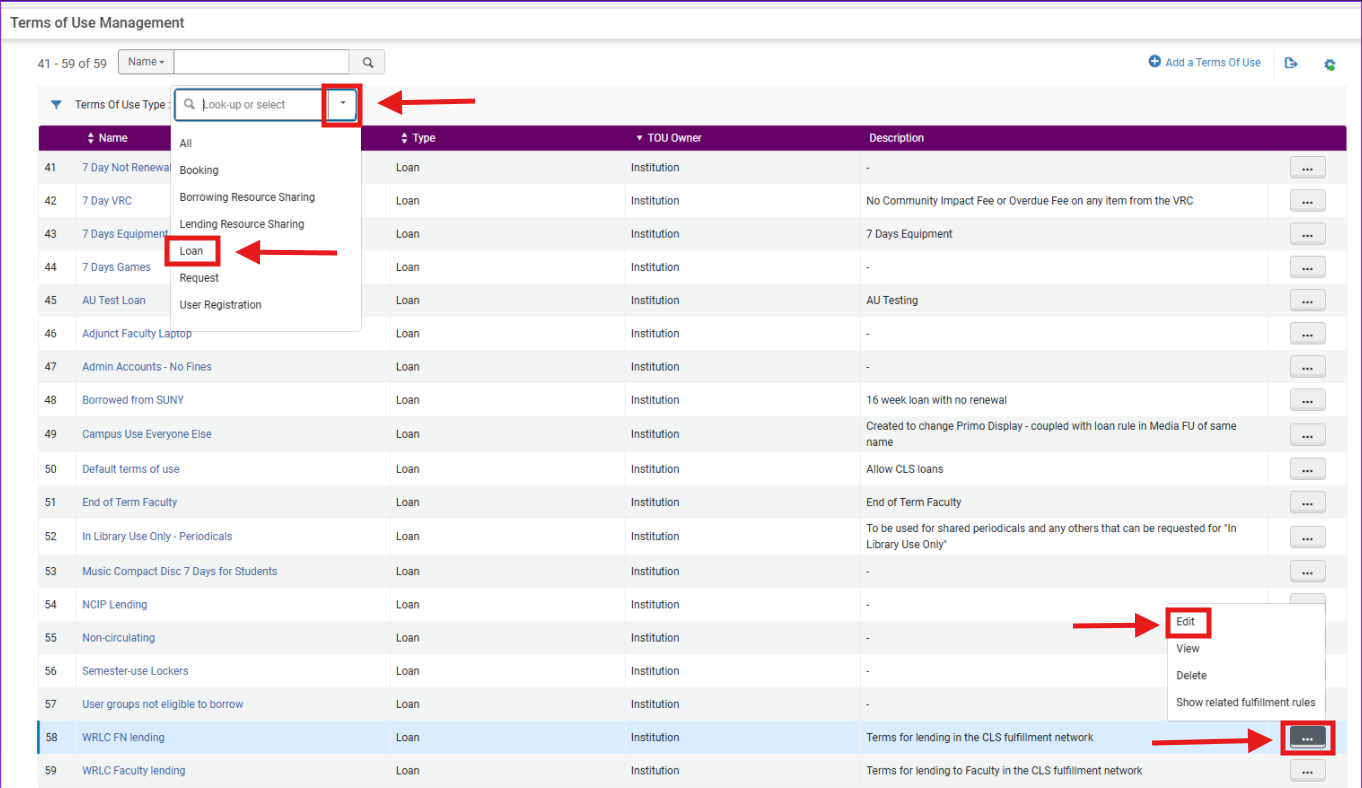
4. Open the desired Terms of Use (TOU) Navigate to: Configuration> Fulfillment> Physical Fulfillment> Terms of Use and Policies
- Set <Terms of Use Type> to Loan
- Locate the desired TOU; in this example it is WRLC FN Lending, your library may use a different TOU title
- From the action row menu, select Edit
5. Update the Maximum Renewal Period policy from the <Terms of Use Policies> menu:
- From the Terms of Use Management page, locate Policy Type: Maximum Renewal Period
- Use the TOU's policy's drop-down menu to select the desired policy; here the policy example is <168 days (6 weeks old) but your library may have a different policy name
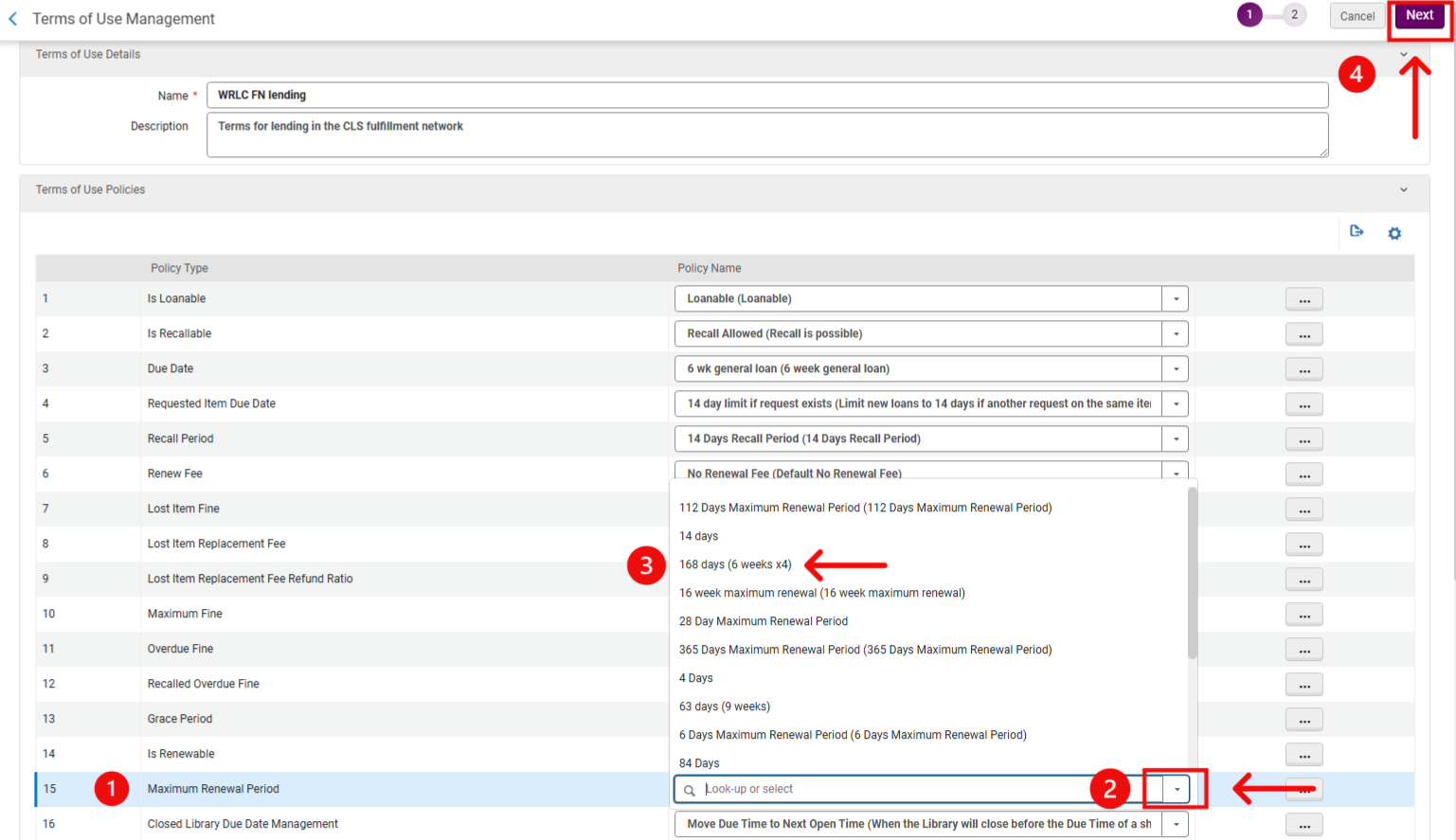
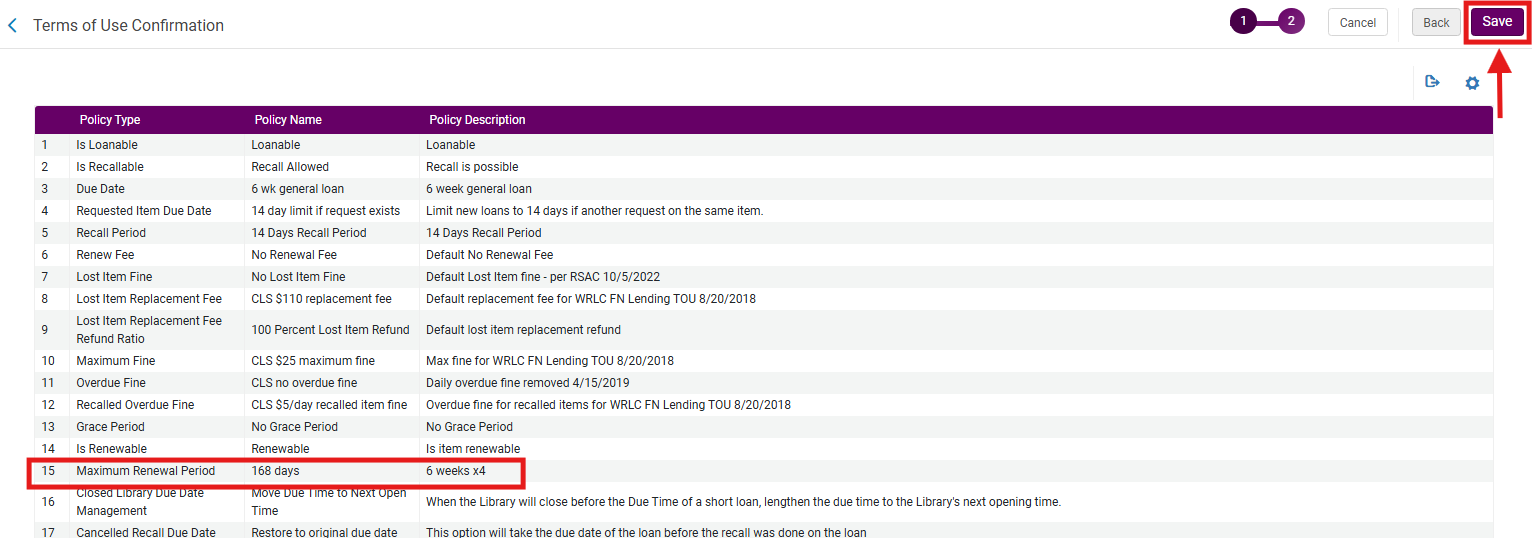
6. On the resulting Terms of Use Confirmation page, locate the Maximum Renewal Period policy from the menu to confirm it has updated to the desired policy; select Save