
How to Process Borrowed Peer to Peer Items
This workflow explains how to receive and process books borrowed from partner libraries using Alma’s Resource Sharing > Receiving Items function.
Correctly receiving Peer to Peer (P2P) items ensures Alma updates the borrowing request’s workflow status to Received, enabling pickup notices and accurate transit tracking. Ex Libris emphasizes the critical role of the External Identifier in linking the physical item to the Resource Sharing request record.
When to Reference This Document:
Required Roles
1: Verify Paperwork and Item Barcode
Note: Alma links the incoming item to the correct borrowing request using the External Identifier supplied by the lending library. Verifying barcodes before receiving helps prevent mis-routing or incorrect patron linkage.
2: Open Receiving Items Navigate to Fulfillment > Resource Sharing > Receiving Items>
3: Enter the External Identifier
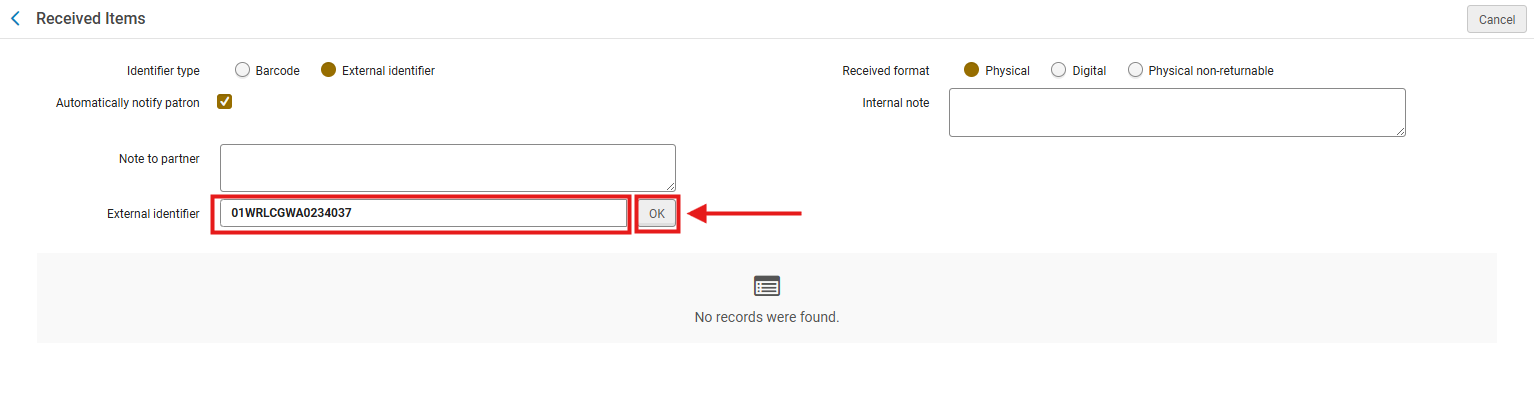
Note: Ex Libris identifies the External Identifier as the primary matching key between the item and the borrowing request.
4: Assign a Temporary Barcode The temporary barcode ties the physical item to the local inventory system while maintaining the lending institution’s original barcode.
Page 2 “Receive Items” screen shows Temporary barcode highlighted.
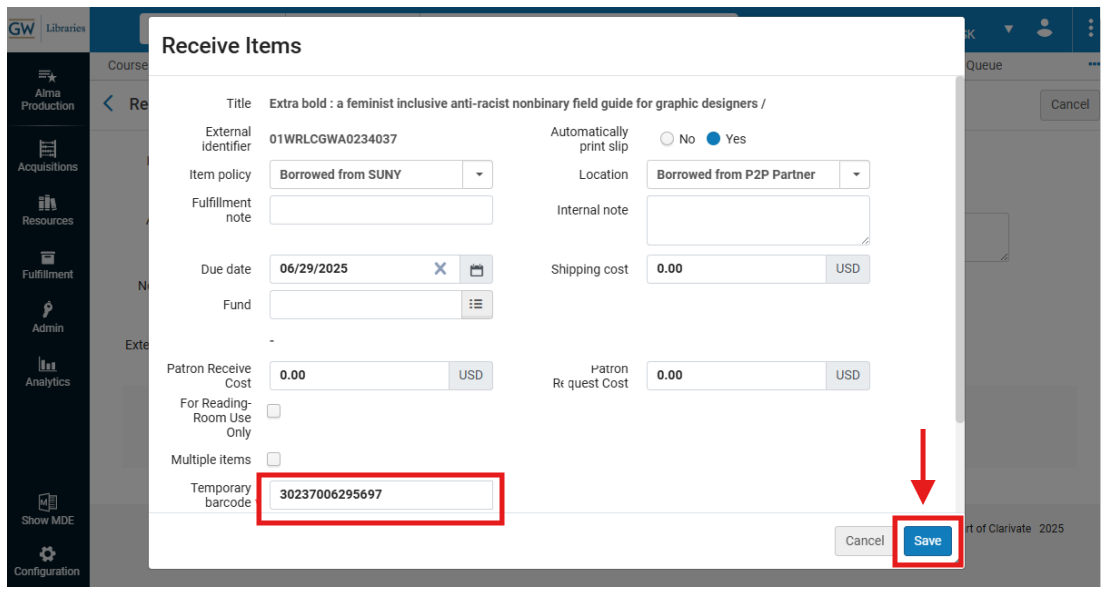
5: Print the Book Slip After saving, Alma generates the Resource Sharing Receive Slip (if Quick Printing is enabled); Click <Print>
6: Prepare the item for the Hold Shelf
7: Place Item on the Hold Shelf Follow your libraries' hold-shelf procedures to shelve the incoming item for patron pickup.