Affiliate Library Configuration
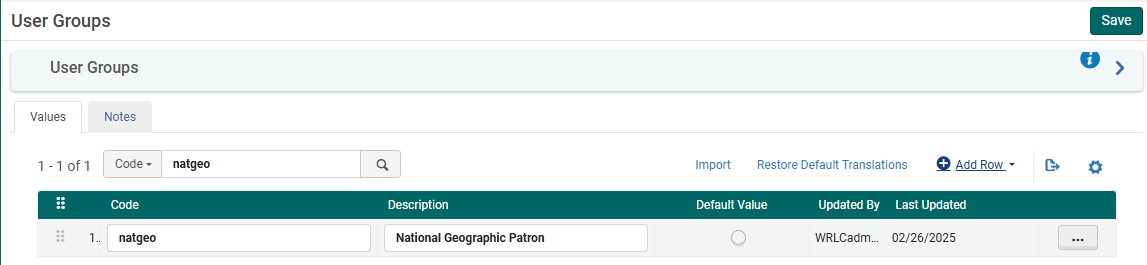
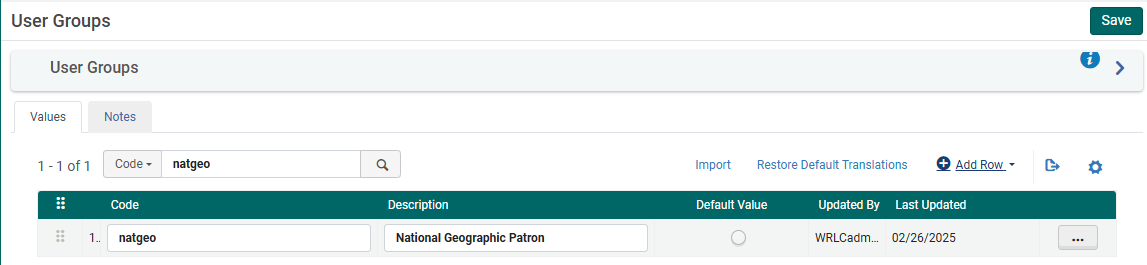
1. Create user group
Configuration > User Management > User Details > User Groups
+ Add Row
Choose a code and a description (preferably [Affiliate Library] Patron)
Choose Add Row, and then Save the table
2. Apply user record group to a specific type
Configuration > User Management > User Details > User Record Type/User Group
+ Add Row
Choose the user group created in step #1, then choose a record type of Staff, Public, and Organization
Choose Add Row, and then Save the table

3. Associate library location with Fulfillment Unit
Configuration > Fulfillment > Physical Fulfillment > Fulfillment Units
Edit the Fulfillment Unit Library Delivery Only
Choose the Fulfillment Unit Locations tab
Attach to the list the location(s) associated with the affiliate library
Save the Fulfillment Unit
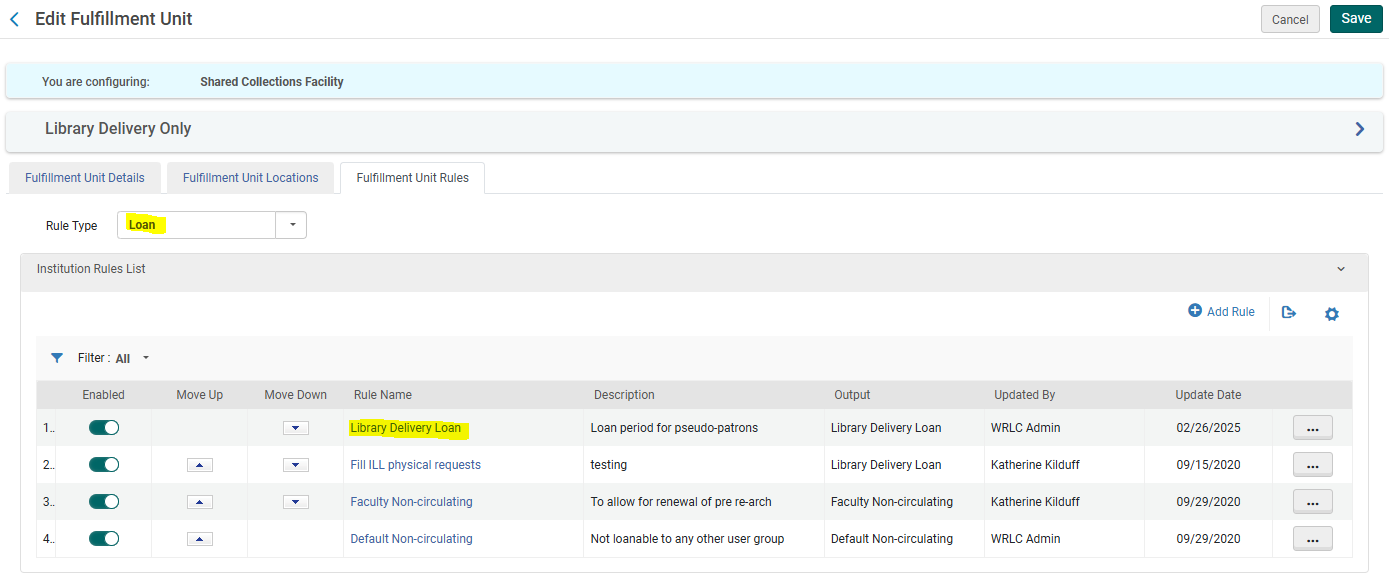
4. Associate user group with Fulfillment Unit
Configuration > Fulfillment > Physical Fulfillment > Fulfillment Units
Edit the Fulfillment Unit Library Delivery Only
Choose the Fulfillment Unit Rules tab
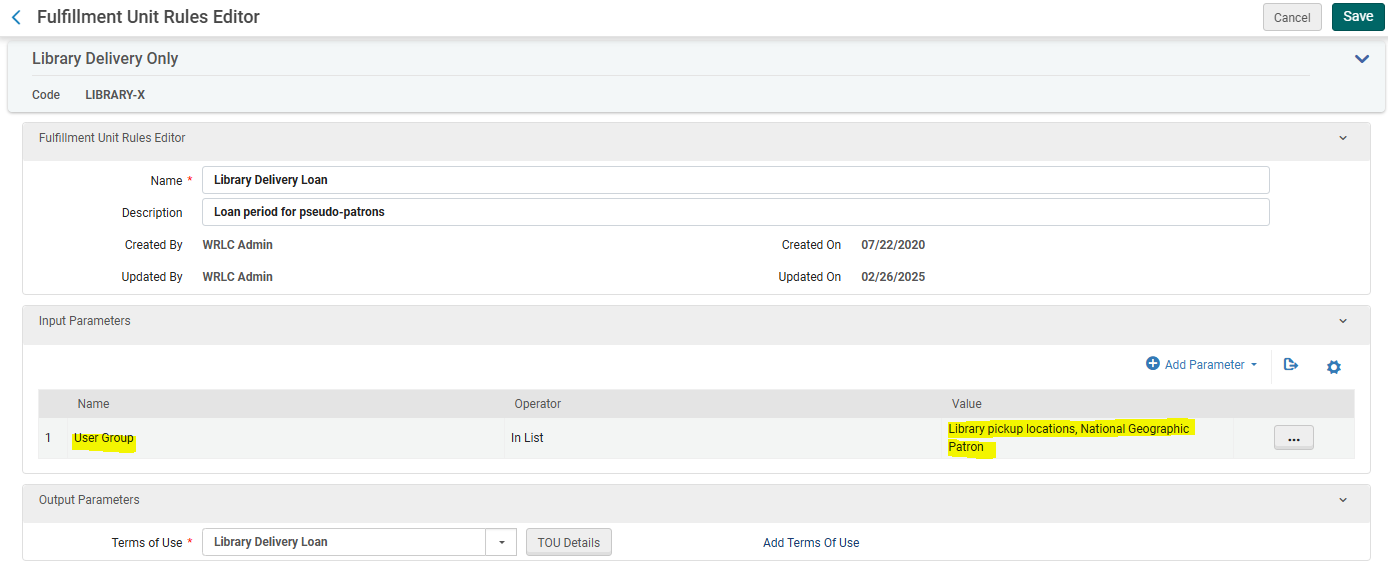
Choose the Rule Type Loan from the drop down menu
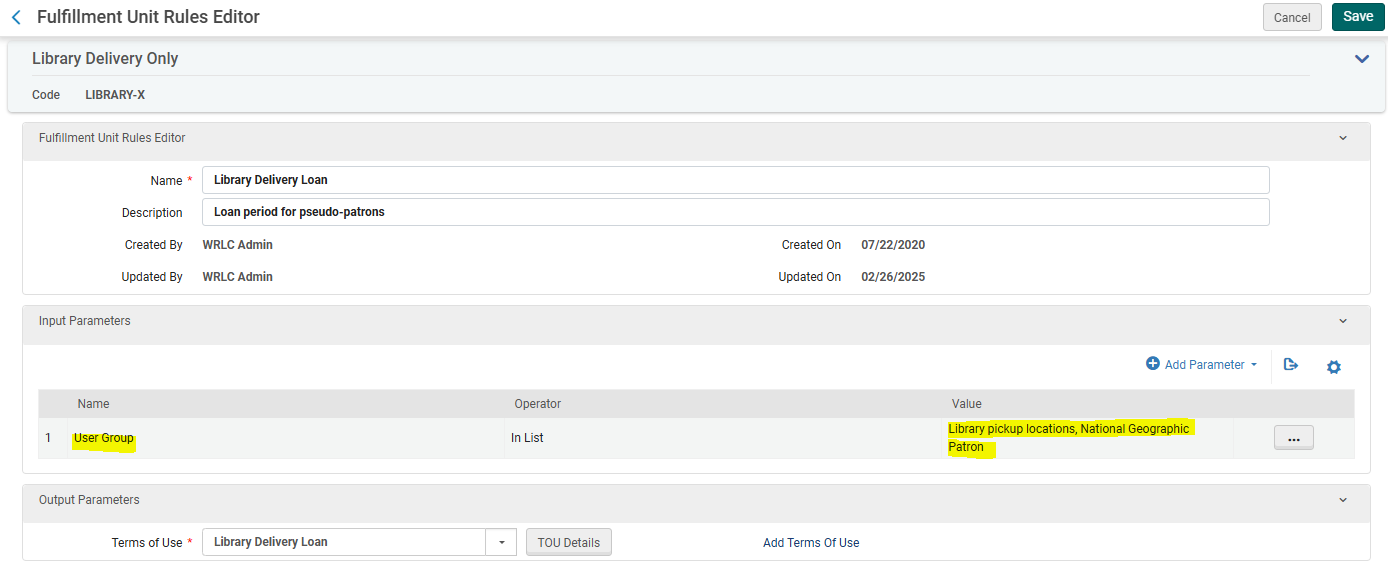
Edit the Library Delivery Loan rule
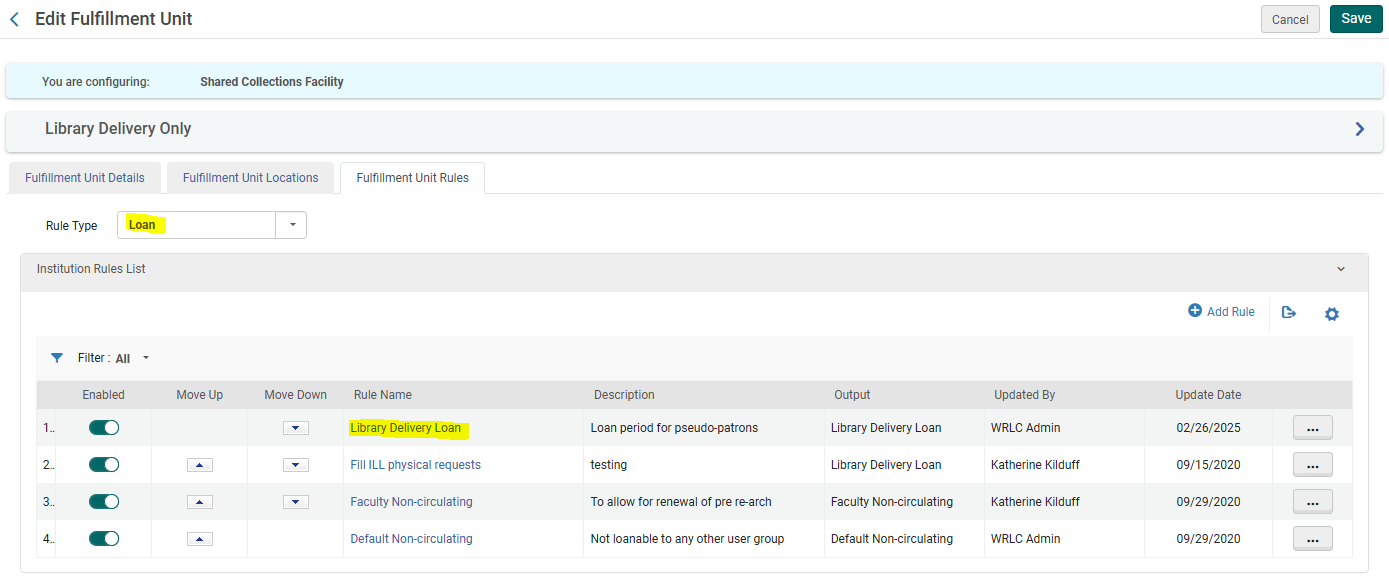
Add the user group created in step #1 to the list of User Groups in the Input Parameters
Save the Fulfillment Unit
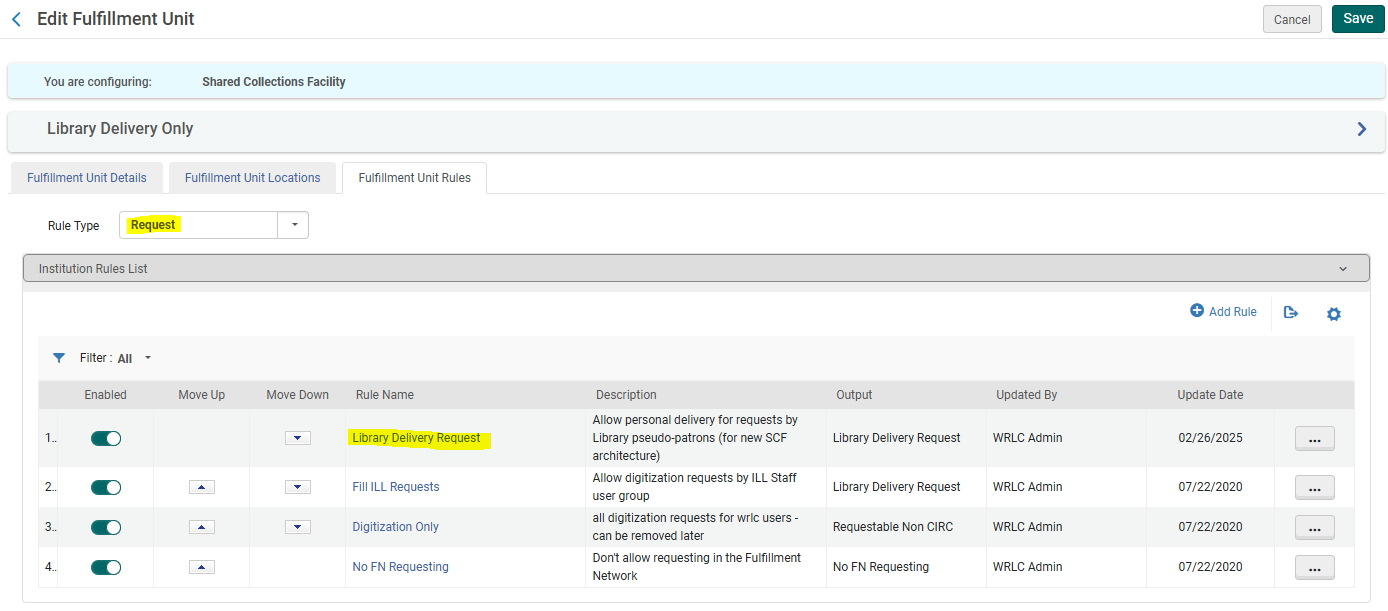
Go back to the Fulfillment Unit Rules tab
Now choose the Rule Type Request from the drop down menu
Edit the Library Delivery Request rule
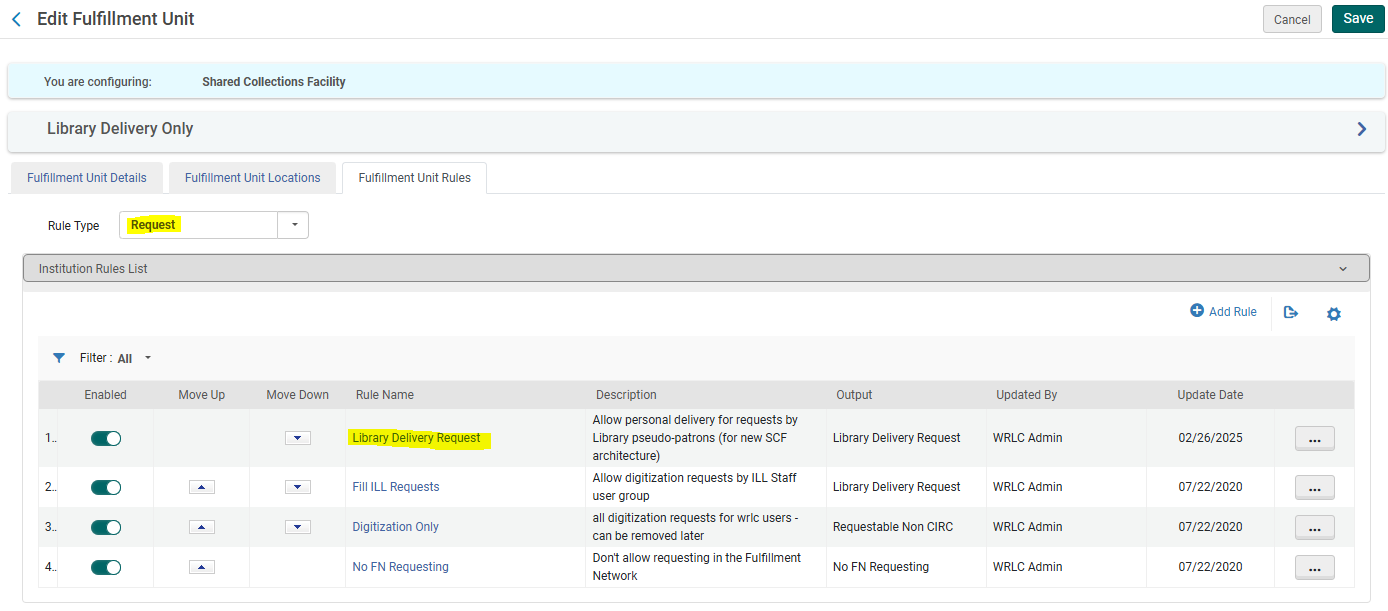
Add the user group created in step #1 to the list of User Groups in the Input Parameters
Save the Fulfillment Unit
5. Create a restricted search group for Primo VE
Configuration > Discovery > Search Configuration > Restricted Search Groups
+ Add Restricted Search Group
Choose a code, a name (preferably [Affiliate Library Name] Affiliate Library), and a description

Add the Restricted Search Condition of:
Search Index = Location
Operator = Equals
Value = all library locations associated with affiliate library

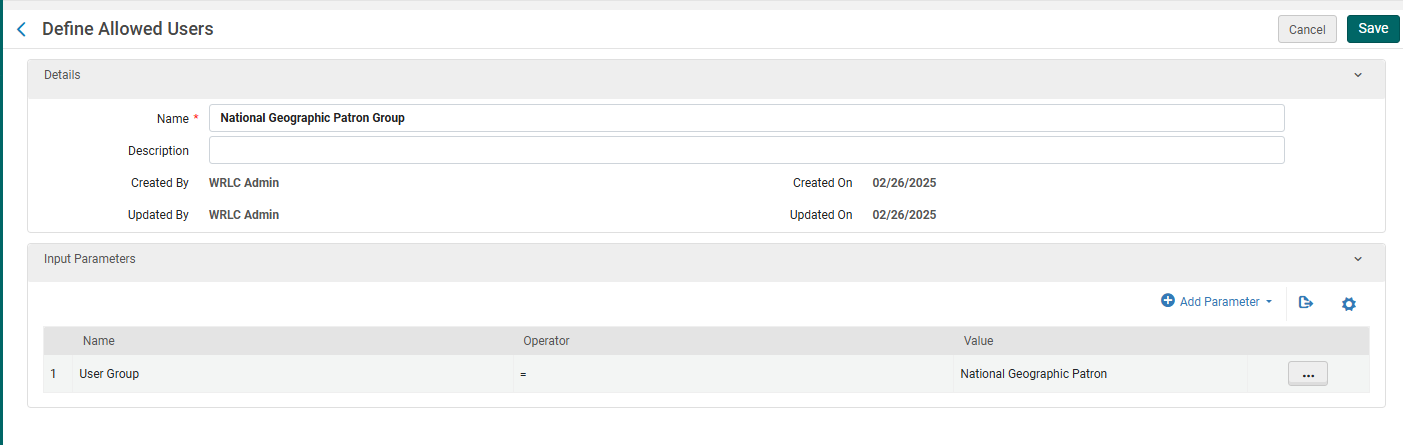
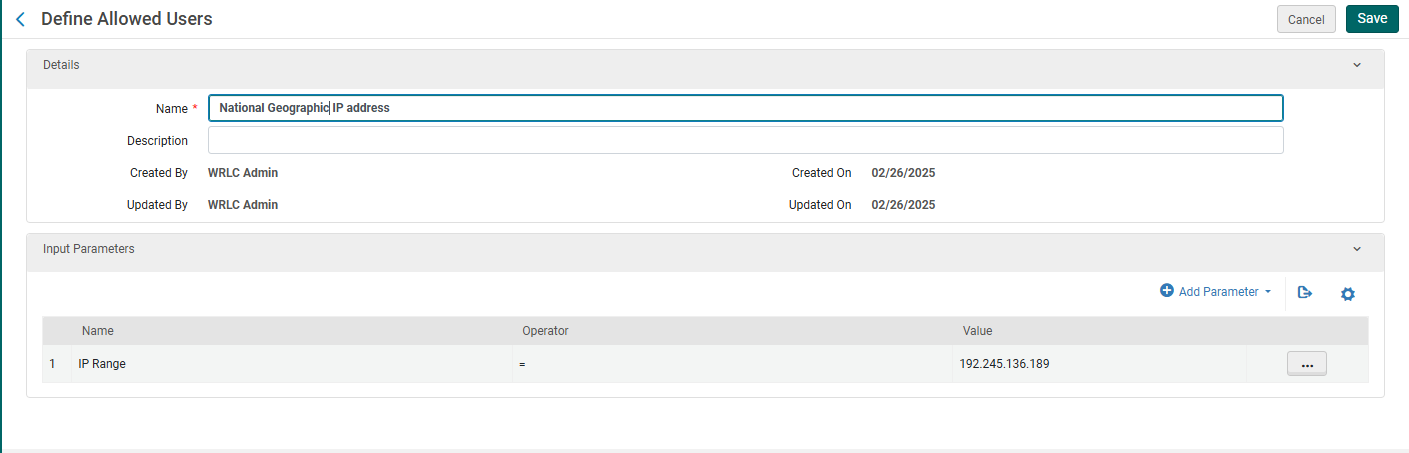
Add the following Allowed Users:
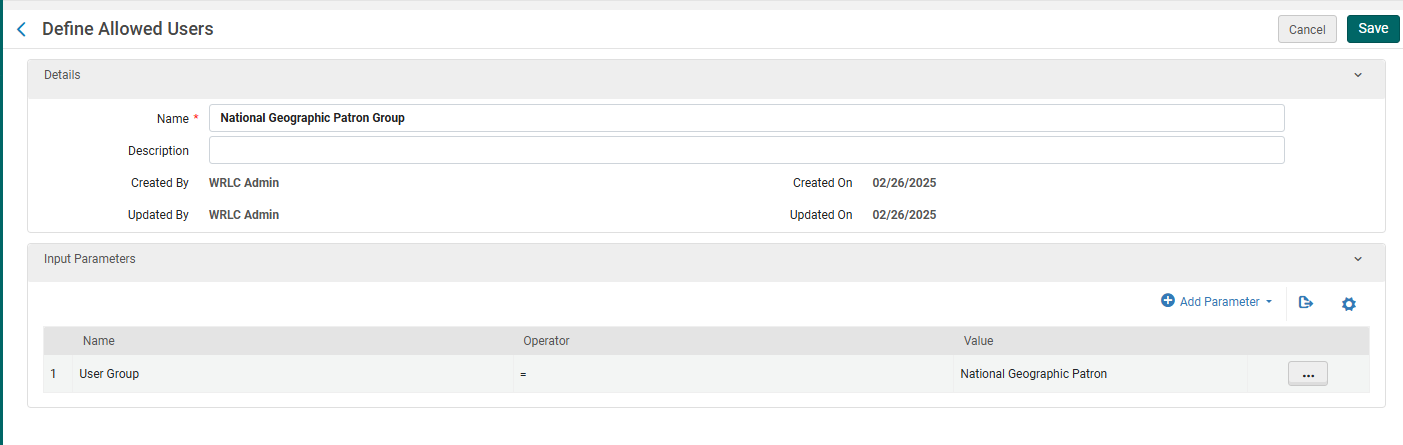
Patron Group Rule
Name = [Affiliate Library] Patron Group
Input Parameter
Name = User Group
Operator = "="
Value = all user groups created in step #1
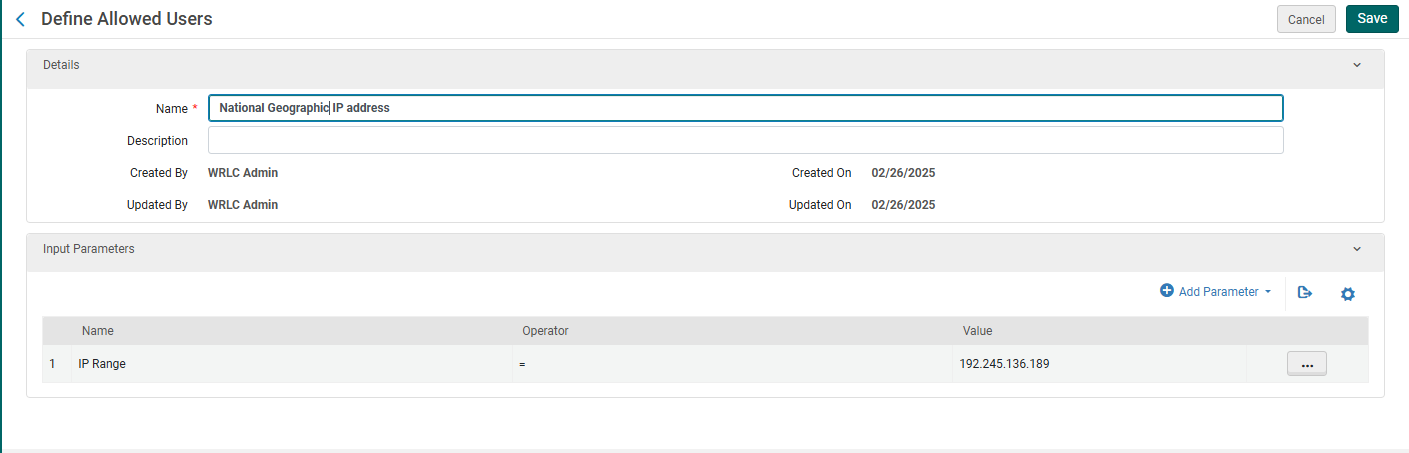
IP Address Rule
Name = [Affiliate Library] IP Address
Input Parameter
Name = IP Range
Operator = "="
Value = [IP range of affiliate library]
Save the Restricted Search Group Definition
Create custom local data search scope
Create search profile
Create a Primo VE view for affiliate library users
Create user profile(s)
Update letter configuration for pull slip