Authority Control
The WRLC Network Zone runs two different jobs in Alma for authority control: the Link BIB Headings job, and the Preferred Term Correction job. The former links authority headings to an authority record, and the latter changes the heading from the non-preferred term to the preferred term. Both jobs run daily for records linked to the Network Zone; they are specifically applied to bibliographic records that have been updated or added to the repository since the last job, and for headings linked to authority records that have been updated since the last job. More information can be found in the Alma Knowledge Center.
Ex Libris runs a re-indexing job on all repository records twice a year (from November to January, and from May to July). This process applies both authority control jobs to all records in the repository; this is the only time that the jobs will run on old records as well as new ones.
The WRLC did not have authority control jobs running in the Network Zone until 2022. In the Fall of 2021, the WRLC Metadata Committee reviewed authority control in Alma and came to the conclusion that, although the jobs are not perfect, the benefits outweigh the drawbacks. A detailed description of this review can be viewed in the Authority Control Testing Fall 2021 document created by the WRLC Authority Control Subgroup. The official WRLC Policy on Authority Control can be found in the WRLC Network Zone Bibliographic Record Policies document.
In addition, WRLC created several Authority Control rules to mitigate some of the mistakes commonly committed by the Link BIB Heading and Preferred Term Correction jobs. Detailed information about WRLC’s authority control rules and their functions can be found in the Issues and Solutions for Authority Control in Alma document presented to the Metadata Committee in January of 2022.
The jobs and rules mentioned above are configured in the Network Zone, and therefore only apply to records linked to the Network Zone. Below are instructionsare onthe howcurrent toconfigurations recreatein WRLC’sthe AuthorityWRLC ControlNetwork RulesZone for theauthority Institution Zone, so that they are applied to Institution Zone only records.
Institution Zone Instructions :
Use the following instructions below if you wish to recreate the NZ settings in your own IZcontrol.
UserConfiguration Roles> NeededResources :> General > Authority Control Rules
Catalog Administrator OR General systems Administrator
Instructions :
Turn on the Link BIB Headings jobTab
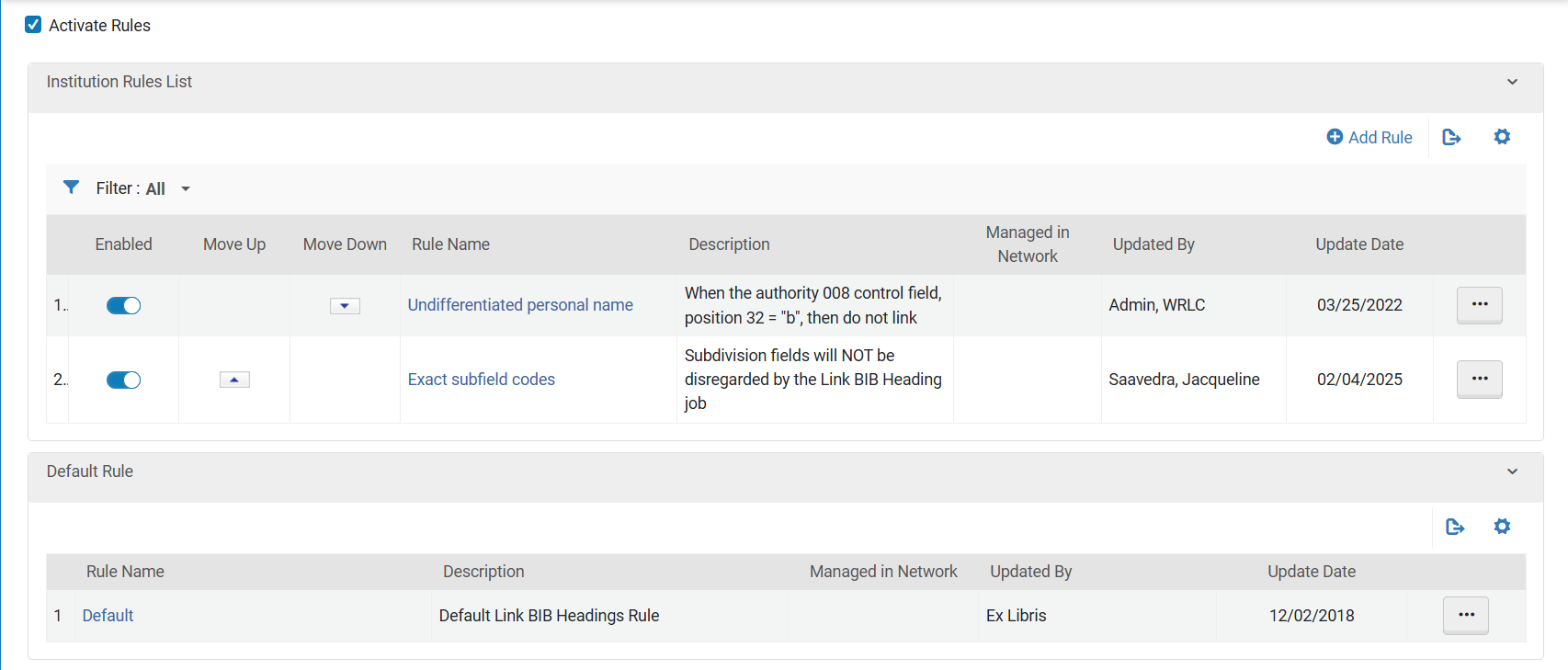
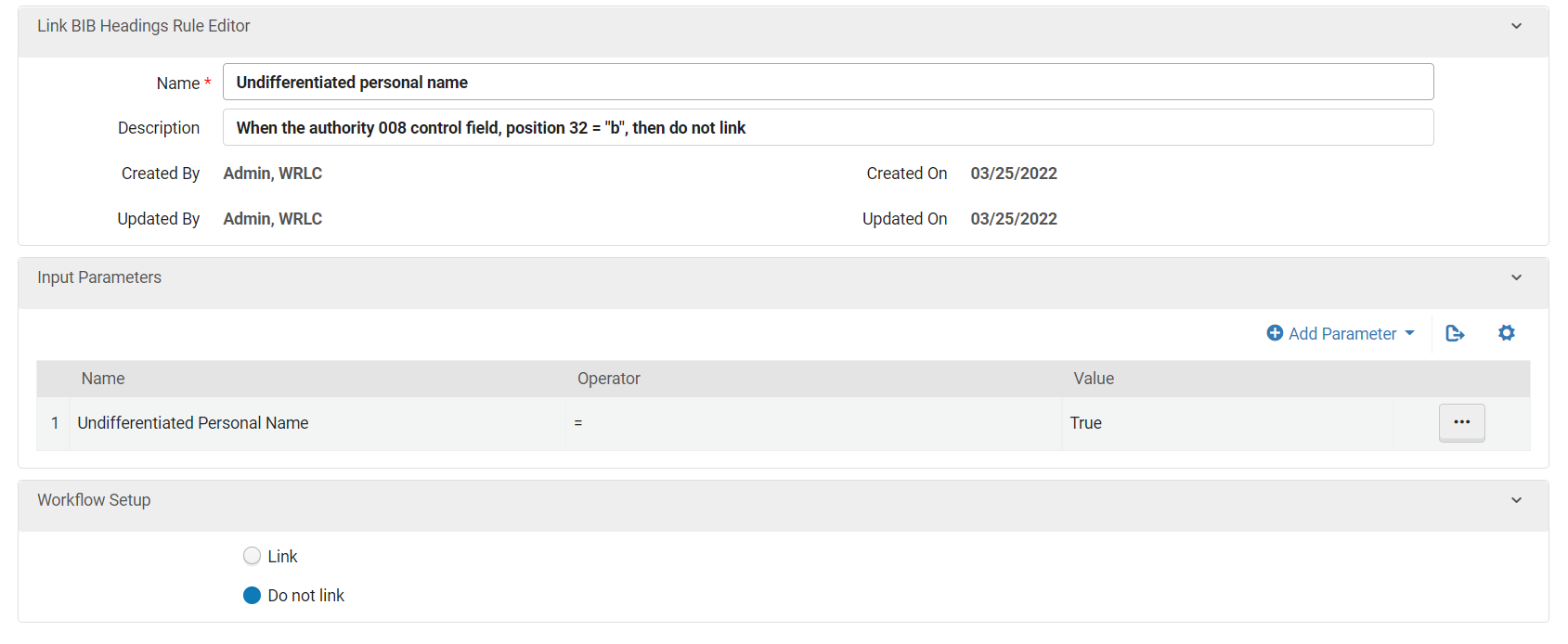
Undifferentiated Personal Name : when the Preferredauthority Term008 Correctionscontrol jobfield, inposition your32 Institution= Zone"b", then do not link
Exact subfield
Excodes
Create the following 3 Authority Control Rules underby the Link BIB Heading tab :
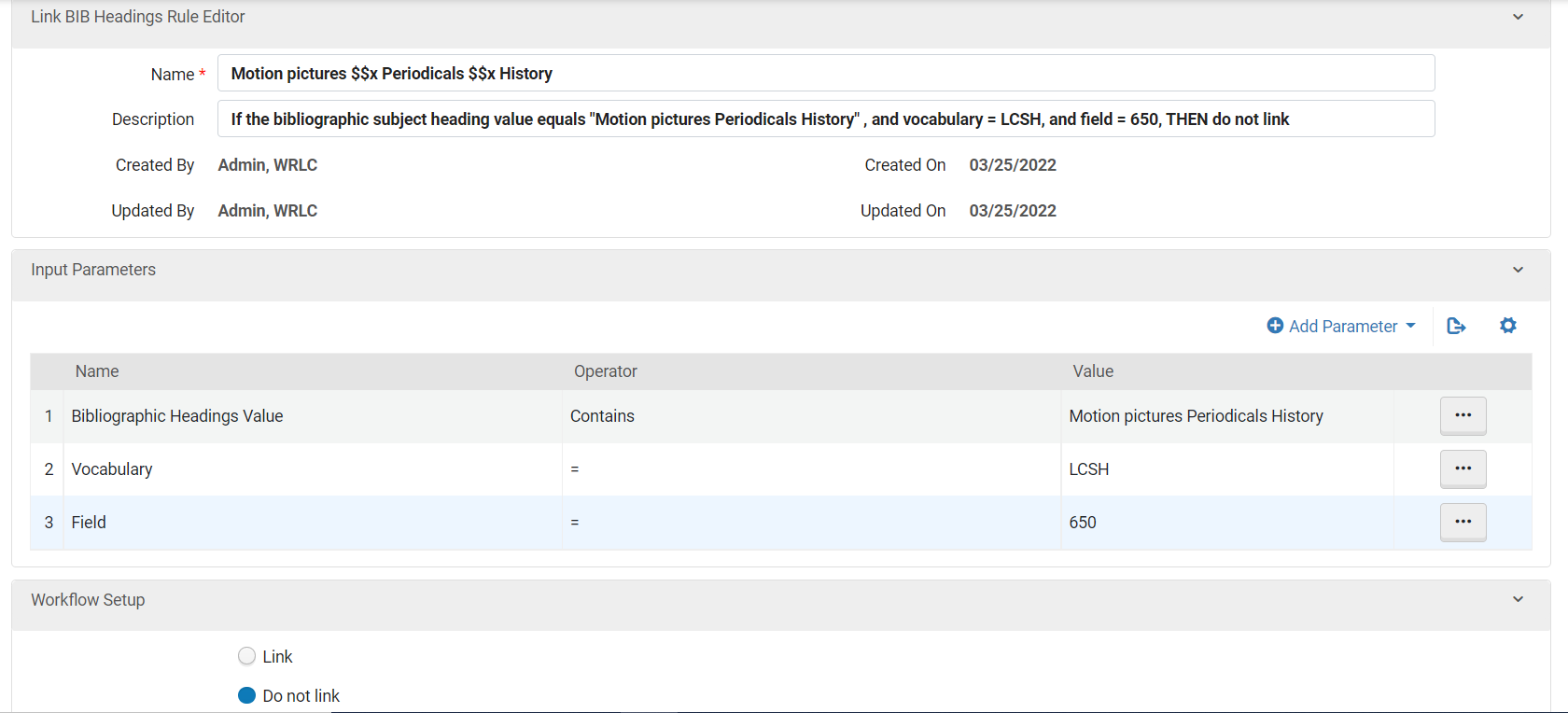
Name : Motion Pictures $$x Periodicals $$x History
job
Input Parameters:
Configuration >
Workflow Setup:
Do not link
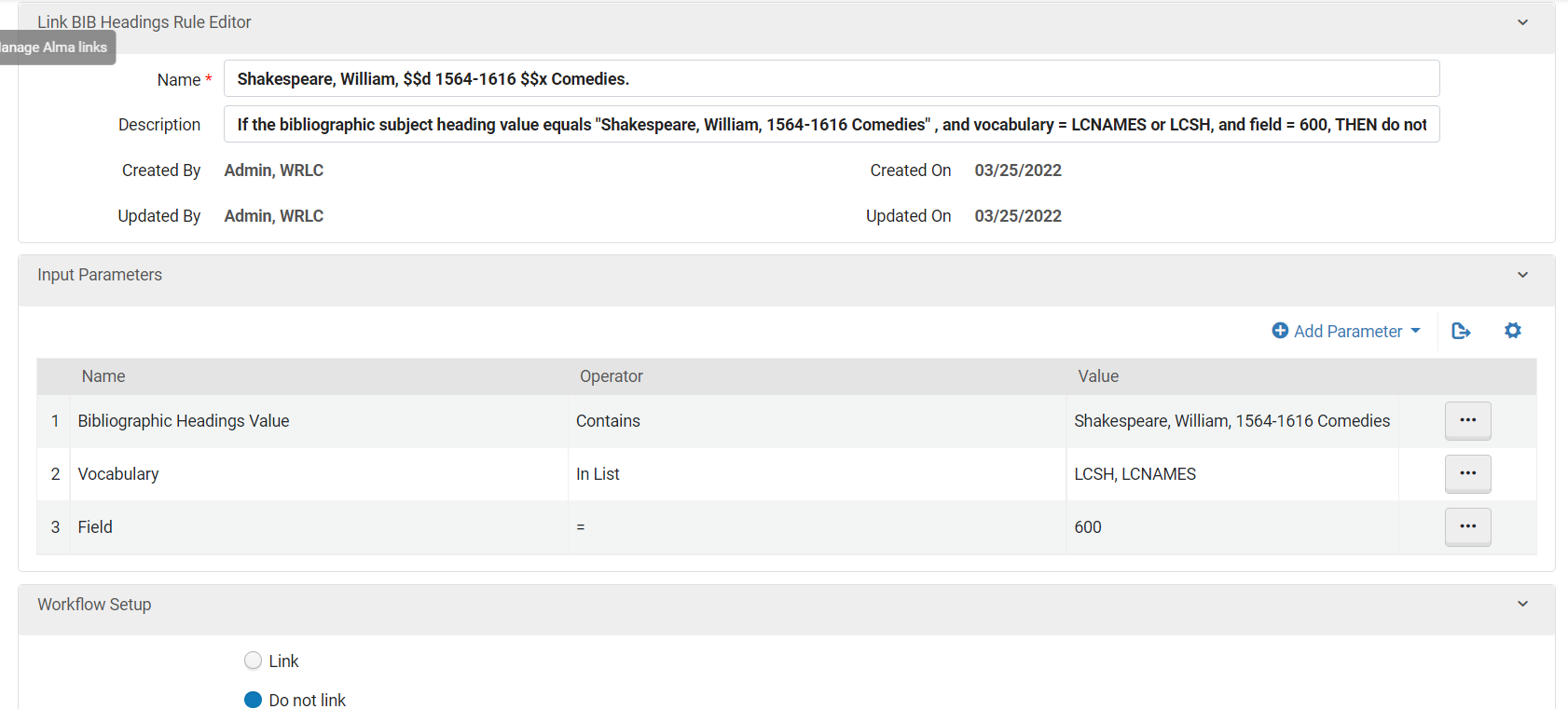
Name : Shakespeare, William, $$d 1564-1616 $$x Comedies.
Input Parameters
Workflow Setup
Do not link
Name : Undifferentiated personal name
Input Parameters:
Workflow Setup:
Do not link
C.Create the following 2> Authority Control Rules
under the
Preferred Term Correction tabTab
Name: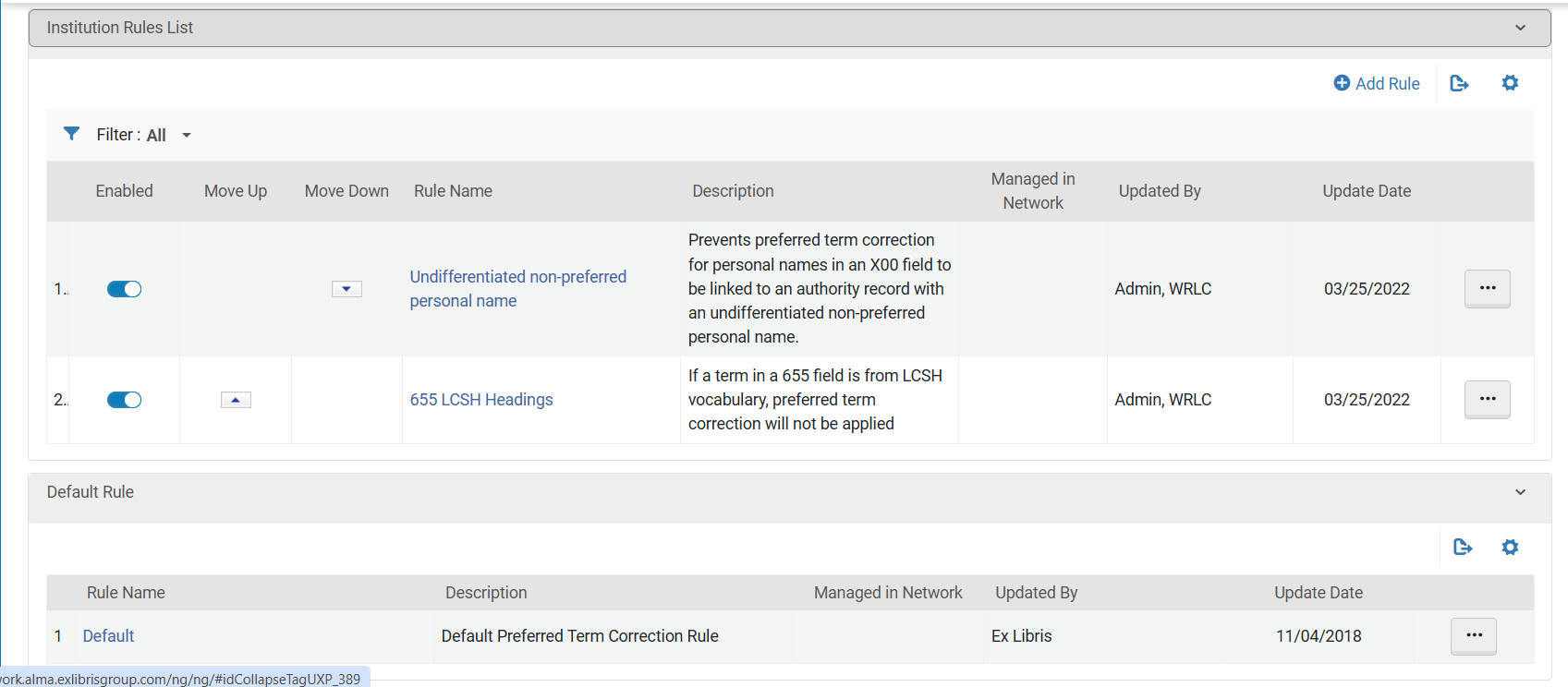
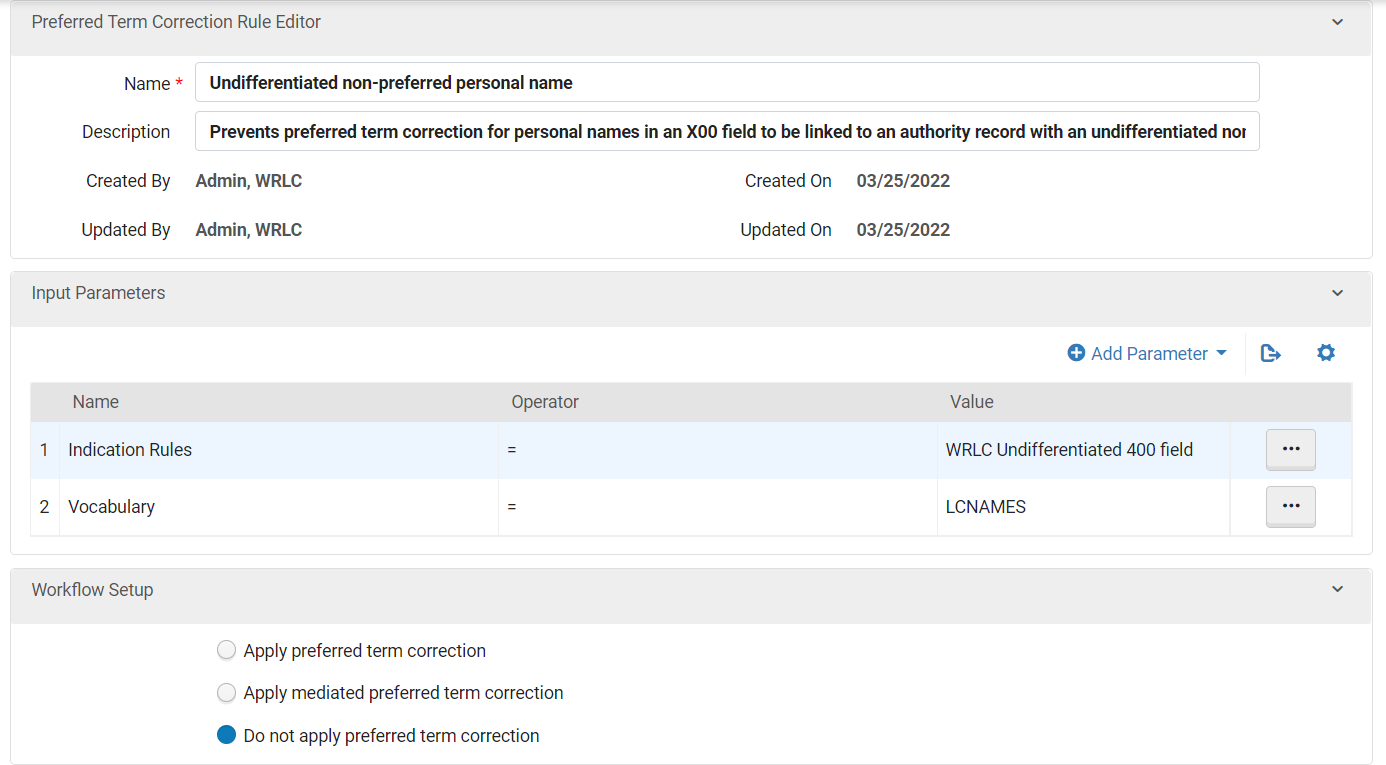
Undifferentiated non-preferred personal name
:Input Parameters:
Workflow Setup:
Do not applyPrevents preferred term correction
for personal names in an X00 field to be linked to an authority record with an undifferentiated non-preferred personal name
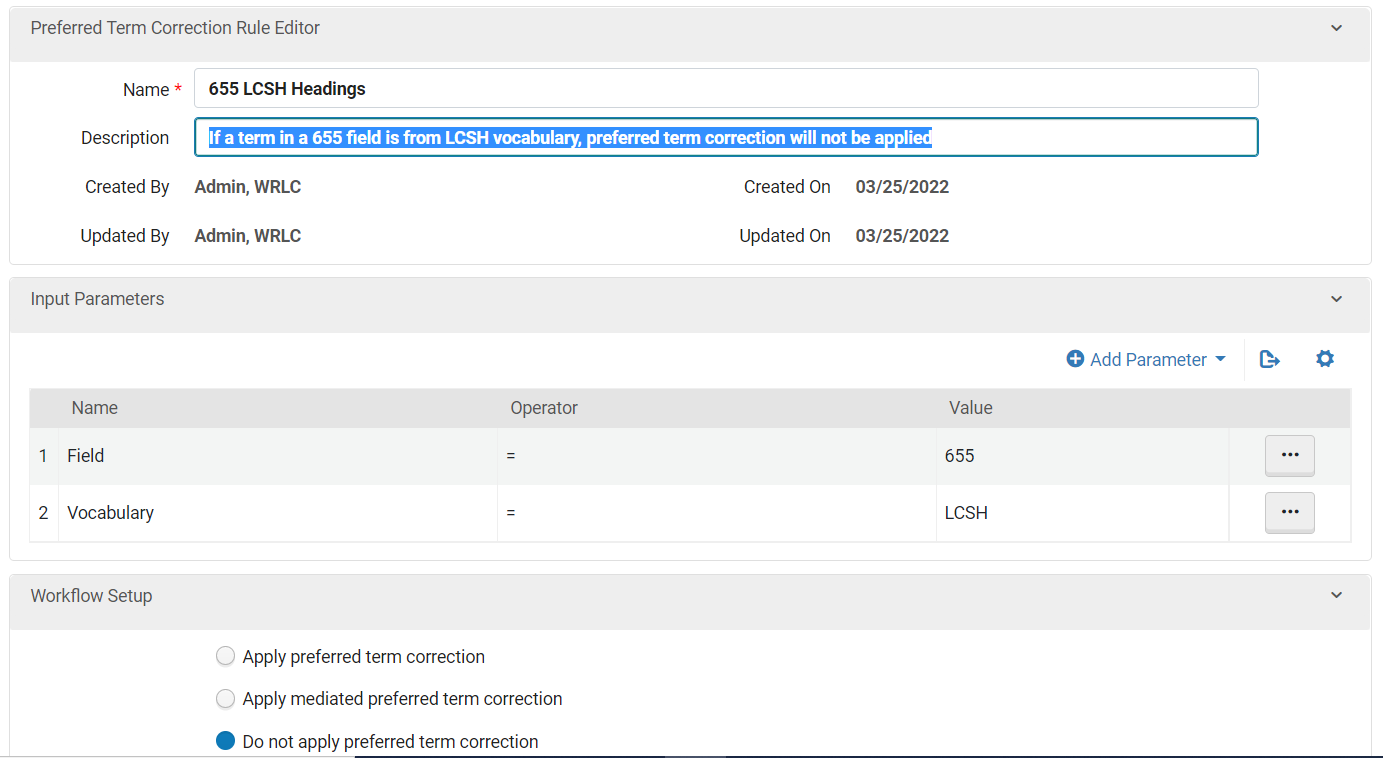
Name: 655 LCSH Headings
:
IfInputa Parameters:
Workflow Setup:
Do not applyvocabulary, preferred term correction will not be applied