
AFN Institution Zone Configurations
UNDER CONSTRUCTION
The following Automated Fulfillment Network (AFN) configurations are set in each WRLC Institution Zone. Settings will look slightly different depending on whether the Institution Zone is both a lender and borrower in the WRLC AFN, or if they are only a borrower. For a list of all partner profiles in the WRLC AFN, as well as their borrowing and lending preferences, see the Consortial Partners in CLS/AFN page.
Resource Sharing Library
Your resource sharing library is the library where your temporary borrowing and lending locations are housed.
For the WRLC AFN, your institution's Main Library is the designated Resource Sharing Library.
Configuration > Configuring drop-down menu = [choose your institution's Main Library] > Fulfillment > Library Management > Library Details
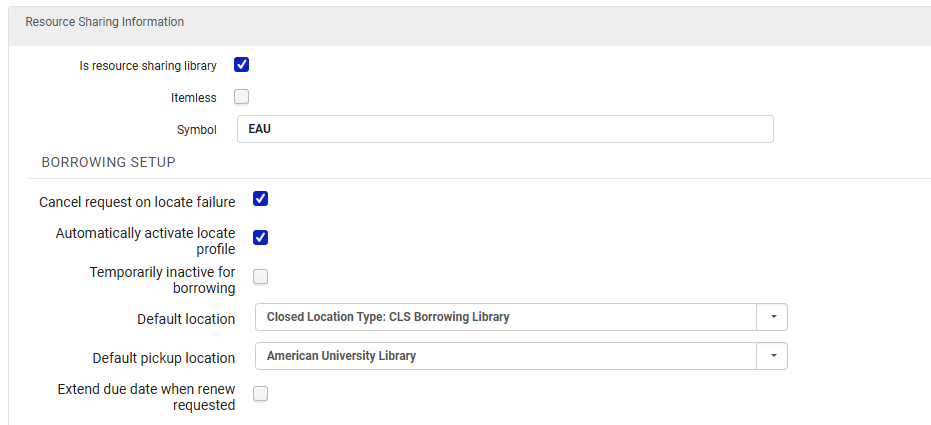
Resource Sharing Information
Is Resource Sharing Library = Yes
Itemless = No
Symbol = [ISO symbol]
Borrowing Setup
- Cancel request on locate failure = Yes
- Automatically activate locate profile = Yes
- Temporarily inactive for borrowing = No
- This can be switched to Yes for a specific period of time, for example if the Library is closed
Lending Setup
Please note that the Lending Setup portion of the Resource Sharing section is NOT used by the WRLC AFN. This is because our AFN handles all lending requests as regular hold requests within the owning Institution's IZ; they are NOT considered true lending requests by Alma. For more information, see the Alma Knowledgebase page Automated Fulfillment Network Requests (AFN)
The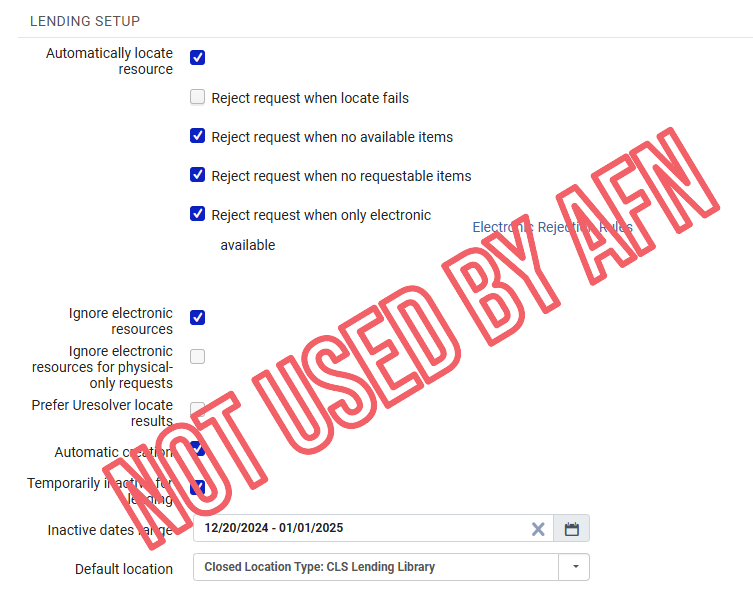
Similarly, the AFN follows the settings in each Institution's Locate Profile to find a matching item.item, NOT the settings in the Lending Setup section of the Library Details page. This is because our AFN handles all lending requests as regular hold requests within the owning Institution's IZ; they are NOT considered true lending requests by Alma.
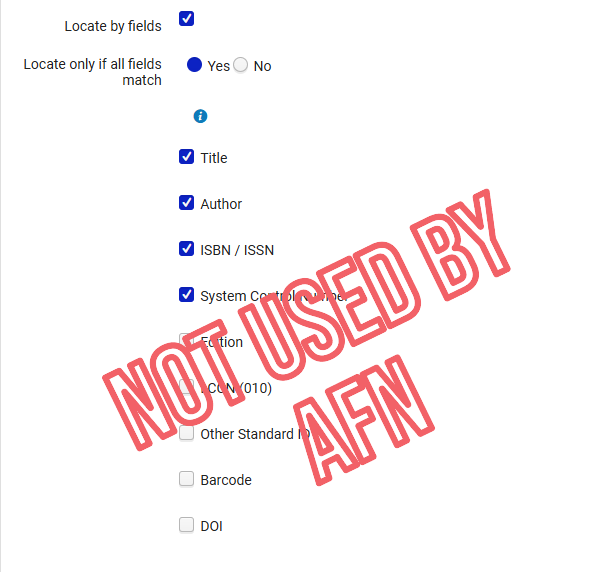
For more information, see the Alma Knowledgebase page Configuring Parameters of a Resource Sharing Library
Temporary Resource Sharing Locations
Item records for AFN items borrowed from other libraries will be given the temporary borrowing location CLSBORR.
Although there is a location named CLSLEND, it is NOT used in the AFN workflow. Items lent out via AFN will have a status of Loan, but will not be given a temporary location. Meanwhile, items lent out in either Peer 2 Peer or Rapido requests are given the CLSLEND temporary location.
Configuration > Configuring drop-down menu = [choose your institution's Main Library] > Fulfillment > Locations > Physical Locations
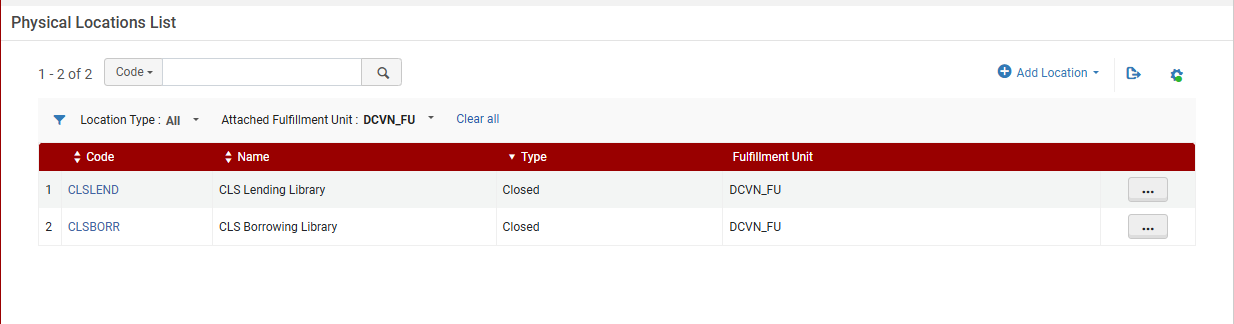
IZs that only borrow in the WRLC AFN will only have the CLSBORR location configured in their IZ. For a list of all partner profiles in the WRLC AFN, as well as their borrowing and lending preferences, see the Consortial Partners in CLS/AFN page.
Although there is a location named CLSLEND, it is NOT used in the AFN workflow. Items lent out via AFN will have a status of Loan, but will not be given a temporary location. Meanwhile, items lent out in either Peer 2 Peer or Rapido requests are given the CLSLEND temporary location.
For more information, see the Alma Knowledgebase page Configuring Physical Locations
Temp Item Creation Rule
These are rules that dictate what location and item policy are given to temporary item records created by AFN requests.
Configuration > Configuring drop-down menu = [choose your institution's Main Library] > Fulfillment >Library Management > Temporary Item Creation Rules
Rule Name = Temporary item rule
Location = CLSBORR
Item Policy = 4 week loan
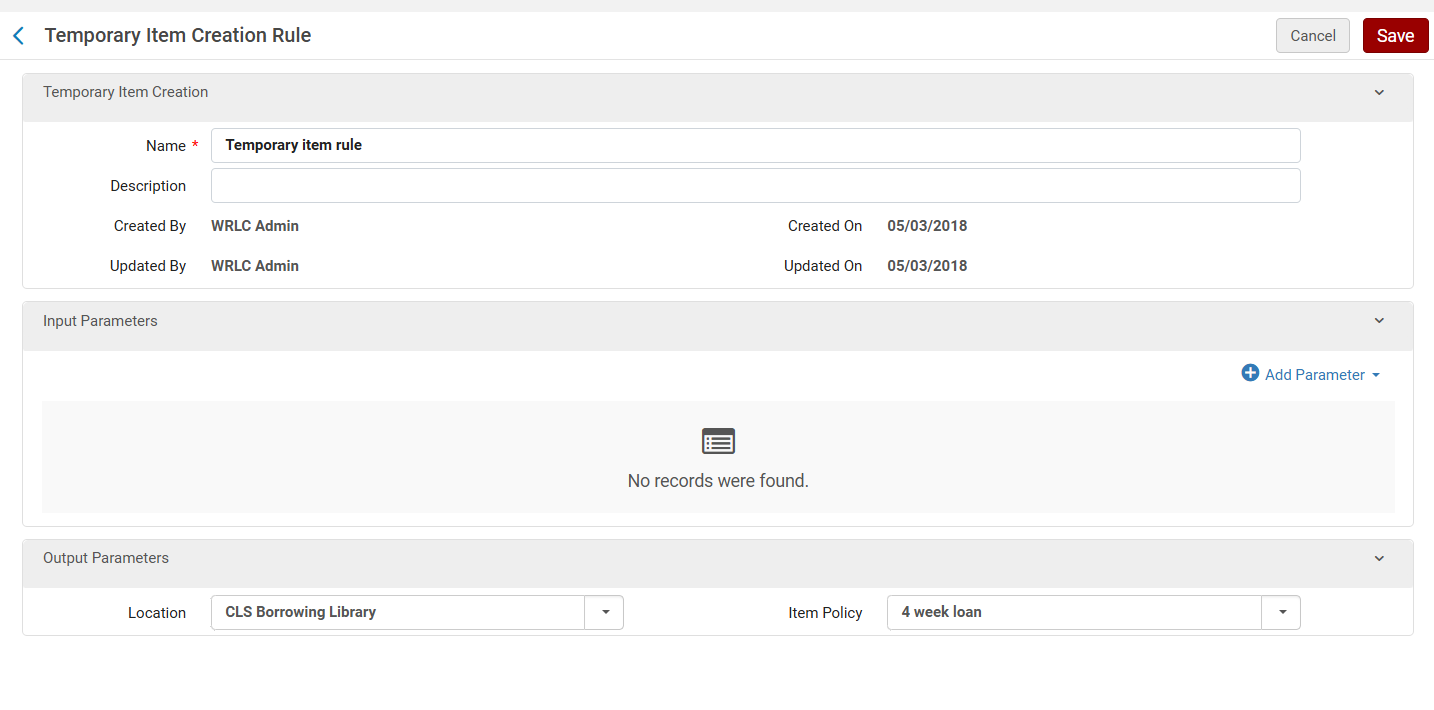
Please note that the length of loans are dictated by TOUs and fulfillment units, NOT the item policy assigned to CLS items
Terms
Fulfillment Units
Fulfillment Units are one or more physical locations in an institution that follow the same fulfillment policies. Similarly, the Network Zone has a fulfillment unit for WRLC's AFN, that dictates the rules by which items circulate in the fulfillment network.
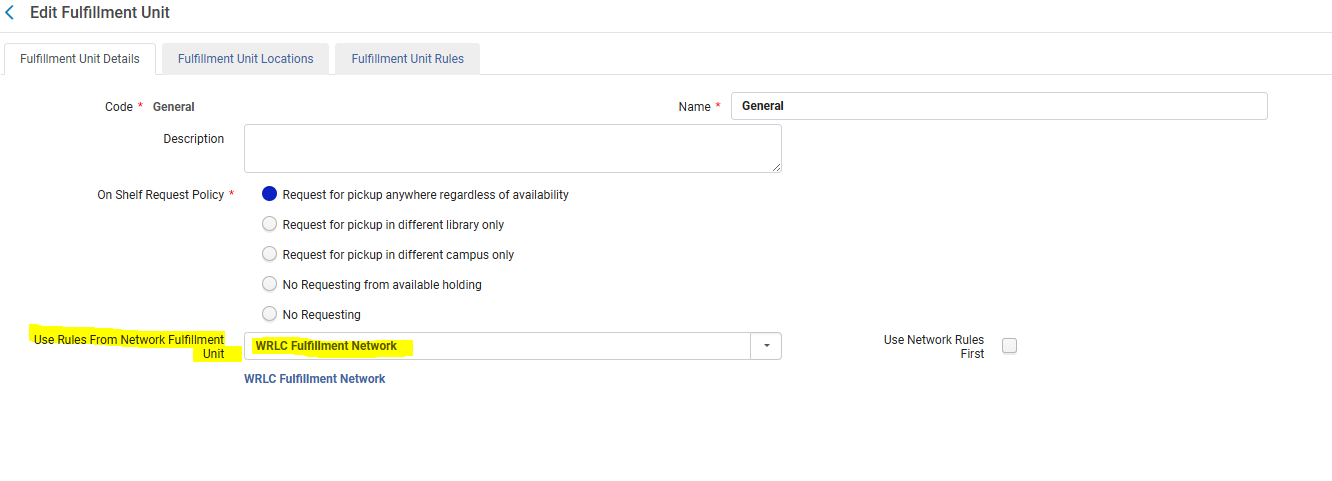
NZ-managed Fulfillment Units can be applied to institutional Fulfillment Units. The WRLC AFN Fulfillment Unit (named WRLC Fulfillment Network) should be applied to Institutional fulfillment Units that are requestable through the AFN.
Configuration > Fulfillment > Physical Fulfillment > Fulfillment Units > Edit Fulfillment Unit > Fulfillment Unit Details tab
On Shelf Request Policy = Request for pickup anywhere regardless of availability
Use
Rulesfrom Network Fulfillment Units
Unit = WRLC Fulfillment Network
For more information,
Sending Borrowing Request Rules
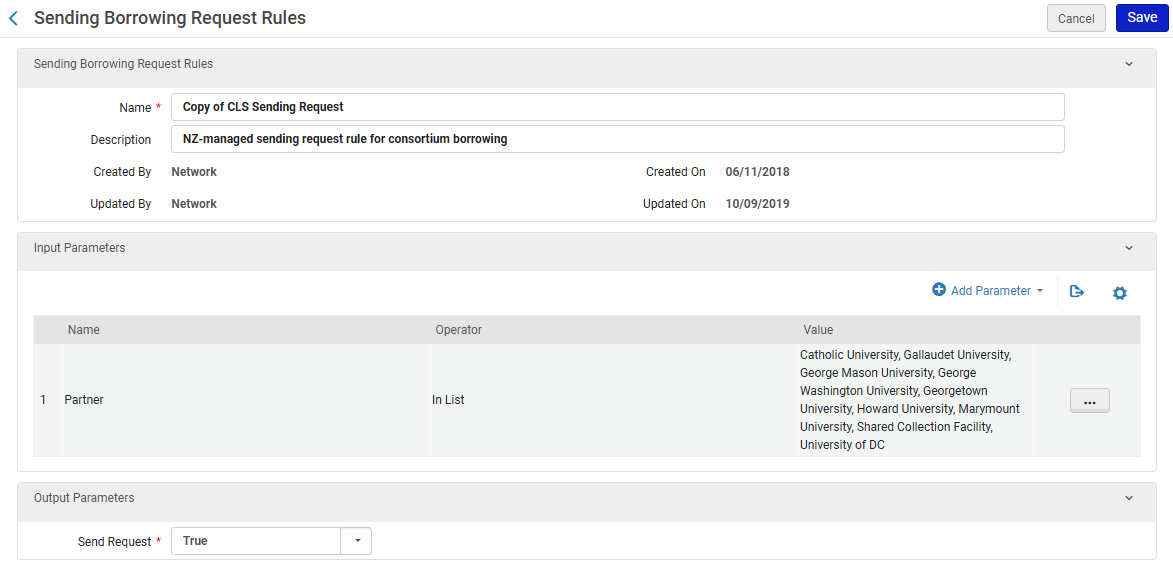
Sending Borrowing Request Rules dictate when a borrowing request is sent automatically to an active partner institution without staff intervention.
Configuration > Fulfillment > Resource Sharing > Sending Borrowing Request Rules
CLS Sending Request
For more information, see the Alma Knowledgebase page Configuring Sending Borrowing Request Rules