
Resource Sharing Form (Delivery Fields)
The Delivery Fields section of the Resource Sharing Form configuration determines which (if any) pickup locations are displayed to patrons when they request items in Primo VE.
The following are the recommended configurations for WRLC institutions participating in our AFN network.
Keep in mind that our NZ Terms of Use for requesting are configured to be Pick up Anywhere. This allows staff members to choose any pickup location for patrons when they request items in Alma. Our consortia uses the Discovery configuration below to only show IZ-only locations for patrons when they request items in Primo.
1. Go to Configuration > Discovery > GetIt Configuration > Resource Sharing Request. Scroll down to the Delivery Fields section
IF your institution only has only one pickup location, then you can configure the following:
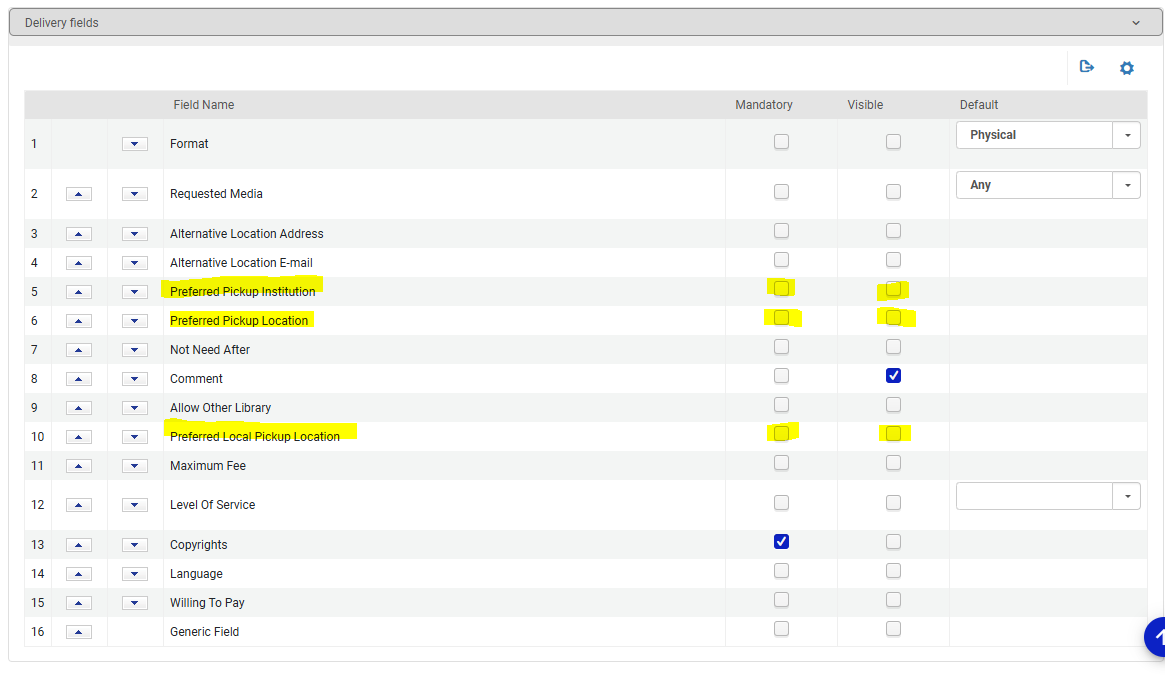
Leave the following options blank (no checkmarks):
- Preferred Pickup Institution (if checked, this will list all institutions in our NZ)
- Preferred Pickup Location (if checked this will list all libraries in our NZ)
- Preferred Local Pickup Location
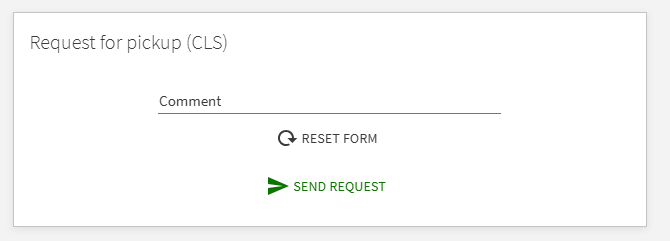
The Primo request form will then not display a pickup location option for patrons.
IF your institution has multiple pickup locations for patrons, you can configure the following:
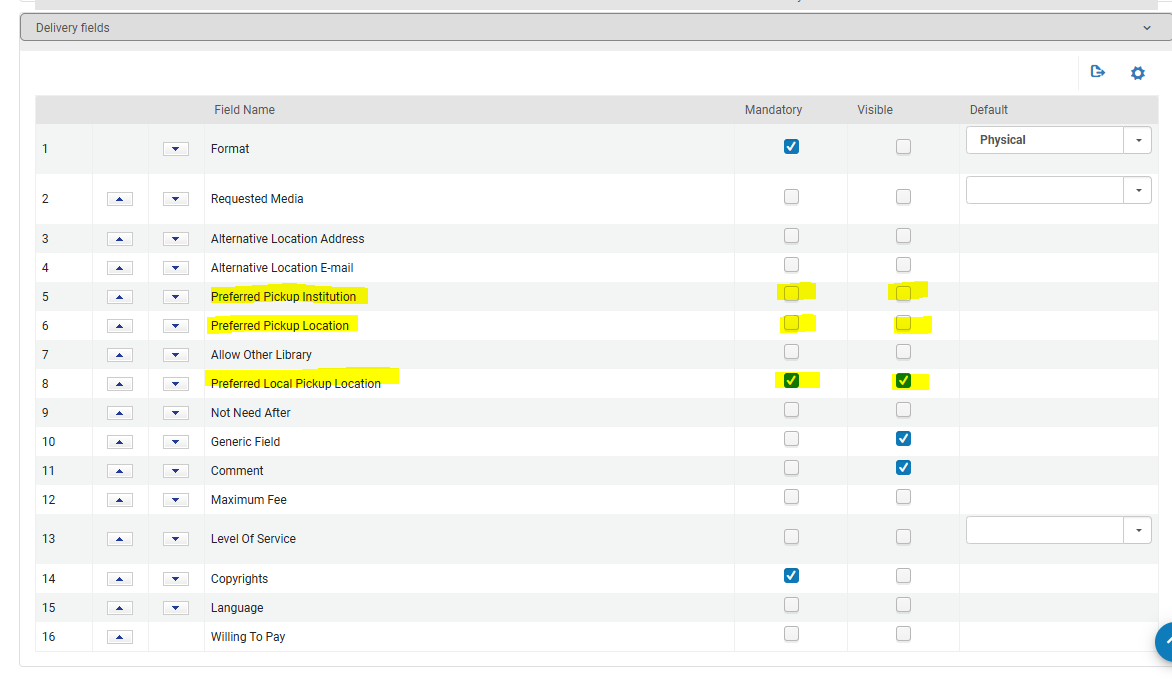
Leave the following options blank (no checkmarks):
- Preferred Pickup Institution (if checked, this will list all institutions in our NZ)
- Preferred Pickup Location (if checked this will list all libraries in our NZ)
Check Mandatory and Visible for the following option:
- Preferred Local Pickup Location
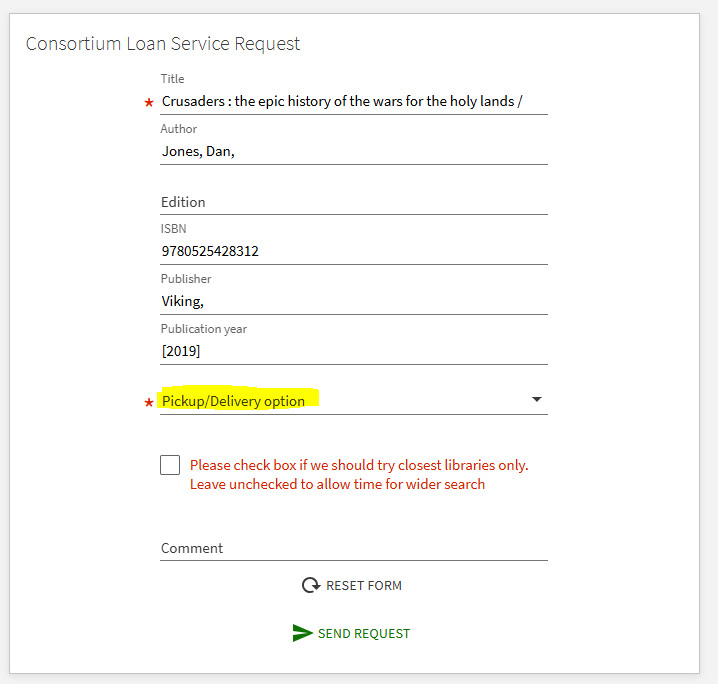
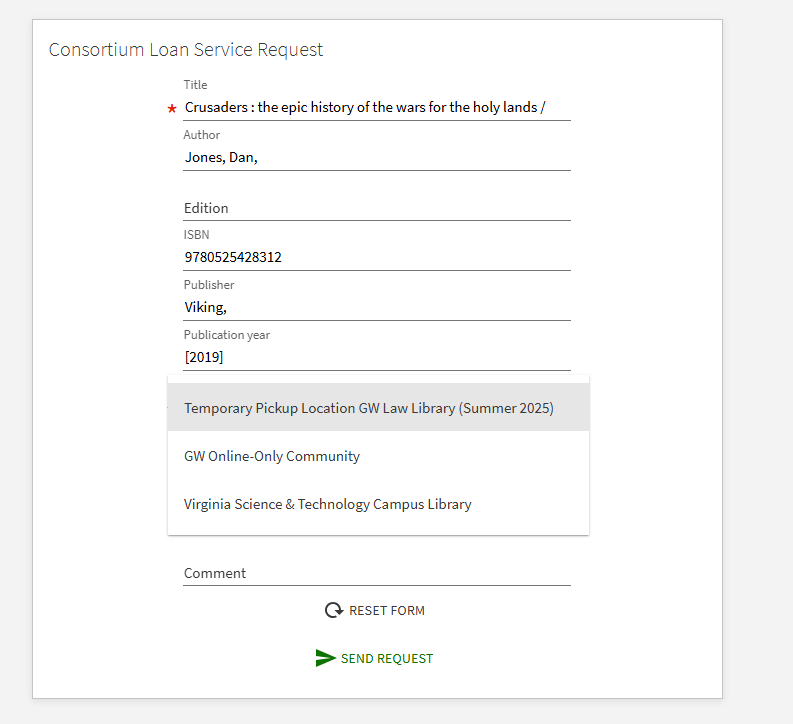
The Primo request form will then display a drop down menu of all pickup locations in your Institution Zone
A note about Rapido Institutions
For Rapido institutions, the Request TOU setting (specifically the "Pickup at Institution" value) controls the pickup options that appear in both Alma AND Primo. When you set the TOU to "Pickup at Institution" Rapido will only show the patron's own institution as a valid pickup option, and other institutions in your network won't appear on the list.
For non-Rapido institutions, however, Primo does NOT use the TOU settings when displaying pickup locations in the Primo request form; it uses the Resource Sharing Form configuration (described above) instead. Unlike Rapido institutions, TOU settings for non-Rapido institutions pertains to staff-side requests in Alma, not to patron-side requests in Primo. In this case, the list of AFN partner institutions will still appear in Primo regardless of the request TOUs unless you explicitly restrict them using the Resource Sharing Request Form configuration.
Please see Salesforce case #08203423 for more details.
No comments to display
No comments to display