Temporarily removing partner from CLS
In the case of an emergency, it is possible to temporarily remove a partner Institution Zone from the Consortium Loan Service (CLS) / Automated Fulfillment Network (AFN) rota, in order to prevent their school's items from being requestable.
The following steps are done on the Alma Network Zone.
- Go to Fulfillment > Resource Sharing > Partners
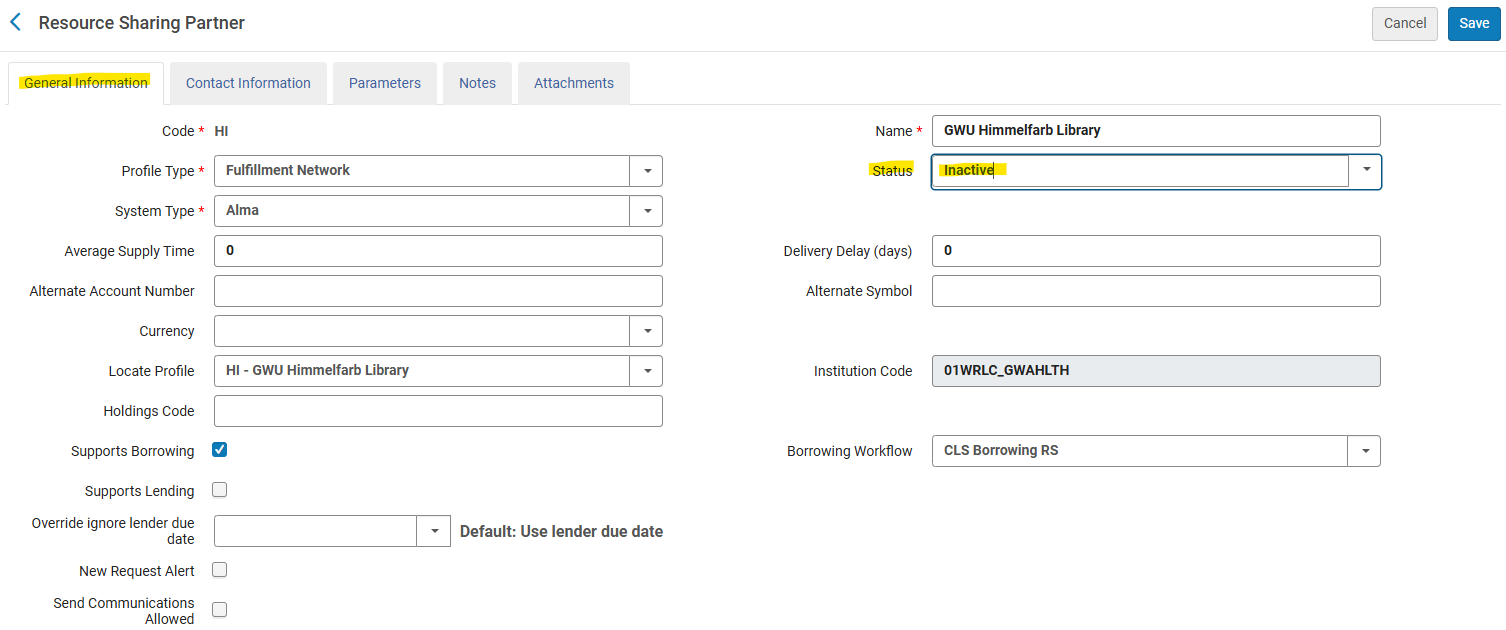
- Find the Institution in the list of partners. Specifically search for Profile Type of Fulfillment Network. Once found, click on the ellipsis button, then Edit
- Under the General Information tab, choose Inactive from the Status drop down menu. Then press Save.

- Then go to Fulfillment > Resource Sharing > Rota Templates
- Click on the ellipsis button, then Edit for the Consortium Book Borrowing rota template
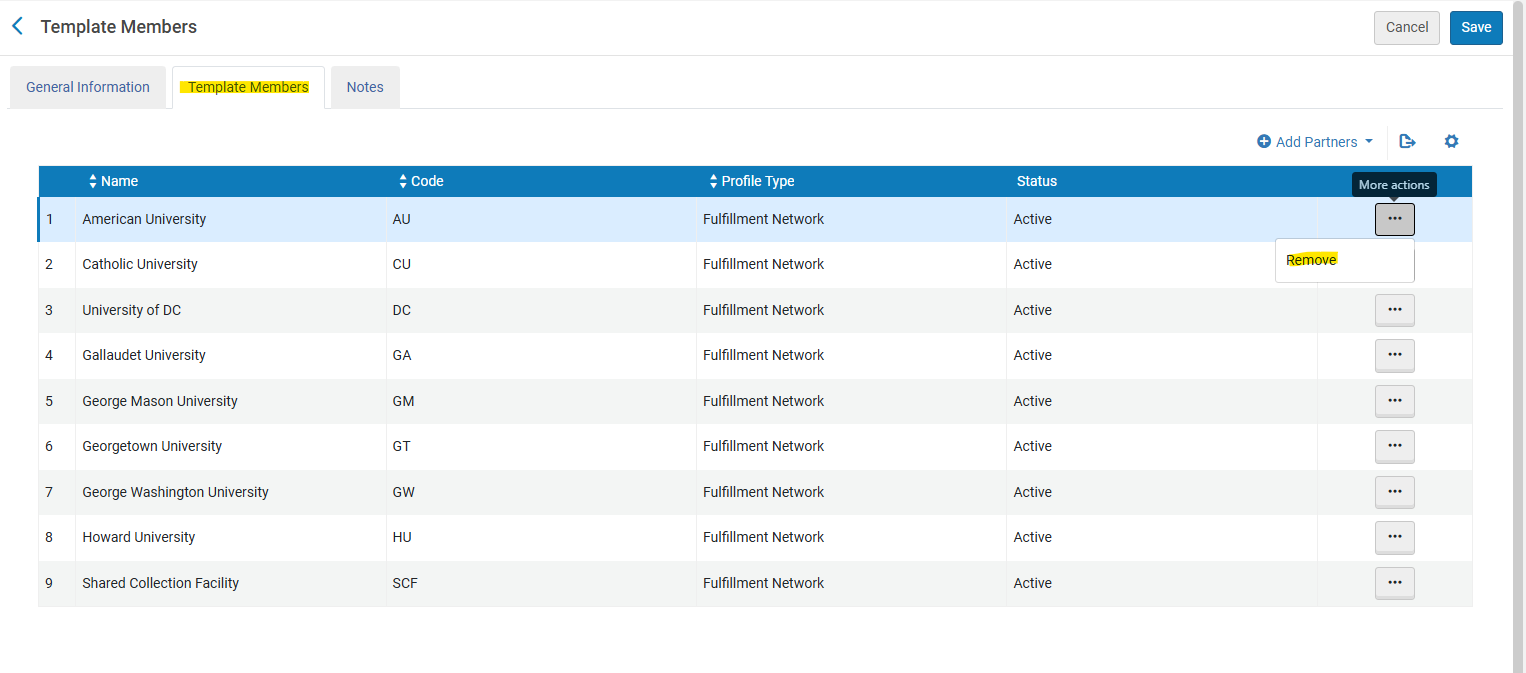
- Go to the Template Members tab
- Find the Institution in the member list, click on the ellipsis button, then choose Remove. Click Save.

- In order to distribute these changes to the Network partners, go to Fulfillment >Advanced Tools - General > Distribute Resource Sharing Network Configuration. When the pop-up appears, click the Confirm button.
The steps above will successfully prevent the institution's items from being requested by the other consortial partners.
In order to prevent the institution's patrons from placing CLS/AFN requests, one extra step needs to be done in the Institution's Institution Zone.
- Go to their Institution Zone; then go to Configuration > General > Add a Library or Edit a Library
- Go to the Libraries tab. For each library that is a Resource Sharing library, do the following:
- Click on the name of the Library
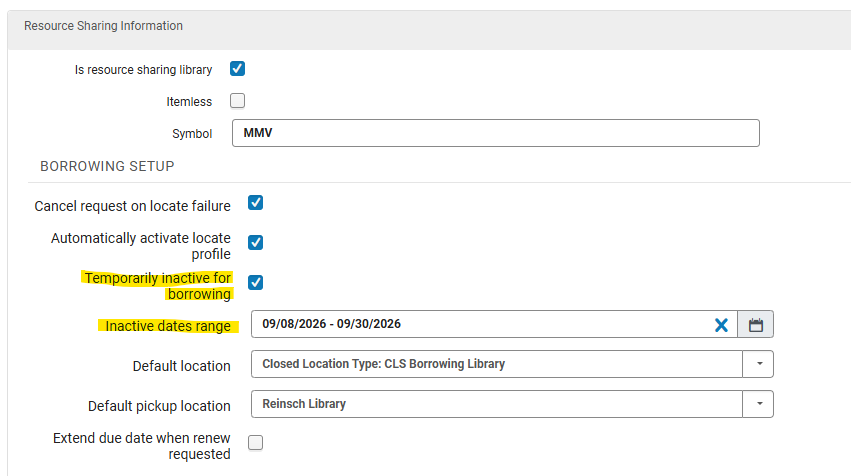
- In the Resource Sharing section under the Summary tab, check Temporarily inactive for borrowing. If possible, set the dates in which patrons will be unable to borrow consortial items, then click Save.
- Repeat for other resource sharing libraries configured in the Institution Zone.