# WRLC HQ

Documents and Information for staff at WRLC Headquarters

# Handle Server

The WRLC handle server prefix is 1961.

The prefix is typically renewed each year in January. In Dec 2025, it was renewed for 5 years.

The contact for renewal is <span class="gI"><span data-hovercard-id="hdladmin@cnri.reston.va.us" data-hovercard-owner-id="45"><hdladmin@cnri.reston.va.us>. (Most recently this was Christy Short.)</span></span>

<span class="gI"><span data-hovercard-id="hdladmin@cnri.reston.va.us" data-hovercard-owner-id="45">The last renewal in December 2025 was $250.00.</span></span>

**TESTING:**

<dl id="bkmrk-test-urls-https%3A%2F%2Fhd"><dd>Test URLs <dl><dd>[https://hdl.handle.net](https://hdl.handle.net) (enter handle like 1961/muislandora:871 )</dd><dd>[https://hdl.wrlc.org/1961/14672](https://hdl.wrlc.org/1961/14672)</dd><dd>[https://hdl.handle.net/1961/muislandora:876](https://hdl.handle.net/1961/muislandora:876)</dd><dd></dd></dl></dd></dl><dl id="bkmrk-test-command-%24-mysql"><dd><dl><dd></dd></dl></dd><dd></dd><dd></dd><dd>  
</dd></dl><dl id="bkmrk-test-command-%24-mysql-1"><dd>Test command <dl><dd>$ mysql -u root -p -e "show databases;"</dd></dl></dd></dl><dl id="bkmrk-"></dl><dl id="bkmrk-note---migrated-to-c"><dd><dl><dd></dd></dl></dd><dd></dd><dd></dd><dd>  
</dd></dl><span class="gI"><span data-hovercard-id="hdladmin@cnri.reston.va.us" data-hovercard-owner-id="45">**Trouble shooting**:</span></span>

<span class="gI"><span data-hovercard-id="hdladmin@cnri.reston.va.us" data-hovercard-owner-id="45">If the handle server doesn't restart on reboot, check the lock file. </span></span>

<span class="gI"><span data-hovercard-id="hdladmin@cnri.reston.va.us" data-hovercard-owner-id="45">If lock file was not removed on shutdown/crash, it will need to be removed before the handle server can restart.</span></span>

<span class="gI"><span data-hovercard-id="hdladmin@cnri.reston.va.us" data-hovercard-owner-id="45">**Location**: /opt/handle/svr1/txns/lock</span></span>

<span class="gI"><span data-hovercard-id="hdladmin@cnri.reston.va.us" data-hovercard-owner-id="45">-rw-r--r-- 1 root www-data 4 Mar 25 09:50 lock  
kilduff@crhandle:/opt/handle/svr1/txns$</span></span>

<span class="gI"><span data-hovercard-id="hdladmin@cnri.reston.va.us" data-hovercard-owner-id="45">Remove lock file.</span></span>

<span class="gI"><span data-hovercard-id="hdladmin@cnri.reston.va.us" data-hovercard-owner-id="45">Note - migrated to cloud 4/8/2024</span></span>

# Sandbox Configuration after refresh

The Premium Sandboxes are refreshed twice a year. This copies the latest configurations from production Alma into the PSB Network Zone and the 3 PSB IZs. Several configuration changes need to be made so that the AFN will work correctly.

# Update Rota Template Members

After the refresh, the Rota Template has the full compliment of partners for Consortium Book Borrowing (CLS-Physical) template. Members that do not have an IZ Sandbox need to be removed for the Rota to work properly. Currently, the members should be AU, DC, and GW. Remove the others that do not have a PSB.

In the PSB Network Zone:

Fulfillment --&gt; Resource Sharing --&gt; Rota Templates --&gt; Edit Consortium Book Borrowing (CLS-Physical)

- On the Member Tab, select and Remove the IZs that are not represented in the Sandbox.

[![Screen Shot 2024-02-13 at 4.32.26 PM.png](https://alma-documentation-bookstack.azurewebsites.net/uploads/images/gallery/2024-02/scaled-1680-/hzRscreen-shot-2024-02-13-at-4-32-26-pm.png)](https://alma-documentation-bookstack.azurewebsites.net/uploads/images/gallery/2024-02/hzRscreen-shot-2024-02-13-at-4-32-26-pm.png)

- Don't forget to Save.

# Update the Resource Sharing Partners for the PSB

The Resource Sharing partners that are template members will need to have their URL parameter updated.

Fulfillment --&gt; Resource Sharing --&gt; Partners

- Find the partners that are in the updated Rota Template. Select edit.

[![Screen Shot 2024-02-13 at 4.42.52 PM.png](https://alma-documentation-bookstack.azurewebsites.net/uploads/images/gallery/2024-02/scaled-1680-/screen-shot-2024-02-13-at-4-42-52-pm.png)](https://alma-documentation-bookstack.azurewebsites.net/uploads/images/gallery/2024-02/screen-shot-2024-02-13-at-4-42-52-pm.png)

- Select the Parameters tab. Update the URL field. Don't forget to Save.

[![Screen Shot 2024-02-13 at 4.45.38 PM.png](https://alma-documentation-bookstack.azurewebsites.net/uploads/images/gallery/2024-02/scaled-1680-/screen-shot-2024-02-13-at-4-45-38-pm.png)](https://alma-documentation-bookstack.azurewebsites.net/uploads/images/gallery/2024-02/screen-shot-2024-02-13-at-4-45-38-pm.png)

 Currently, the URLs are:

- - [https://wrlc-amu-psb.alma.exlibrisgroup.com/](https://wrlc-amu-psb.alma.exlibrisgroup.com/) (AU)
    - [https://wrlc-doc-psb.alma.exlibrisgroup.com/](https://wrlc-doc-psb.alma.exlibrisgroup.com/) (DC)
    - [https://wrlc-gwu-psb.alma.exlibrisgroup.com/](https://wrlc-gwu-psb.alma.exlibrisgroup.com/) (GW)
    - [https://wrlc-scf-psb.alma.exlibrisgroup.com/](https://wrlc-scf-psb.alma.exlibrisgroup.com/) (SCF)

Once both the Rota Template members and the Resource Sharing Partner URL are updated you need to run the "Distribute Resource Sharing Network Configuration" job from the PSB Network Zone. This job distributes the changes that you just made to the template partner IZs

Fulfillment --&gt; Advanced Tools - General --&gt; Distribute Resource Sharing Network Configuration

[![Screen Shot 2024-02-13 at 4.56.16 PM.png](https://alma-documentation-bookstack.azurewebsites.net/uploads/images/gallery/2024-02/scaled-1680-/screen-shot-2024-02-13-at-4-56-16-pm.png)](https://alma-documentation-bookstack.azurewebsites.net/uploads/images/gallery/2024-02/screen-shot-2024-02-13-at-4-56-16-pm.png)

# Update sftp server directory for PSB use

The Premium Sandbox uses the sftp.wrlc.org server to post files from the running of the "Send Request to Remote Storage" jobs. It is also used for posting files from the running of the publishing jobs.

Follow the instructions below for all of the Institution Zones in the sandbox:

Configuration --&gt; General --&gt; External Systems --&gt; Allowed S/FTP connections

Add the IP ***sftp.wrlc.org*** to the list of allowed connections in the sandbox

[![Capture.PNG](https://alma-documentation-bookstack.azurewebsites.net/uploads/images/gallery/2025-02/scaled-1680-/capture.PNG)](https://alma-documentation-bookstack.azurewebsites.net/uploads/images/gallery/2025-02/capture.PNG)

Configuration --&gt; General --&gt; External Systems --&gt; S/FTP definitions

[![Screen Shot 2024-09-03 at 10.06.57 AM.png](https://alma-documentation-bookstack.azurewebsites.net/uploads/images/gallery/2024-09/scaled-1680-/screen-shot-2024-09-03-at-10-06-57-am.png)](https://alma-documentation-bookstack.azurewebsites.net/uploads/images/gallery/2024-09/screen-shot-2024-09-03-at-10-06-57-am.png)

Find the "SFTP for SCF App" connection.

[![Screen Shot 2024-09-03 at 10.08.07 AM.png](https://alma-documentation-bookstack.azurewebsites.net/uploads/images/gallery/2024-09/scaled-1680-/screen-shot-2024-09-03-at-10-08-07-am.png)](https://alma-documentation-bookstack.azurewebsites.net/uploads/images/gallery/2024-09/screen-shot-2024-09-03-at-10-08-07-am.png)

Select edit.

[![Screen Shot 2024-09-03 at 9.55.52 AM.png](https://alma-documentation-bookstack.azurewebsites.net/uploads/images/gallery/2024-09/scaled-1680-/screen-shot-2024-09-03-at-9-55-52-am.png)](https://alma-documentation-bookstack.azurewebsites.net/uploads/images/gallery/2024-09/screen-shot-2024-09-03-at-9-55-52-am.png)

Locate the Sub-directrory used on the sftp.wrlc.org server.

[![Screen Shot 2024-09-03 at 9.56.33 AM.png](https://alma-documentation-bookstack.azurewebsites.net/uploads/images/gallery/2024-09/scaled-1680-/screen-shot-2024-09-03-at-9-56-33-am.png)](https://alma-documentation-bookstack.azurewebsites.net/uploads/images/gallery/2024-09/screen-shot-2024-09-03-at-9-56-33-am.png)

Change the Sub-directory to "AlmaRSA-PSB". Save.

This is the directory the Sandbox should be using. You can test if the PSB can connect using the TestFTP button on the upper right of the screen.

For more info on these configurations, see Salesforce case #07222190

# Update Webhook profiles

In the non-SCF Institution Zones, the ***SCF Job Finish Webhook profile*** needs to be update with the Webhook listener URL and activated so that both publishing and requesting functions of the SCFapp work.

In the SCF sandbox, the ***SCF Loans Webhooks profile*** needs to be updated and activated with the same URL.

Configuration --&gt; General --&gt; External Systems --&gt; Integration Profiles --&gt; Webhook profile

[![Screen Shot 2024-09-10 at 9.07.20 AM.png](https://alma-documentation-bookstack.azurewebsites.net/uploads/images/gallery/2024-09/scaled-1680-/screen-shot-2024-09-10-at-9-07-20-am.png)](https://alma-documentation-bookstack.azurewebsites.net/uploads/images/gallery/2024-09/screen-shot-2024-09-10-at-9-07-20-am.png)

Select Edit.

[![Screen Shot 2024-09-10 at 8.50.16 AM.png](https://alma-documentation-bookstack.azurewebsites.net/uploads/images/gallery/2024-09/scaled-1680-/screen-shot-2024-09-10-at-8-50-16-am.png)](https://alma-documentation-bookstack.azurewebsites.net/uploads/images/gallery/2024-09/screen-shot-2024-09-10-at-8-50-16-am.png)

Add the Webhook listener URL :

**Production IZs:** [https://almarsa.wrlc.org/](https://almarsa.wrlc.org/)  
**PSB:** [https://almarsa-psb.wrlc.org/webhook](https://almarsa-psb.wrlc.org/webhook)

Activate and Save.

You will see confirmation of activation if the URL is correct an the server responds.

For more info on these configurations, see Salesforce case #07222190

# Due Dates

# Update the Faculty Due Date

As with each IZ that participates in consortial lending needs to maintain the fixed due date on their calendars for patrons in "wrlc user" user group with the "WRLC Faculty" job category, so does the SCF IZ. This is done 3 time a year so that Faculty can have loans that last the semester. The dates are changed about 6 weeks prior to the expiration of the current due date.

The designated due dates are January 31st for the Fall semester, May 31st for the Spring semester, and September 30th for the Summer sessions.

The dates are changed on the following schedule:

- January 31 due date is set on about August 15th.
- May 31st due date is set on about December 15th.
- September 30th due date is set on about April 15th.

# Bulk Due Date change for pseudo-patrons

Since there is no method to automatically renew items loaned to the scfapp pseudo-patrons, this must be done manually.

This should be done once the "Faculty due date" has been updated in the SCF. (This is done 3 times in a year.)

Procedure to Update the item due dates:

# SCF Remote Storage App

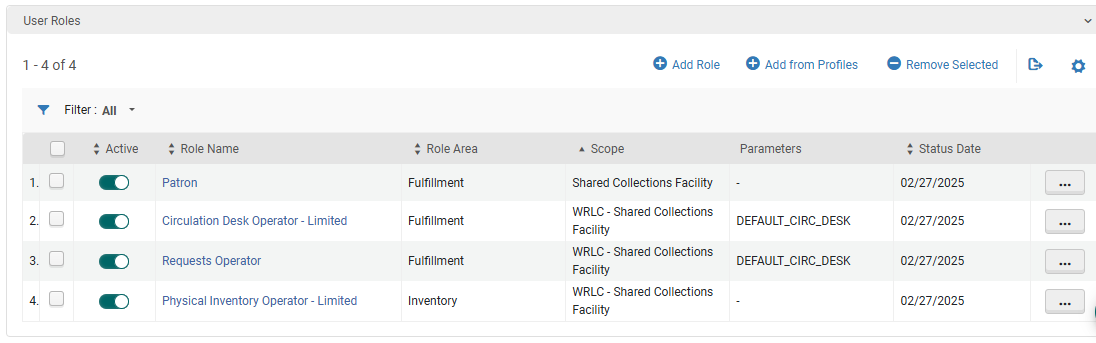
All things related to SCF processing of physical item request from the SCFapp.

# Delivery locations with Codes

**<span data-sheets-formula-bar-text-style="font-size:16px;color:#000000;font-weight:bold;text-decoration:none;font-family:'Arial';font-style:normal;text-decoration-skip-ink:none;">Partners with Library Names, Pull Slip Codes and Courier Slip Code  
</span>**

<table border="1" id="bkmrk-institution-name-%28iz" style="border-collapse: collapse; width: 100%; height: 1107.2px; border: 1px solid rgb(0, 0, 0);"><colgroup><col style="width: 36.4648%;"></col><col style="width: 36.2176%;"></col><col style="width: 15.822%;"></col><col style="width: 11.3721%;"></col></colgroup><tbody><tr style="height: 51.4px;"><td style="height: 51.4px; border-width: 1px; border-color: rgb(0, 0, 0);">**<span data-sheets-userformat="{"2":10943,"3":{"1":0},"4":{"1":2,"2":13624051},"5":{"1":[{"1":2,"2":0,"5":{"1":2,"2":0}},{"1":0,"2":0,"3":3},{"1":1,"2":0,"4":1}]},"6":{"1":[{"1":2,"2":0,"5":{"1":2,"2":0}},{"1":0,"2":0,"3":3},{"1":1,"2":0,"4":1}]},"7":{"1":[{"1":2,"2":0,"5":{"1":2,"2":0}},{"1":0,"2":0,"3":3},{"1":1,"2":0,"4":1}]},"8":{"1":[{"1":2,"2":0,"5":{"1":2,"2":0}},{"1":0,"2":0,"3":3},{"1":1,"2":0,"4":1}]},"10":0,"12":0,"14":{"1":2,"2":0},"16":12}" data-sheets-value="{"1":2,"2":"Institution Name (IZ)"}" style="font-size: 12pt; font-family: Arial; font-style: normal;">Institution Name (IZ)</span>**</td><td style="height: 51.4px; border-width: 1px; border-color: rgb(0, 0, 0);">**<span data-sheets-userformat="{"2":8767,"3":{"1":0},"4":{"1":2,"2":13624051},"5":{"1":[{"1":2,"2":0,"5":{"1":2,"2":0}},{"1":0,"2":0,"3":3},{"1":1,"2":0,"4":1}]},"6":{"1":[{"1":2,"2":0,"5":{"1":2,"2":0}},{"1":0,"2":0,"3":3},{"1":1,"2":0,"4":1}]},"7":{"1":[{"1":2,"2":0,"5":{"1":2,"2":0}},{"1":0,"2":0,"3":3},{"1":1,"2":0,"4":1}]},"8":{"1":[{"1":2,"2":0,"5":{"1":2,"2":0}},{"1":0,"2":0,"3":3},{"1":1,"2":0,"4":1}]},"12":0,"16":12}" data-sheets-value="{"1":2,"2":"Library name"}" style="font-size: 12pt; font-family: Arial; font-style: normal;">Library name</span>**</td><td style="height: 51.4px; border-width: 1px; border-color: rgb(0, 0, 0);">**<span data-sheets-userformat="{"2":8767,"3":{"1":0},"4":{"1":2,"2":13624051},"5":{"1":[{"1":2,"2":0,"5":{"1":2,"2":0}},{"1":0,"2":0,"3":3},{"1":1,"2":0,"4":1}]},"6":{"1":[{"1":2,"2":0,"5":{"1":2,"2":0}},{"1":0,"2":0,"3":3},{"1":1,"2":0,"4":1}]},"7":{"1":[{"1":2,"2":0,"5":{"1":2,"2":0}},{"1":0,"2":0,"3":3},{"1":1,"2":0,"4":1}]},"8":{"1":[{"1":2,"2":0,"5":{"1":2,"2":0}},{"1":0,"2":0,"3":3},{"1":1,"2":0,"4":1}]},"12":0,"16":12}" data-sheets-value="{"1":2,"2":"Location Code (Pull Slip)"}" style="font-size: 12pt; font-family: Arial; font-style: normal;">Location Code (Pull Slip)</span>**</td><td style="height: 51.4px; border-width: 1px; border-color: rgb(0, 0, 0);">**<span data-sheets-userformat="{"2":8767,"3":{"1":0},"4":{"1":2,"2":13624051},"5":{"1":[{"1":2,"2":0,"5":{"1":2,"2":0}},{"1":0,"2":0,"3":3},{"1":1,"2":0,"4":1}]},"6":{"1":[{"1":2,"2":0,"5":{"1":2,"2":0}},{"1":0,"2":0,"3":3},{"1":1,"2":0,"4":1}]},"7":{"1":[{"1":2,"2":0,"5":{"1":2,"2":0}},{"1":0,"2":0,"3":3},{"1":1,"2":0,"4":1}]},"8":{"1":[{"1":2,"2":0,"5":{"1":2,"2":0}},{"1":0,"2":0,"3":3},{"1":1,"2":0,"4":1}]},"12":0,"16":12}" data-sheets-value="{"1":2,"2":"Courier Slip Code"}" style="font-size: 12pt; font-family: Arial; font-style: normal;">Courier Slip Code</span>**</td></tr><tr style="height: 32.2px;"><td data-sheets-value="{"1":2,"2":"American University"}" style="overflow: hidden; vertical-align: top; background-color: rgb(255, 255, 255); font-size: 12pt; border: 1px solid rgb(0, 0, 0); height: 32.2px;">American University</td><td data-sheets-value="{"1":2,"2":"American University Library"}" style="overflow: hidden; vertical-align: bottom; font-size: 12pt; border: 1px solid rgb(0, 0, 0); height: 32.2px;">American University Library</td><td data-sheets-value="{"1":2,"2":"AU"}" style="overflow: hidden; vertical-align: bottom; font-size: 12pt; border: 1px solid rgb(0, 0, 0); height: 32.2px;">AU</td><td data-sheets-value="{"1":2,"2":"AU"}" style="overflow: hidden; padding: 2px 3px; vertical-align: bottom; font-size: 12pt; border: 1px solid rgb(0, 0, 0); height: 32.2px;">AU</td></tr><tr style="height: 51.4px;"><td data-sheets-value="{"1":2,"2":"AU, Washington College of Law Library"}" style="border-width: 1px; border-right-style: solid; border-bottom-style: solid; border-left: 1px solid rgb(0, 0, 0); overflow: hidden; vertical-align: top; background-color: rgb(255, 255, 255); font-size: 12pt; height: 51.4px; border-color: rgb(0, 0, 0);">AU, Washington College of Law Library</td><td data-sheets-value="{"1":2,"2":"Pence Law Library"}" style="border-width: 1px; border-right-style: solid; border-bottom-style: solid; border-left: 1px solid rgb(0, 0, 0); overflow: hidden; vertical-align: bottom; font-size: 12pt; height: 51.4px; border-color: rgb(0, 0, 0);">Pence Law Library</td><td data-sheets-value="{"1":2,"2":"AULAW"}" style="border-width: 1px; border-right-style: solid; border-bottom-style: solid; border-left: 1px solid rgb(0, 0, 0); overflow: hidden; vertical-align: bottom; font-size: 12pt; height: 51.4px; border-color: rgb(0, 0, 0);">AULAW</td><td data-sheets-value="{"1":2,"2":"AU-WCL"}" style="border-right: 1px solid rgb(0, 0, 0); border-bottom: 1px solid rgb(0, 0, 0); border-left: 1px solid rgb(0, 0, 0); overflow: hidden; padding: 2px 3px; vertical-align: bottom; font-size: 12pt; height: 51.4px;">AU-WCL</td></tr><tr style="height: 32.2px;"><td data-sheets-value="{"1":2,"2":"Catholic University of America"}" style="border-width: 1px; border-right-style: solid; border-bottom-style: solid; border-left: 1px solid rgb(0, 0, 0); overflow: hidden; vertical-align: top; background-color: rgb(255, 255, 255); font-size: 12pt; height: 32.2px; border-color: rgb(0, 0, 0);">Catholic University of America</td><td data-sheets-value="{"1":2,"2":"Mullen Library"}" style="border-width: 1px; border-right-style: solid; border-bottom-style: solid; border-left: 1px solid rgb(0, 0, 0); overflow: hidden; vertical-align: bottom; font-size: 12pt; height: 32.2px; border-color: rgb(0, 0, 0);">Mullen Library</td><td data-sheets-value="{"1":2,"2":"CU"}" style="border-width: 1px; border-right-style: solid; border-bottom-style: solid; border-left: 1px solid rgb(0, 0, 0); overflow: hidden; vertical-align: bottom; font-size: 12pt; height: 32.2px; border-color: rgb(0, 0, 0);">CU</td><td data-sheets-value="{"1":2,"2":"CU"}" style="border-right: 1px solid rgb(0, 0, 0); border-bottom: 1px solid rgb(0, 0, 0); border-left: 1px solid rgb(0, 0, 0); overflow: hidden; padding: 2px 3px; vertical-align: bottom; font-size: 12pt; height: 32.2px;">CU</td></tr><tr style="height: 32.2px;"><td data-sheets-value="{"1":2,"2":"CUA, Columbus School of Law *"}" style="border-width: 1px; border-right-style: solid; border-bottom-style: solid; border-left: 1px solid rgb(0, 0, 0); overflow: hidden; vertical-align: top; background-color: rgb(255, 255, 255); font-size: 12pt; height: 32.2px; border-color: rgb(0, 0, 0);">CUA, Columbus School of Law \*</td><td data-sheets-value="{"1":2,"2":"Law Library"}" style="border-width: 1px; border-right-style: solid; border-bottom-style: solid; border-left: 1px solid rgb(0, 0, 0); overflow: hidden; vertical-align: bottom; font-size: 12pt; height: 32.2px; border-color: rgb(0, 0, 0);">Law Library</td><td data-sheets-value="{"1":2,"2":"(CU LAW) *"}" style="border-width: 1px; border-right-style: solid; border-bottom-style: solid; border-left: 1px solid rgb(0, 0, 0); overflow: hidden; vertical-align: bottom; font-size: 12pt; height: 32.2px; border-color: rgb(0, 0, 0);">(CU LAW) \*</td><td data-sheets-value="{"1":2,"2":"CU LAW"}" style="border-right: 1px solid rgb(0, 0, 0); border-bottom: 1px solid rgb(0, 0, 0); border-left: 1px solid rgb(0, 0, 0); overflow: hidden; padding: 2px 3px; vertical-align: bottom; font-size: 12pt; height: 32.2px;">CU LAW</td></tr><tr style="height: 32.2px;"><td data-sheets-value="{"1":2,"2":"University of the District of Columbia"}" style="border-width: 1px; border-right-style: solid; border-bottom-style: solid; border-left: 1px solid rgb(0, 0, 0); overflow: hidden; vertical-align: top; background-color: rgb(255, 255, 255); font-size: 12pt; height: 32.2px; border-color: rgb(0, 0, 0);">University of the District of Columbia</td><td data-sheets-value="{"1":2,"2":"Main Library"}" style="border-width: 1px; border-right-style: solid; border-bottom-style: solid; border-left: 1px solid rgb(0, 0, 0); overflow: hidden; vertical-align: bottom; font-size: 12pt; height: 32.2px; border-color: rgb(0, 0, 0);">Main Library</td><td data-sheets-value="{"1":2,"2":"DC"}" style="border-width: 1px; border-right-style: solid; border-bottom-style: solid; border-left: 1px solid rgb(0, 0, 0); overflow: hidden; vertical-align: bottom; font-size: 12pt; height: 32.2px; border-color: rgb(0, 0, 0);">DC</td><td data-sheets-value="{"1":2,"2":"DC/UDC"}" style="border-right: 1px solid rgb(0, 0, 0); border-bottom: 1px solid rgb(0, 0, 0); border-left: 1px solid rgb(0, 0, 0); overflow: hidden; padding: 2px 3px; vertical-align: bottom; font-size: 12pt; height: 32.2px;">DC/UDC</td></tr><tr style="height: 32.2px;"><td data-sheets-value="{"1":2,"2":"UDC, Law School"}" style="border-width: 1px; border-right-style: solid; border-bottom-style: solid; border-left: 1px solid rgb(0, 0, 0); overflow: hidden; vertical-align: top; background-color: rgb(255, 255, 255); font-size: 12pt; height: 32.2px; border-color: rgb(0, 0, 0);">UDC, Law School</td><td data-sheets-value="{"1":2,"2":"UDC Law Library"}" style="border-width: 1px; border-right-style: solid; border-bottom-style: solid; border-left: 1px solid rgb(0, 0, 0); overflow: hidden; vertical-align: bottom; font-size: 12pt; height: 32.2px; border-color: rgb(0, 0, 0);">UDC Law Library</td><td data-sheets-value="{"1":2,"2":"DCL"}" style="border-width: 1px; border-right-style: solid; border-bottom-style: solid; border-left: 1px solid rgb(0, 0, 0); overflow: hidden; vertical-align: bottom; font-size: 12pt; height: 32.2px; border-color: rgb(0, 0, 0);">DCL</td><td data-sheets-value="{"1":2,"2":"?"}" style="border-right: 1px solid rgb(0, 0, 0); border-bottom: 1px solid rgb(0, 0, 0); border-left: 1px solid rgb(0, 0, 0); overflow: hidden; padding: 2px 3px; vertical-align: bottom; font-size: 12pt; height: 32.2px;">?</td></tr><tr style="height: 32.2px;"><td data-sheets-value="{"1":2,"2":"Gallaudet University"}" style="border-width: 1px; border-right-style: solid; border-bottom-style: solid; border-left: 1px solid rgb(0, 0, 0); overflow: hidden; vertical-align: top; background-color: rgb(255, 255, 255); font-size: 12pt; height: 32.2px; border-color: rgb(0, 0, 0);">Gallaudet University</td><td data-sheets-value="{"1":2,"2":"Gallaudet University Library"}" style="border-width: 1px; border-right-style: solid; border-bottom-style: solid; border-left: 1px solid rgb(0, 0, 0); overflow: hidden; vertical-align: bottom; font-size: 12pt; height: 32.2px; border-color: rgb(0, 0, 0);">Gallaudet University Library</td><td data-sheets-value="{"1":2,"2":"GA"}" style="border-width: 1px; border-right-style: solid; border-bottom-style: solid; border-left: 1px solid rgb(0, 0, 0); overflow: hidden; vertical-align: bottom; font-size: 12pt; height: 32.2px; border-color: rgb(0, 0, 0);">GA</td><td data-sheets-value="{"1":2,"2":"GA"}" style="border-right: 1px solid rgb(0, 0, 0); border-bottom: 1px solid rgb(0, 0, 0); border-left: 1px solid rgb(0, 0, 0); overflow: hidden; padding: 2px 3px; vertical-align: bottom; font-size: 12pt; height: 32.2px;">GA</td></tr><tr style="height: 32.2px;"><td data-sheets-value="{"1":2,"2":"George Mason University Libraries"}" style="border-width: 1px; border-right-style: solid; border-bottom-style: solid; border-left: 1px solid rgb(0, 0, 0); overflow: hidden; vertical-align: top; background-color: rgb(255, 255, 255); font-size: 12pt; height: 32.2px; border-color: rgb(0, 0, 0);">George Mason University Libraries</td><td data-sheets-value="{"1":2,"2":"Fenwick Library"}" style="border-width: 1px; border-right-style: solid; border-bottom-style: solid; border-left: 1px solid rgb(0, 0, 0); overflow: hidden; vertical-align: bottom; font-size: 12pt; height: 32.2px; border-color: rgb(0, 0, 0);">Fenwick Library</td><td data-sheets-value="{"1":2,"2":"GM"}" style="border-width: 1px; border-right-style: solid; border-bottom-style: solid; border-left: 1px solid rgb(0, 0, 0); overflow: hidden; vertical-align: bottom; font-size: 12pt; height: 32.2px; border-color: rgb(0, 0, 0);">GM</td><td data-sheets-value="{"1":2,"2":"GM"}" style="border-right: 1px solid rgb(0, 0, 0); border-bottom: 1px solid rgb(0, 0, 0); border-left: 1px solid rgb(0, 0, 0); overflow: hidden; padding: 2px 3px; vertical-align: bottom; font-size: 12pt; height: 32.2px;">GM</td></tr><tr style="height: 32.2px;"><td style="border-width: 1px; border-right-style: solid; border-bottom-style: solid; border-left: 1px solid rgb(0, 0, 0); overflow: hidden; vertical-align: top; background-color: rgb(255, 255, 255); font-size: 12pt; height: 32.2px; border-color: rgb(0, 0, 0);"> </td><td data-sheets-value="{"1":2,"2":"Mason Square Library"}" style="border-width: 1px; border-right-style: solid; border-bottom-style: solid; border-left: 1px solid rgb(0, 0, 0); overflow: hidden; vertical-align: bottom; font-size: 12pt; height: 32.2px; border-color: rgb(0, 0, 0);">Mason Square Library</td><td data-sheets-value="{"1":2,"2":"GMA"}" style="border-width: 1px; border-right-style: solid; border-bottom-style: solid; border-left: 1px solid rgb(0, 0, 0); overflow: hidden; vertical-align: bottom; font-size: 12pt; height: 32.2px; border-color: rgb(0, 0, 0);">GMA</td><td data-sheets-value="{"1":2,"2":"GM-A"}" style="border-right: 1px solid rgb(0, 0, 0); border-bottom: 1px solid rgb(0, 0, 0); border-left: 1px solid rgb(0, 0, 0); overflow: hidden; padding: 2px 3px; vertical-align: bottom; font-size: 12pt; height: 32.2px;">GM-A</td></tr><tr style="height: 32.2px;"><td style="border-width: 1px; border-right-style: solid; border-bottom-style: solid; border-left: 1px solid rgb(0, 0, 0); overflow: hidden; vertical-align: top; background-color: rgb(255, 255, 255); font-size: 12pt; height: 32.2px; border-color: rgb(0, 0, 0);"> </td><td data-sheets-value="{"1":2,"2":"Mercer Library"}" style="border-width: 1px; border-right-style: solid; border-bottom-style: solid; border-left: 1px solid rgb(0, 0, 0); overflow: hidden; vertical-align: bottom; font-size: 12pt; height: 32.2px; border-color: rgb(0, 0, 0);">Mercer Library</td><td data-sheets-value="{"1":2,"2":"GMP"}" style="border-width: 1px; border-right-style: solid; border-bottom-style: solid; border-left: 1px solid rgb(0, 0, 0); overflow: hidden; vertical-align: bottom; font-size: 12pt; height: 32.2px; border-color: rgb(0, 0, 0);">GMP</td><td style="border-right: 1px solid rgb(0, 0, 0); border-bottom: 1px solid rgb(0, 0, 0); border-left: 1px solid rgb(0, 0, 0); overflow: hidden; padding: 2px 3px; vertical-align: bottom; height: 32.2px;"> </td></tr><tr style="height: 32.2px;"><td style="border-width: 1px; border-right-style: solid; border-bottom-style: solid; border-left: 1px solid rgb(0, 0, 0); overflow: hidden; vertical-align: top; background-color: rgb(255, 255, 255); font-size: 12pt; height: 32.2px; border-color: rgb(0, 0, 0);"> </td><td data-sheets-value="{"1":2,"2":"Law Library"}" style="border-width: 1px; border-right-style: solid; border-bottom-style: solid; border-left: 1px solid rgb(0, 0, 0); overflow: hidden; vertical-align: bottom; font-size: 12pt; height: 32.2px; border-color: rgb(0, 0, 0);">Law Library</td><td data-sheets-value="{"1":2,"2":"GMA"}" style="border-width: 1px; border-right-style: solid; border-bottom-style: solid; border-left: 1px solid rgb(0, 0, 0); overflow: hidden; vertical-align: bottom; font-size: 12pt; height: 32.2px; border-color: rgb(0, 0, 0);">GMA</td><td data-sheets-value="{"1":2,"2":"GML"}" style="border-right: 1px solid rgb(0, 0, 0); border-bottom: 1px solid rgb(0, 0, 0); border-left: 1px solid rgb(0, 0, 0); overflow: hidden; padding: 2px 3px; vertical-align: bottom; font-size: 12pt; height: 32.2px;">GML</td></tr><tr style="height: 32.2px;"><td data-sheets-value="{"1":2,"2":"Georgetown University"}" style="border-width: 1px; border-right-style: solid; border-bottom-style: solid; border-left: 1px solid rgb(0, 0, 0); overflow: hidden; vertical-align: top; background-color: rgb(255, 255, 255); font-size: 12pt; height: 32.2px; border-color: rgb(0, 0, 0);">Georgetown University</td><td data-sheets-value="{"1":2,"2":"Lauinger Library"}" style="border-width: 1px; border-right-style: solid; border-bottom-style: solid; border-left: 1px solid rgb(0, 0, 0); overflow: hidden; vertical-align: bottom; font-size: 12pt; height: 32.2px; border-color: rgb(0, 0, 0);">Lauinger Library</td><td data-sheets-value="{"1":2,"2":"GT, GT-OD"}" style="border-width: 1px; border-right-style: solid; border-bottom-style: solid; border-left: 1px solid rgb(0, 0, 0); overflow: hidden; vertical-align: bottom; font-size: 12pt; height: 32.2px; border-color: rgb(0, 0, 0);">GT, GT-OD</td><td data-sheets-value="{"1":2,"2":"GT"}" style="border-right: 1px solid rgb(0, 0, 0); border-bottom: 1px solid rgb(0, 0, 0); border-left: 1px solid rgb(0, 0, 0); overflow: hidden; padding: 2px 3px; vertical-align: bottom; font-size: 12pt; height: 32.2px;">GT</td></tr><tr style="height: 32.2px;"><td style="border-width: 1px; border-right-style: solid; border-bottom-style: solid; border-left: 1px solid rgb(0, 0, 0); overflow: hidden; vertical-align: top; background-color: rgb(255, 255, 255); font-size: 12pt; height: 32.2px; border-color: rgb(0, 0, 0);"> </td><td data-sheets-value="{"1":2,"2":"Bioethics Research Library"}" style="border-width: 1px; border-right-style: solid; border-bottom-style: solid; border-left: 1px solid rgb(0, 0, 0); overflow: hidden; vertical-align: bottom; font-size: 12pt; height: 32.2px; border-color: rgb(0, 0, 0);">Bioethics Research Library</td><td data-sheets-value="{"1":2,"2":"GT-Bioethics"}" style="border-width: 1px; border-right-style: solid; border-bottom-style: solid; border-left: 1px solid rgb(0, 0, 0); overflow: hidden; vertical-align: bottom; font-size: 12pt; height: 32.2px; border-color: rgb(0, 0, 0);">GT-Bioethics</td><td data-sheets-value="{"1":2,"2":"(GT)"}" style="border-right: 1px solid rgb(0, 0, 0); border-bottom: 1px solid rgb(0, 0, 0); border-left: 1px solid rgb(0, 0, 0); overflow: hidden; padding: 2px 3px; vertical-align: bottom; font-size: 12pt; height: 32.2px;">(GT)</td></tr><tr style="height: 32.2px;"><td style="border-width: 1px; border-right-style: solid; border-bottom-style: solid; border-left: 1px solid rgb(0, 0, 0); overflow: hidden; vertical-align: top; background-color: rgb(255, 255, 255); font-size: 12pt; height: 32.2px; border-color: rgb(0, 0, 0);"> </td><td data-sheets-value="{"1":2,"2":"Blommer Science Library"}" style="border-width: 1px; border-right-style: solid; border-bottom-style: solid; border-left: 1px solid rgb(0, 0, 0); overflow: hidden; vertical-align: bottom; font-size: 12pt; height: 32.2px; border-color: rgb(0, 0, 0);">Blommer Science Library</td><td data-sheets-value="{"1":2,"2":"GTB"}" style="border-width: 1px; border-right-style: solid; border-bottom-style: solid; border-left: 1px solid rgb(0, 0, 0); overflow: hidden; vertical-align: bottom; font-size: 12pt; height: 32.2px; border-color: rgb(0, 0, 0);">GTB</td><td data-sheets-value="{"1":2,"2":"(GT)"}" style="border-right: 1px solid rgb(0, 0, 0); border-bottom: 1px solid rgb(0, 0, 0); border-left: 1px solid rgb(0, 0, 0); overflow: hidden; padding: 2px 3px; vertical-align: bottom; font-size: 12pt; height: 32.2px;">(GT)</td></tr><tr style="height: 32.2px;"><td style="border-width: 1px; border-right-style: solid; border-bottom-style: solid; border-left: 1px solid rgb(0, 0, 0); overflow: hidden; vertical-align: top; background-color: rgb(255, 255, 255); font-size: 12pt; height: 32.2px; border-color: rgb(0, 0, 0);"> </td><td data-sheets-value="{"1":2,"2":"School of Continuing Studies Library"}" style="border-width: 1px; border-right-style: solid; border-bottom-style: solid; border-left: 1px solid rgb(0, 0, 0); overflow: hidden; vertical-align: bottom; font-size: 12pt; height: 32.2px; border-color: rgb(0, 0, 0);">School of Continuing Studies Library</td><td data-sheets-value="{"1":2,"2":"GT-SCS"}" style="border-width: 1px; border-right-style: solid; border-bottom-style: solid; border-left: 1px solid rgb(0, 0, 0); overflow: hidden; vertical-align: bottom; font-size: 12pt; height: 32.2px; border-color: rgb(0, 0, 0);">GT-SCS</td><td data-sheets-value="{"1":2,"2":"(GT)"}" style="border-right: 1px solid rgb(0, 0, 0); border-bottom: 1px solid rgb(0, 0, 0); border-left: 1px solid rgb(0, 0, 0); overflow: hidden; padding: 2px 3px; vertical-align: bottom; font-size: 12pt; height: 32.2px;">(GT)</td></tr><tr style="height: 32.2px;"><td style="border-width: 1px; border-right-style: solid; border-bottom-style: solid; border-left: 1px solid rgb(0, 0, 0); overflow: hidden; vertical-align: top; background-color: rgb(255, 255, 255); font-size: 12pt; height: 32.2px; border-color: rgb(0, 0, 0);"> </td><td data-sheets-value="{"1":2,"2":"Woodstock Theological Library"}" style="border-width: 1px; border-right-style: solid; border-bottom-style: solid; border-left: 1px solid rgb(0, 0, 0); overflow: hidden; vertical-align: bottom; font-size: 12pt; height: 32.2px; border-color: rgb(0, 0, 0);">Woodstock Theological Library</td><td data-sheets-value="{"1":2,"2":"GT-WTL"}" style="border-width: 1px; border-right-style: solid; border-bottom-style: solid; border-left: 1px solid rgb(0, 0, 0); overflow: hidden; vertical-align: bottom; font-size: 12pt; height: 32.2px; border-color: rgb(0, 0, 0);">GT-WTL</td><td data-sheets-value="{"1":2,"2":"(GT)"}" style="border-right: 1px solid rgb(0, 0, 0); border-bottom: 1px solid rgb(0, 0, 0); border-left: 1px solid rgb(0, 0, 0); overflow: hidden; padding: 2px 3px; vertical-align: bottom; font-size: 12pt; height: 32.2px;">(GT)</td></tr><tr style="height: 32.2px;"><td data-sheets-value="{"1":2,"2":"GU, Law Library"}" style="border-width: 1px; border-right-style: solid; border-bottom-style: solid; border-left: 1px solid rgb(0, 0, 0); overflow: hidden; vertical-align: top; background-color: rgb(255, 255, 255); font-size: 12pt; height: 32.2px; border-color: rgb(0, 0, 0);">GU, Law Library</td><td data-sheets-value="{"1":2,"2":"Georgetown Law Library"}" style="border-width: 1px; border-right-style: solid; border-bottom-style: solid; border-left: 1px solid rgb(0, 0, 0); overflow: hidden; vertical-align: bottom; font-size: 12pt; height: 32.2px; border-color: rgb(0, 0, 0);">Georgetown Law Library</td><td data-sheets-value="{"1":2,"2":"GTL"}" style="border-width: 1px; border-right-style: solid; border-bottom-style: solid; border-left: 1px solid rgb(0, 0, 0); overflow: hidden; vertical-align: bottom; font-size: 12pt; height: 32.2px; border-color: rgb(0, 0, 0);">GTL</td><td data-sheets-value="{"1":2,"2":"GTL"}" style="border-right: 1px solid rgb(0, 0, 0); border-bottom: 1px solid rgb(0, 0, 0); border-left: 1px solid rgb(0, 0, 0); overflow: hidden; padding: 2px 3px; vertical-align: bottom; font-size: 12pt; height: 32.2px;">GTL</td></tr><tr style="height: 32.2px;"><td data-sheets-value="{"1":2,"2":"George Washington University"}" style="border-width: 1px; border-right-style: solid; border-bottom-style: solid; border-left: 1px solid rgb(0, 0, 0); overflow: hidden; vertical-align: top; background-color: rgb(255, 255, 255); font-size: 12pt; height: 32.2px; border-color: rgb(0, 0, 0);">George Washington University</td><td data-sheets-value="{"1":2,"2":"Gelman Library"}" style="border-width: 1px; border-right-style: solid; border-bottom-style: solid; border-left: 1px solid rgb(0, 0, 0); overflow: hidden; vertical-align: bottom; font-size: 12pt; height: 32.2px; border-color: rgb(0, 0, 0);">Gelman Library</td><td data-sheets-value="{"1":2,"2":"GW"}" style="border-width: 1px; border-right-style: solid; border-bottom-style: solid; border-left: 1px solid rgb(0, 0, 0); overflow: hidden; vertical-align: bottom; font-size: 12pt; height: 32.2px; border-color: rgb(0, 0, 0);">GW</td><td data-sheets-value="{"1":2,"2":"GW"}" style="border-right: 1px solid rgb(0, 0, 0); border-bottom: 1px solid rgb(0, 0, 0); border-left: 1px solid rgb(0, 0, 0); overflow: hidden; padding: 2px 3px; vertical-align: bottom; font-size: 12pt; height: 32.2px;">GW</td></tr><tr style="height: 32.2px;"><td style="border-width: 1px; border-right-style: solid; border-bottom-style: solid; border-left: 1px solid rgb(0, 0, 0); overflow: hidden; vertical-align: top; background-color: rgb(255, 255, 255); font-size: 12pt; height: 32.2px; border-color: rgb(0, 0, 0);"> </td><td data-sheets-value="{"1":2,"2":"Eckles Library"}" style="border-width: 1px; border-right-style: solid; border-bottom-style: solid; border-left: 1px solid rgb(0, 0, 0); overflow: hidden; vertical-align: bottom; font-size: 12pt; height: 32.2px; border-color: rgb(0, 0, 0);">Eckles Library</td><td data-sheets-value="{"1":2,"2":"GWE"}" style="border-width: 1px; border-right-style: solid; border-bottom-style: solid; border-left: 1px solid rgb(0, 0, 0); overflow: hidden; vertical-align: bottom; font-size: 12pt; height: 32.2px; border-color: rgb(0, 0, 0);">GWE</td><td data-sheets-value="{"1":2,"2":"MTV"}" style="border-right: 1px solid rgb(0, 0, 0); border-bottom: 1px solid rgb(0, 0, 0); border-left: 1px solid rgb(0, 0, 0); overflow: hidden; padding: 2px 3px; vertical-align: bottom; font-size: 12pt; height: 32.2px;">MTV</td></tr><tr style="height: 51.4px;"><td style="border-width: 1px; border-right-style: solid; border-bottom-style: solid; border-left: 1px solid rgb(0, 0, 0); overflow: hidden; vertical-align: top; background-color: rgb(255, 255, 255); font-size: 12pt; height: 51.4px; border-color: rgb(0, 0, 0);"> </td><td data-sheets-value="{"1":2,"2":"Virginia Science & Technology Campus"}" style="border-width: 1px; border-right-style: solid; border-bottom-style: solid; border-left: 1px solid rgb(0, 0, 0); overflow: hidden; vertical-align: bottom; font-size: 12pt; height: 51.4px; border-color: rgb(0, 0, 0);">Virginia Science &amp; Technology Campus</td><td data-sheets-value="{"1":2,"2":"GWN"}" style="border-width: 1px; border-right-style: solid; border-bottom-style: solid; border-left: 1px solid rgb(0, 0, 0); overflow: hidden; vertical-align: bottom; font-size: 12pt; height: 51.4px; border-color: rgb(0, 0, 0);">GWN</td><td data-sheets-value="{"1":2,"2":"GW-NVCL"}" style="border-right: 1px solid rgb(0, 0, 0); border-bottom: 1px solid rgb(0, 0, 0); border-left: 1px solid rgb(0, 0, 0); overflow: hidden; padding: 2px 3px; vertical-align: bottom; font-size: 12pt; height: 51.4px;">GW-NVCL</td></tr><tr style="height: 32.2px;"><td style="border-width: 1px; border-right-style: solid; border-bottom-style: solid; border-left: 1px solid rgb(0, 0, 0); overflow: hidden; vertical-align: top; background-color: rgb(255, 255, 255); font-size: 12pt; height: 32.2px; border-color: rgb(0, 0, 0);"> </td><td data-sheets-value="{"1":2,"2":"GW Online-Only Community"}" style="border-width: 1px; border-right-style: solid; border-bottom-style: solid; border-left: 1px solid rgb(0, 0, 0); overflow: hidden; vertical-align: bottom; font-size: 12pt; height: 32.2px; border-color: rgb(0, 0, 0);">GW Online-Only Community</td><td data-sheets-value="{"1":2,"2":"GWOC"}" style="border-width: 1px; border-right-style: solid; border-bottom-style: solid; border-left: 1px solid rgb(0, 0, 0); overflow: hidden; vertical-align: bottom; font-size: 12pt; height: 32.2px; border-color: rgb(0, 0, 0);">GWOC</td><td data-sheets-value="{"1":2,"2":"(GW)"}" style="border-right: 1px solid rgb(0, 0, 0); border-bottom: 1px solid rgb(0, 0, 0); border-left: 1px solid rgb(0, 0, 0); overflow: hidden; padding: 2px 3px; vertical-align: bottom; font-size: 12pt; height: 32.2px;">(GW)</td></tr><tr style="height: 51.4px;"><td data-sheets-value="{"1":2,"2":"GWU, Himmelfarb Health Sciences Library"}" style="border-width: 1px; border-right-style: solid; border-bottom-style: solid; border-left: 1px solid rgb(0, 0, 0); overflow: hidden; vertical-align: top; background-color: rgb(255, 255, 255); font-size: 12pt; height: 51.4px; border-color: rgb(0, 0, 0);">GWU, Himmelfarb Health Sciences Library</td><td data-sheets-value="{"1":2,"2":"Himmelfarb Health Science Library"}" style="border-width: 1px; border-right-style: solid; border-bottom-style: solid; border-left: 1px solid rgb(0, 0, 0); overflow: hidden; vertical-align: bottom; font-size: 12pt; height: 51.4px; border-color: rgb(0, 0, 0);">Himmelfarb Health Science Library</td><td data-sheets-value="{"1":2,"2":"HI"}" style="border-width: 1px; border-right-style: solid; border-bottom-style: solid; border-left: 1px solid rgb(0, 0, 0); overflow: hidden; vertical-align: bottom; font-size: 12pt; height: 51.4px; border-color: rgb(0, 0, 0);">HI</td><td data-sheets-value="{"1":2,"2":"HI"}" style="border-right: 1px solid rgb(0, 0, 0); border-bottom: 1px solid rgb(0, 0, 0); border-left: 1px solid rgb(0, 0, 0); overflow: hidden; padding: 2px 3px; vertical-align: bottom; font-size: 12pt; height: 51.4px;">HI</td></tr><tr style="height: 32.2px;"><td data-sheets-value="{"1":2,"2":"GWU, Jacob Burns Law Library"}" style="border-width: 1px; border-right-style: solid; border-bottom-style: solid; border-left: 1px solid rgb(0, 0, 0); overflow: hidden; vertical-align: top; background-color: rgb(255, 255, 255); font-size: 12pt; height: 32.2px; border-color: rgb(0, 0, 0);">GWU, Jacob Burns Law Library</td><td data-sheets-value="{"1":2,"2":"Jacob Burns Law Library"}" style="border-width: 1px; border-right-style: solid; border-bottom-style: solid; border-left: 1px solid rgb(0, 0, 0); overflow: hidden; vertical-align: bottom; font-size: 12pt; height: 32.2px; border-color: rgb(0, 0, 0);">Jacob Burns Law Library</td><td data-sheets-value="{"1":2,"2":"JB"}" style="border-width: 1px; border-right-style: solid; border-bottom-style: solid; border-left: 1px solid rgb(0, 0, 0); overflow: hidden; vertical-align: bottom; font-size: 12pt; height: 32.2px; border-color: rgb(0, 0, 0);">JB</td><td data-sheets-value="{"1":2,"2":"GW-JB"}" style="border-right: 1px solid rgb(0, 0, 0); border-bottom: 1px solid rgb(0, 0, 0); border-left: 1px solid rgb(0, 0, 0); overflow: hidden; padding: 2px 3px; vertical-align: bottom; font-size: 12pt; height: 32.2px;">GW-JB</td></tr><tr style="height: 32.2px;"><td data-sheets-value="{"1":2,"2":"Howard University"}" style="border-width: 1px; border-right-style: solid; border-bottom-style: solid; border-left: 1px solid rgb(0, 0, 0); overflow: hidden; vertical-align: top; background-color: rgb(255, 255, 255); font-size: 12pt; height: 32.2px; border-color: rgb(0, 0, 0);">Howard University</td><td data-sheets-value="{"1":2,"2":"Founders Library"}" style="border-width: 1px; border-right-style: solid; border-bottom-style: solid; border-left: 1px solid rgb(0, 0, 0); overflow: hidden; vertical-align: bottom; font-size: 12pt; height: 32.2px; border-color: rgb(0, 0, 0);">Founders Library</td><td data-sheets-value="{"1":2,"2":"HU"}" style="border-width: 1px; border-right-style: solid; border-bottom-style: solid; border-left: 1px solid rgb(0, 0, 0); overflow: hidden; vertical-align: bottom; font-size: 12pt; height: 32.2px; border-color: rgb(0, 0, 0);">HU</td><td data-sheets-value="{"1":2,"2":"HU"}" style="border-right: 1px solid rgb(0, 0, 0); border-bottom: 1px solid rgb(0, 0, 0); border-left: 1px solid rgb(0, 0, 0); overflow: hidden; padding: 2px 3px; vertical-align: bottom; font-size: 12pt; height: 32.2px;">HU</td></tr><tr style="height: 32.2px;"><td style="border-width: 1px; border-right-style: solid; border-bottom-style: solid; border-left: 1px solid rgb(0, 0, 0); overflow: hidden; vertical-align: top; background-color: rgb(255, 255, 255); font-size: 12pt; height: 32.2px; border-color: rgb(0, 0, 0);"> </td><td data-sheets-value="{"1":2,"2":"Louis Stokes Health Sciences Library"}" style="border-width: 1px; border-right-style: solid; border-bottom-style: solid; border-left: 1px solid rgb(0, 0, 0); overflow: hidden; vertical-align: bottom; font-size: 12pt; height: 32.2px; border-color: rgb(0, 0, 0);">Louis Stokes Health Sciences Library</td><td data-sheets-value="{"1":2,"2":"HU-HS"}" style="border-width: 1px; border-right-style: solid; border-bottom-style: solid; border-left: 1px solid rgb(0, 0, 0); overflow: hidden; vertical-align: bottom; font-size: 12pt; height: 32.2px; border-color: rgb(0, 0, 0);">HU-HS</td><td data-sheets-value="{"1":2,"2":"HU-HS"}" style="border-right: 1px solid rgb(0, 0, 0); border-bottom: 1px solid rgb(0, 0, 0); border-left: 1px solid rgb(0, 0, 0); overflow: hidden; padding: 2px 3px; vertical-align: bottom; font-size: 12pt; height: 32.2px;">HU-HS</td></tr><tr style="height: 32.2px;"><td style="border-width: 1px; border-right-style: solid; border-bottom-style: solid; border-left: 1px solid rgb(0, 0, 0); overflow: hidden; vertical-align: top; background-color: rgb(255, 255, 255); font-size: 12pt; height: 32.2px; border-color: rgb(0, 0, 0);"> </td><td data-sheets-value="{"1":2,"2":"Law Library"}" style="border-width: 1px; border-right-style: solid; border-bottom-style: solid; border-left: 1px solid rgb(0, 0, 0); overflow: hidden; vertical-align: bottom; font-size: 12pt; height: 32.2px; border-color: rgb(0, 0, 0);">Law Library</td><td data-sheets-value="{"1":2,"2":"HUWC"}" style="border-width: 1px; border-right-style: solid; border-bottom-style: solid; border-left: 1px solid rgb(0, 0, 0); overflow: hidden; vertical-align: bottom; font-size: 12pt; height: 32.2px; border-color: rgb(0, 0, 0);">HUWC</td><td data-sheets-value="{"1":2,"2":"HU LAW"}" style="border-right: 1px solid rgb(0, 0, 0); border-bottom: 1px solid rgb(0, 0, 0); border-left: 1px solid rgb(0, 0, 0); overflow: hidden; padding: 2px 3px; vertical-align: bottom; font-size: 12pt; height: 32.2px;">HU LAW</td></tr><tr style="height: 32.2px;"><td data-sheets-value="{"1":2,"2":"Marymount University"}" style="border-width: 1px; border-right-style: solid; border-bottom-style: solid; border-left: 1px solid rgb(0, 0, 0); overflow: hidden; vertical-align: top; background-color: rgb(255, 255, 255); font-size: 12pt; height: 32.2px; border-color: rgb(0, 0, 0);">Marymount University</td><td data-sheets-value="{"1":2,"2":"Reinsch Library "}" style="border-width: 1px; border-right-style: solid; border-bottom-style: solid; border-left: 1px solid rgb(0, 0, 0); overflow: hidden; vertical-align: bottom; font-size: 12pt; height: 32.2px; border-color: rgb(0, 0, 0);">Reinsch Library</td><td data-sheets-value="{"1":2,"2":"MU"}" style="border-width: 1px; border-right-style: solid; border-bottom-style: solid; border-left: 1px solid rgb(0, 0, 0); overflow: hidden; vertical-align: bottom; font-size: 12pt; height: 32.2px; border-color: rgb(0, 0, 0);">MU</td><td data-sheets-value="{"1":2,"2":"MU"}" style="border-right: 1px solid rgb(0, 0, 0); border-bottom: 1px solid rgb(0, 0, 0); border-left: 1px solid rgb(0, 0, 0); overflow: hidden; padding: 2px 3px; vertical-align: bottom; font-size: 12pt; height: 32.2px;">MU</td></tr><tr style="height: 32.2px;"><td style="border-width: 1px; border-right-style: solid; border-bottom-style: solid; border-left: 1px solid rgb(0, 0, 0); overflow: hidden; vertical-align: top; background-color: rgb(255, 255, 255); font-size: 12pt; height: 32.2px; border-color: rgb(0, 0, 0);"> </td><td data-sheets-value="{"1":2,"2":"Ballston Coakley Library Extension"}" style="border-width: 1px; border-right-style: solid; border-bottom-style: solid; border-left: 1px solid rgb(0, 0, 0); overflow: hidden; vertical-align: bottom; font-size: 12pt; height: 32.2px; border-color: rgb(0, 0, 0);">Ballston Coakley Library Extension</td><td data-sheets-value="{"1":2,"2":"MUB"}" style="border-width: 1px; border-right-style: solid; border-bottom-style: solid; border-left: 1px solid rgb(0, 0, 0); overflow: hidden; vertical-align: bottom; font-size: 12pt; height: 32.2px; border-color: rgb(0, 0, 0);">MUB</td><td data-sheets-value="{"1":2,"2":"MU-B"}" style="border-right: 1px solid rgb(0, 0, 0); border-bottom: 1px solid rgb(0, 0, 0); border-left: 1px solid rgb(0, 0, 0); overflow: hidden; padding: 2px 3px; vertical-align: bottom; font-size: 12pt; height: 32.2px;">MU-B</td></tr><tr style="height: 32.2px;"><td data-sheets-value="{"1":2,"2":"Shared storage institution"}" style="border-width: 1px; border-right-style: solid; border-bottom-style: solid; border-left: 1px solid rgb(0, 0, 0); overflow: hidden; vertical-align: top; background-color: rgb(255, 255, 255); font-size: 12pt; height: 32.2px; border-color: rgb(0, 0, 0);">Shared storage institution</td><td data-sheets-value="{"1":2,"2":"WRLC - Shared Collections Facility"}" style="border-width: 1px; border-right-style: solid; border-bottom-style: solid; border-left: 1px solid rgb(0, 0, 0); overflow: hidden; vertical-align: bottom; font-size: 12pt; height: 32.2px; border-color: rgb(0, 0, 0);">WRLC - Shared Collections Facility</td><td data-sheets-value="{"1":2,"2":"WR"}" style="border-width: 1px; border-right-style: solid; border-bottom-style: solid; border-left: 1px solid rgb(0, 0, 0); overflow: hidden; vertical-align: bottom; font-size: 12pt; height: 32.2px; border-color: rgb(0, 0, 0);">WR</td><td style="border-right: 1px solid rgb(0, 0, 0); border-bottom: 1px solid rgb(0, 0, 0); border-left: 1px solid rgb(0, 0, 0); overflow: hidden; padding: 2px 3px; vertical-align: bottom; height: 32.2px;"> </td></tr><tr style="height: 32.2px;"><td style="border-width: 1px; border-right-style: solid; border-bottom-style: solid; border-left: 1px solid rgb(0, 0, 0); overflow: hidden; vertical-align: top; background-color: rgb(255, 255, 255); font-size: 12pt; height: 32.2px; border-color: rgb(0, 0, 0);"> </td><td data-sheets-value="{"1":2,"2":"Trinity Library (for Trinity Patrons)"}" style="border-width: 1px; border-right-style: solid; border-bottom-style: solid; border-left: 1px solid rgb(0, 0, 0); overflow: hidden; vertical-align: bottom; font-size: 12pt; height: 32.2px; border-color: rgb(0, 0, 0);">Trinity Library (for Trinity Patrons)</td><td data-sheets-value="{"1":2,"2":"TR"}" style="border-width: 1px; border-right-style: solid; border-bottom-style: solid; border-left: 1px solid rgb(0, 0, 0); overflow: hidden; vertical-align: bottom; font-size: 12pt; height: 32.2px; border-color: rgb(0, 0, 0);">TR</td><td data-sheets-value="{"1":2,"2":"TR"}" style="border-right: 1px solid rgb(0, 0, 0); border-bottom: 1px solid rgb(0, 0, 0); border-left: 1px solid rgb(0, 0, 0); overflow: hidden; padding: 2px 3px; vertical-align: bottom; font-size: 12pt; height: 32.2px;">TR</td></tr><tr style="height: 32.2px;"><td data-sheets-value="{"1":2,"2":"Trinity University Washington *"}" style="border-width: 1px; border-right-style: solid; border-bottom-style: solid; border-left: 1px solid rgb(0, 0, 0); overflow: hidden; vertical-align: top; background-color: rgb(255, 255, 255); font-size: 12pt; height: 32.2px; border-color: rgb(0, 0, 0);">Trinity University Washington \*</td><td data-sheets-value="{"1":2,"2":"Trinity Main"}" style="border-width: 1px; border-right-style: solid; border-bottom-style: solid; border-left: 1px solid rgb(0, 0, 0); overflow: hidden; vertical-align: bottom; font-size: 12pt; height: 32.2px; border-color: rgb(0, 0, 0);">Trinity Main</td><td data-sheets-value="{"1":2,"2":"(TR) *"}" style="border-width: 1px; border-right-style: solid; border-bottom-style: solid; border-left: 1px solid rgb(0, 0, 0); overflow: hidden; vertical-align: bottom; font-size: 12pt; height: 32.2px; border-color: rgb(0, 0, 0);">(TR) \*</td><td data-sheets-value="{"1":2,"2":"TR"}" style="border-right: 1px solid rgb(0, 0, 0); border-bottom: 1px solid rgb(0, 0, 0); border-left: 1px solid rgb(0, 0, 0); overflow: hidden; padding: 2px 3px; vertical-align: bottom; font-size: 12pt; height: 32.2px;">TR</td></tr></tbody></table>

<span style="font-size: 16px; color: #000000; font-weight: normal; text-decoration: none; font-family: 'Arial'; font-style: normal; text-decoration-skip-ink: none;">\* Not configured as part of the CLS/AFN Fulfillment Network</span>

# Physical item request that originated as an ILLiad physical item request

<span style="font-size: 11pt; font-family: Arial,sans-serif; color: #000000; background-color: transparent; font-weight: bold; font-style: normal; font-variant: normal; text-decoration: none; vertical-align: baseline; white-space: pre-wrap;">ILLIad Physical Item Requests through Alma</span>

<span style="font-size: 11pt; font-family: Arial,sans-serif; color: #000000; background-color: transparent; font-weight: 400; font-style: normal; font-variant: normal; text-decoration: none; vertical-align: baseline; white-space: pre-wrap;">The SCF will start to transition to filling ILLiad physical item requests through Alma. Currently these requests are made via email. These new requests can be identified as ILLiad requests using the pull slip. The pull slip for these requests will have an ILL number, return address, and delivery information where you would expect the Hold line, the patron’s name, and The Due Date line. See example below:</span>

<span id="bkmrk--1" style="font-size: 11pt; font-family: Arial,sans-serif; color: #000000; background-color: transparent; font-weight: 400; font-style: normal; font-variant: normal; text-decoration: none; vertical-align: baseline; white-space: pre-wrap;"><span style="border: none; display: inline-block; overflow: hidden; width: 537px; height: 699px;">![](https://lh4.googleusercontent.com/QEAhHaeSO-yODRJkaART5JCua12P-McsRtzZ7jJqKw6QttlOVZKtqB1fTw0vvNh3vqExLJviAlrXcRgM6EpRBXYEy9hoBYEC-XnsIiegOAKcu2AvsI31XeA8OBMGgGzM0htCSwgoW3o9xLmtvvWwGjI)</span></span>

<span style="font-size: 11pt; font-family: Arial,sans-serif; color: #000000; background-color: transparent; font-weight: 400; font-style: normal; font-variant: normal; text-decoration: none; vertical-align: baseline; white-space: pre-wrap;">These requests would be pulled as any normal physical item request coming into the SCF IZ via Alma. Use the information on the “Mailing:” line to determine if an item should be mailed or sent to the owning library (some form of Yes for mailing, some form of No to send the item to the owning IZ.) If you are not certain, contact the owning library’s staff for clarification. For the most part, we would expect that not mailing the item would be the exception. In either case, you will scan the item in the SCF IZ to put it “In Transit”.</span>

<span style="font-size: 11pt; font-family: Arial,sans-serif; color: #000000; background-color: transparent; font-weight: 400; font-style: normal; font-variant: normal; text-decoration: none; vertical-align: baseline; white-space: pre-wrap;">Mailing: Yes</span>

<span style="font-size: 11pt; font-family: Arial,sans-serif; color: #000000; background-color: transparent; font-weight: 400; font-style: normal; font-variant: normal; text-decoration: none; vertical-align: baseline; white-space: pre-wrap;">If the item is to be sent to the requesting institution, use the “Please deliver to:” address for mailing. Be sure to include the pull slip with the item. You will also need to logon to the owning IZ with the SCFStaff account. You will need to scan the barcode (without the X) using the Default\_Circ\_Desk. This will place the item on the owning library’s “On Hold” shelf and notify the ILL Staff patron that the item is being sent.</span>

<span style="font-size: 11pt; font-family: Arial,sans-serif; color: #000000; background-color: transparent; font-weight: 400; font-style: normal; font-variant: normal; text-decoration: none; vertical-align: baseline; white-space: pre-wrap;">Mailing: No</span>

<span style="font-size: 11pt; font-family: Arial,sans-serif; color: #000000; background-color: transparent; font-weight: 400; font-style: normal; font-variant: normal; text-decoration: none; vertical-align: baseline; white-space: pre-wrap;">If the item is not to be mailed to the ILL borrower, then follow standard procedure. Send to the owning library via the courier.</span>

<span style="font-size: 11pt; font-family: Arial,sans-serif; color: #000000; background-color: transparent; font-weight: 400; font-style: normal; font-variant: normal; text-decoration: none; vertical-align: baseline; white-space: pre-wrap;">These loaned items will be returned to the owning libraries and come back to the SCF via the courier.</span>

# Remote Storage Location Configuration

### <span style="font-size: 17.5pt; font-family: Arial,sans-serif; color: #24292e; background-color: transparent; font-weight: bold; font-style: normal; font-variant: normal; text-decoration: none; vertical-align: baseline; white-space: pre-wrap;"> Configuring a Physical Location as a Remote Storage Location</span>

<span style="font-size: 12pt; font-family: Arial,sans-serif; color: #24292e; background-color: transparent; font-weight: 400; font-style: normal; font-variant: normal; text-decoration: none; vertical-align: baseline; white-space: pre-wrap;">This configuration enables requests for items in the location to be exported to the Remote Storage Application. These instructions assume you are creating a new location, but they can be used to configure an existing location as well.</span>

### <span style="font-size: 13.999999999999998pt; font-family: Arial,sans-serif; color: #434343; background-color: transparent; font-weight: 400; font-style: normal; font-variant: normal; text-decoration: none; vertical-align: baseline; white-space: pre-wrap;">Prerequisites </span>

<span style="font-size: 12pt; font-family: Arial,sans-serif; color: #24292e; background-color: transparent; font-weight: 400; font-style: normal; font-variant: normal; text-decoration: none; vertical-align: baseline; white-space: pre-wrap;">Prerequisites should already be configured in your IZ.</span>

- <span style="font-size: 12pt; font-family: Arial,sans-serif; color: #24292e; background-color: transparent; font-weight: 400; font-style: normal; font-variant: normal; text-decoration: none; vertical-align: baseline; white-space: pre-wrap;">An </span>[<span style="font-size: 12pt; font-family: Arial,sans-serif; color: #0366d6; background-color: transparent; font-weight: 400; font-style: normal; font-variant: normal; text-decoration: none; vertical-align: baseline; white-space: pre-wrap;">integration profile</span>](https://developers.exlibrisgroup.com/alma/integrations/remote_storage/xml_based/)<span style="font-size: 12pt; font-family: Arial,sans-serif; color: #24292e; background-color: transparent; font-weight: 400; font-style: normal; font-variant: normal; text-decoration: none; vertical-align: baseline; white-space: pre-wrap;"> of “remote storage” type that is connected to the S/FTP site for the remote storage app.</span>

<span style="font-size: 12pt; font-family: Arial,sans-serif; color: #24292e; background-color: transparent; font-weight: 400; font-style: normal; font-variant: normal; text-decoration: none; vertical-align: baseline; white-space: pre-wrap;"><span style="border: none; display: inline-block; overflow: hidden; width: 578px; height: 254px;">![](https://lh7-us.googleusercontent.com/cE9mCIev8VKCPbllNe6Zbw8EfhVK8hByucL3U_sjt2lgxrWHzA9gKZ0MiX1hrQ9k37RlFbMLkc9Lc15YXgc1PnI7Rp7QRgvB1Va1RuIaA3FOPP3rNMC8hd_iRiwdhp0Ch6gSNIAY2ICjuqI1CxMg7Q)</span></span>

- <span style="font-size: 12pt; font-family: Arial,sans-serif; color: #24292e; background-color: transparent; font-weight: 400; font-style: normal; font-variant: normal; text-decoration: none; vertical-align: baseline; white-space: pre-wrap;">A </span>[<span style="font-size: 12pt; font-family: Arial,sans-serif; color: #1155cc; background-color: transparent; font-weight: 400; font-style: normal; font-variant: normal; text-decoration: underline; -webkit-text-decoration-skip: none; text-decoration-skip-ink: none; vertical-align: baseline; white-space: pre-wrap;">Remote Storage Facility</span>](https://knowledge.exlibrisgroup.com/Alma/Product_Documentation/010Alma_Online_Help_(English)/030Fulfillment/080Configuring_Fulfillment/040Configuring_Remote_Storage_Facilities)<span style="font-size: 12pt; font-family: Arial,sans-serif; color: #24292e; background-color: transparent; font-weight: 400; font-style: normal; font-variant: normal; text-decoration: none; vertical-align: baseline; white-space: pre-wrap;"> at the IZ level connected to the remote storage integration profile. </span>

<span style="font-size: 12pt; font-family: Arial,sans-serif; color: #24292e; background-color: transparent; font-weight: 400; font-style: normal; font-variant: normal; text-decoration: none; vertical-align: baseline; white-space: pre-wrap;"><span style="border: none; display: inline-block; overflow: hidden; width: 580px; height: 178px;">![](https://lh7-us.googleusercontent.com/E7f-rH3NKv_dutplZuXmuOSh_wZOf0dZd72FgUQTAFnPCqD5KxXJwY47nZrE9knXPciNuVtHS6MiiDNKK1N7mE0MRxl6F1G_ugrj4cxe65Toyq1auzylha4v2cjeftD0LoAD5Vcrx-h97xK_OuMb4w)</span></span>

- <span style="font-size: 12pt; font-family: Arial,sans-serif; color: #24292e; background-color: transparent; font-weight: 400; font-style: normal; font-variant: normal; text-decoration: none; vertical-align: baseline; white-space: pre-wrap;">A circulation desk representing the WRLC SCF storage where items are reshelved.</span>

<span style="font-size: 12pt; font-family: Arial,sans-serif; color: #24292e; background-color: transparent; font-weight: 400; font-style: normal; font-variant: normal; text-decoration: none; vertical-align: baseline; white-space: pre-wrap;"><span style="border: none; display: inline-block; overflow: hidden; width: 578px; height: 261px;">![](https://lh7-us.googleusercontent.com/IY6_-1ldQAucqKV9kKOWa0GyHr-XXvBVImZqyRJHlBMHu-hB2Gv5LvKomirL4fM4jNtld1lgqFYoOCbnM-x0fTEf3hqNue1qO9cEoOlSngXK5gn41sd3fYUMTPZugOs2n5F0zuJBhkK7WZ1Zvt7U6A)</span></span>

### <span style="font-size: 13.999999999999998pt; font-family: Arial,sans-serif; color: #434343; background-color: transparent; font-weight: 400; font-style: normal; font-variant: normal; text-decoration: none; vertical-align: baseline; white-space: pre-wrap;">Creating/Editing the Location</span>

<span style="font-size: 12pt; font-family: Arial,sans-serif; color: #24292e; background-color: transparent; font-weight: 400; font-style: normal; font-variant: normal; text-decoration: none; vertical-align: baseline; white-space: pre-wrap;">At the Library level, go to Alma Configuration &gt; Fulfillment &gt; Locations &gt; Physical Locations and “+ Add Location”. </span><span style="font-size: 12pt; font-family: Arial,sans-serif; color: #24292e; background-color: transparent; font-weight: bold; font-style: normal; font-variant: normal; text-decoration: none; vertical-align: baseline; white-space: pre-wrap;">Type</span><span style="font-size: 12pt; font-family: Arial,sans-serif; color: #24292e; background-color: transparent; font-weight: 400; font-style: normal; font-variant: normal; text-decoration: none; vertical-align: baseline; white-space: pre-wrap;"> should be “Remote Storage” and </span><span style="font-size: 12pt; font-family: Arial,sans-serif; color: #24292e; background-color: transparent; font-weight: bold; font-style: normal; font-variant: normal; text-decoration: none; vertical-align: baseline; white-space: pre-wrap;">Remote Storage</span><span style="font-size: 12pt; font-family: Arial,sans-serif; color: #24292e; background-color: transparent; font-weight: 400; font-style: normal; font-variant: normal; text-decoration: none; vertical-align: baseline; white-space: pre-wrap;"> is “Shared Collections Facility”. Next, edit the location to add circulations desks using the “Attach Existing Circulation Desk” menu. Attach two desks: One is the circ desk that your operators who process items at this location are assigned to; it </span><span style="font-size: 12pt; font-family: Arial,sans-serif; color: #222222; background-color: #ffffff; font-weight: 400; font-style: normal; font-variant: normal; text-decoration: none; vertical-align: baseline; white-space: pre-wrap;">should </span><span style="font-size: 12pt; font-family: Arial,sans-serif; color: #222222; background-color: #ffffff; font-weight: 400; font-style: italic; font-variant: normal; text-decoration: none; vertical-align: baseline; white-space: pre-wrap;">not</span><span style="font-size: 12pt; font-family: Arial,sans-serif; color: #222222; background-color: #ffffff; font-weight: 400; font-style: normal; font-variant: normal; text-decoration: none; vertical-align: baseline; white-space: pre-wrap;"> have the option to reshelve items in the remote storage locations. The other is the “WRLC SCF Storage” desk; it does have “Reshelve” checked.</span>

<span style="font-size: 12pt; font-family: Arial,sans-serif; color: #222222; background-color: #ffffff; font-weight: 400; font-style: normal; font-variant: normal; text-decoration: none; vertical-align: baseline; white-space: pre-wrap;"><span style="border: none; display: inline-block; overflow: hidden; width: 581px; height: 326px;">![](https://lh7-us.googleusercontent.com/Ul1_TodWiqh9uqDFiR2_WW-d1TcAg5d_KSWxvxYMueqbnDbYuidvjYSnK6YLc-BF-M2tVeNCpyKAMfHxNxab10wVS7wr_PjS5EwGsdLm_6N_ptjyCu3-WhYLeDl--FiVojUqxH_O7MqBoBjHHI3lpg)</span></span>

### <span style="font-size: 13.999999999999998pt; font-family: Arial,sans-serif; color: #434343; background-color: transparent; font-weight: 400; font-style: normal; font-variant: normal; text-decoration: none; vertical-align: baseline; white-space: pre-wrap;">Integration with the SCF Remote Storage App</span>

<span style="font-size: 11pt; font-family: Arial,sans-serif; color: #000000; background-color: transparent; font-weight: 400; font-style: normal; font-variant: normal; text-decoration: none; vertical-align: baseline; white-space: pre-wrap;">In order for the Remote Storage App to recognize this location, it must be added to the </span>[<span style="font-size: 11pt; font-family: Arial,sans-serif; color: #1155cc; background-color: transparent; font-weight: 400; font-style: normal; font-variant: normal; text-decoration: underline; -webkit-text-decoration-skip: none; text-decoration-skip-ink: none; vertical-align: baseline; white-space: pre-wrap;">app’s configuration file</span>](https://github.com/ExLibrisGroup/AlmaRemoteStorageApp/blob/master/conf.json)<span style="font-size: 11pt; font-family: Arial,sans-serif; color: #000000; background-color: transparent; font-weight: 400; font-style: normal; font-variant: normal; text-decoration: none; vertical-align: baseline; white-space: pre-wrap;">, so let WRLC know what the location’s code is.</span>

<span id="bkmrk--5" style="font-weight: normal;">  
</span>

<span style="font-size: 11pt; font-family: Arial,sans-serif; color: #000000; background-color: transparent; font-weight: 400; font-style: normal; font-variant: normal; text-decoration: none; vertical-align: baseline; white-space: pre-wrap;">If you want to publish new items added to this new location to accession them into the SCF, the location must be added to the logical set that is used by the Publishing Profile we set up for accessioning. Please coordinate this also with WRLC so we can be sure that it is done without causing the publishing job ID to change or to have existing items in the SCF re-published.</span>

# Updating the Remote Storage Application configuration

In the updated Azure web app version of the Remote Storage Application, configurations (including storage locations for all IZs) are stored on the sftp server at sftp.wrlc2k.wrlc.org in a file named conf.json.

The config.json file is found at:

**Production IZs:** /home/scfapp/Alma/conf.json  **PSB:** /home/scfapp/AlmaRSA-PSB/conf.json

*You'll need to be at WRLC HQ or on the WRLC VPN to update conf.json.*

To make updates to the config file, use an FTP client such as FileZilla to download conf.json to your local computer. Then make your desired changes and re-upload it to the same location via FTP.

Once the config file is updated on the server, it must be loaded into the Remote Storage Application by visiting the following the URL:

**Production IZs:** [https://almarsa.wrlc.org/configuration](https://almarsa.wrlc.org/configuration) **PSB:** [https://almarsa-psb.wrlc.org/configuration](https://almarsa-psb.wrlc.org/)

You can then check the Remote Storage Application's [log files](https://azurefiles.wrlc.org/resource/) to verify that the conf file loaded successfully.

*This page will be updated with additional file information once the web app is deployed to production IZs.*

# Troubleshooting Alma/Primo Service Desk tickets

Helpful information on how to troubleshoot various types of Alma/Primo related WRLC Service Desk tickets

# Troubleshooting Proxy Issues

Now that WRLC no longer oversees proxy servers for our institutions, the main goal in answering any proxy related Service Desk tickets is to see where the real issue lies. ***IF*** the problem is with Alma configuration, we can edit their Alma configs for them. ***IF*** the problem isn't with Alma, the institution will have to contact either their proxy service or the vendor for a resolution.

In order to see where the problem resides, it is helpful to get a sense of the scope of the issue.

#### Is it an issue with access to all e-resources in their catalog for all of their patrons?

If so, the issue most likely resides with their proxy provider and the institution will need to contact them for assistance.

#### Is the issue limited to a specific electronic collection or vendor?

<span style="font-size: 11pt; font-family: Arial,sans-serif; color: #000000; background-color: transparent; font-weight: 400; font-style: normal; font-variant: normal; text-decoration: none; vertical-align: baseline; white-space: pre-wrap;">Then check the configuration for the collection’s service in Alma. Search under Electronic Collection in Alma; then choose the ellipsis button, then Edit Service, then go to the Linking tab. Is the proxy enabled? If so, is it set to their default proxy service?</span><span style="font-size: 11pt; font-family: Arial,sans-serif; color: #000000; background-color: transparent; font-weight: 400; font-style: normal; font-variant: normal; text-decoration: none; vertical-align: baseline; white-space: pre-wrap;"><span style="border: none; display: inline-block; overflow: hidden; width: 893px; height: 509px;">![](https://lh7-rt.googleusercontent.com/docsz/AD_4nXf3y6Y4fuBKtw9iMhGieSAM5F7JdNSDBnU3x-TuoP0jIuap8gaQqX3aOhxRBJdxI-T7kx_5EIB0szhRh82pYiZRznsTt94Rd0geqTn44LDcQ47W4CdCli_CwJuBO2VJ_CnRcKWDeA?key=l1FrbVCf9ADLL2C3KeAdot8Q)</span></span>

<span id="bkmrk--2" style="font-weight: normal;"></span>

<p class="callout warning"><span style="font-size: 11pt; font-family: Arial,sans-serif; color: #000000; background-color: transparent; font-weight: 400; font-style: normal; font-variant: normal; text-decoration: none; vertical-align: baseline; white-space: pre-wrap;">TAKE NOTE that collections from certain vendors require special configurations in Alma! A comprehensive list can be found in the [Alma Knowledge Center](https://knowledge.exlibrisgroup.com/Alma/Product_Documentation/010Alma_Online_Help_(English)/Electronic_Resource_Management/030_Working_with_Local_Electronic_Resources/015Managing_Electronic_Resources#Library-Specific_Parameters_Table)</span></p>

#### Is the issue only with a specific ebook or ejournal?

<span style="font-size: 11pt; font-family: Arial,sans-serif; color: #000000; background-color: transparent; font-weight: 400; font-style: normal; font-variant: normal; text-decoration: none; vertical-align: baseline; white-space: pre-wrap;">If so, search for the portfolio for the e-book or e-journal in Alma. Check the linking under the Linking tab.</span>

<span style="font-size: 11pt; font-family: Arial,sans-serif; color: #000000; background-color: transparent; font-weight: 400; font-style: normal; font-variant: normal; text-decoration: none; vertical-align: baseline; white-space: pre-wrap;">If the portfolio is using service parser parameters, it should be applying the proxy that is configured for the collection as a whole. If that's the case, the issue doesn’t seem to be in Alma and they should contact their proxy service.</span>

<span style="font-size: 11pt; font-family: Arial,sans-serif; color: #000000; background-color: transparent; font-weight: 400; font-style: normal; font-variant: normal; text-decoration: none; vertical-align: baseline; white-space: pre-wrap;">If the portfolio is using a static url, make sure that the URL doesn’t have an incorrect prefix</span>

<span id="bkmrk--4" style="font-weight: normal;"></span>

<span style="font-size: 11pt; font-family: Arial,sans-serif; color: #000000; background-color: transparent; font-weight: 400; font-style: normal; font-variant: normal; text-decoration: none; vertical-align: baseline; white-space: pre-wrap;"><span id="bkmrk--6" style="font-weight: normal;"><span style="font-size: 11pt; font-family: Arial, sans-serif; background-color: transparent; font-weight: 400; font-style: normal; font-variant: normal;"><span style="border-width: initial; border-style: none; display: inline-block; overflow: hidden; width: 1442px; height: 665px;">![](https://lh7-rt.googleusercontent.com/docsz/AD_4nXdG5biKjGXy2UcNf_Vt3d6oa6gyg9of6SNcOiCil4mSiyZNRTFFmTq02m-fFK6fP_YHsNuLHamu4C7E3Rfx_vBN9NA4MVDww-LsvXRiOzQhKlUxuCSUESgpg7YFMbwFi0MKLbUPvQ?key=l1FrbVCf9ADLL2C3KeAdot8Q)</span></span></span></span>

# Network Zone Maintenance

# Configuration of CDI Settings for Shared Electronic Collections

CDI settings for electronic collections in the Network Zone are individually configured for each Institution Zone that has access to a specific collection.

#### CDI Inheritance Parameter

In order for each IZ to inherit the configured CDI settings for NZ shared e-collections, the ***cdi\_consortia\_inheritance*** parameter must be set to ***Y*** (for Yes) in the Configuration &gt; Resources &gt; General &gt; Other Settings page.

[![shared-e-resources4.PNG](https://alma-documentation-bookstack.azurewebsites.net/uploads/images/gallery/2023-12/scaled-1680-/shared-e-resources4.PNG)](https://alma-documentation-bookstack.azurewebsites.net/uploads/images/gallery/2023-12/shared-e-resources4.PNG)


####  

#### <span style="font-size: 20pt; font-family: Arial,sans-serif; color: #000000; background-color: transparent; font-weight: 400; font-style: normal; font-variant: normal; text-decoration: none; vertical-align: baseline; white-space: pre-wrap;">Notes on CDI</span>

- <span style="font-size: 11pt; font-family: Arial,sans-serif; color: #000000; background-color: transparent; font-weight: 400; font-style: normal; font-variant: normal; text-decoration: none; vertical-align: baseline; white-space: pre-wrap;">Full-text activation in Alma consists of two parts : link resolver/link in record for full-text access, and search in CDI (flagged as full-text available)</span>
- <span style="font-size: 10.5pt; font-family: Roboto,sans-serif; color: #000000; background-color: #ffffff; font-weight: 400; font-style: normal; font-variant: normal; text-decoration: none; vertical-align: baseline; white-space: pre-wrap;">All full text collections that are active in Alma will be searchable by default, regardless of what their search activation status is</span>
- <span style="font-size: 11pt; font-family: Arial,sans-serif; color: #000000; background-color: transparent; font-weight: 400; font-style: normal; font-variant: normal; text-decoration: none; vertical-align: baseline; white-space: pre-wrap;">You can have search in CDI without full-text links, but you cannot have full-text links without search in CDI unless you </span><span style="font-size: 11pt; font-family: Arial,sans-serif; color: #000000; background-color: transparent; font-weight: 400; font-style: italic; font-variant: normal; text-decoration: none; vertical-align: baseline; white-space: pre-wrap;">suppress it from being flagged as available in CDI</span>
- <span style="font-size: 11pt; font-family: Arial,sans-serif; color: #000000; background-color: transparent; font-weight: 400; font-style: normal; font-variant: normal; text-decoration: none; vertical-align: baseline; white-space: pre-wrap;">If a collection is activated for a specific group of IZs, then CDI search is automatically active as well, even if the settings for </span><span style="font-size: 11pt; font-family: Arial,sans-serif; color: #000000; background-color: transparent; font-weight: bold; font-style: italic; font-variant: normal; text-decoration: none; vertical-align: baseline; white-space: pre-wrap;">CDI search activation status </span><span style="font-size: 11pt; font-family: Arial,sans-serif; color: #000000; background-color: transparent; font-weight: 400; font-style: normal; font-variant: normal; text-decoration: none; vertical-align: baseline; white-space: pre-wrap;">are set to No or None</span>
- <span style="font-size: 11pt; font-family: Arial,sans-serif; color: #000000; background-color: transparent; font-weight: 400; font-style: normal; font-variant: normal; text-decoration: none; vertical-align: baseline; white-space: pre-wrap;">Full-text suppress means the full-text links (either linkresolver or link-in-record) are activated, but search in CDI is not active, because the resource is suppressed from being flagged as available in CDI.</span>
- <span style="font-size: 11pt; font-family: Arial,sans-serif; color: #000000; background-color: transparent; font-weight: bold; font-style: italic; font-variant: normal; text-decoration: none; vertical-align: baseline; white-space: pre-wrap;">Do not show as full-text available in CDI even if active in Alma</span><span style="font-size: 11pt; font-family: Arial,sans-serif; color: #000000; background-color: transparent; font-weight: 400; font-style: normal; font-variant: normal; text-decoration: none; vertical-align: baseline; white-space: pre-wrap;"> is the full-text suppress setting</span>
- <span style="font-size: 11pt; font-family: Arial,sans-serif; color: #000000; background-color: transparent; font-weight: 400; font-style: normal; font-variant: normal; text-decoration: none; vertical-align: baseline; white-space: pre-wrap;">Can be used only if set on the same level (i.e. for the same groups) as the full-text activation</span>
- <span style="font-size: 11pt; font-family: Arial,sans-serif; color: #000000; background-color: transparent; font-weight: 400; font-style: normal; font-variant: normal; text-decoration: none; vertical-align: baseline; white-space: pre-wrap;">This setting is recommended for e-books in order to cut down on duplicate e-book records</span>
- <span style="font-size: 11pt; font-family: Arial,sans-serif; color: #000000; background-color: transparent; font-weight: 400; font-style: normal; font-variant: normal; text-decoration: none; vertical-align: baseline; white-space: pre-wrap;">It is recommended to set the </span><span style="font-size: 11pt; font-family: Arial,sans-serif; color: #000000; background-color: transparent; font-weight: bold; font-style: italic; font-variant: normal; text-decoration: none; vertical-align: baseline; white-space: pre-wrap;">We subscribe to only some titles in this collection</span><span style="font-size: 11pt; font-family: Arial,sans-serif; color: #000000; background-color: transparent; font-weight: 400; font-style: normal; font-variant: normal; text-decoration: none; vertical-align: baseline; white-space: pre-wrap;"> to Yes for collections with Linkresolver full-text linking; this reduces errors in CDI linking</span>
- <span style="font-size: 11pt; font-family: Arial,sans-serif; color: #000000; background-color: transparent; font-weight: 400; font-style: italic; font-variant: normal; text-decoration: none; vertical-align: baseline; white-space: pre-wrap;">CDI-only full text activation</span><span style="font-size: 11pt; font-family: Arial,sans-serif; color: #000000; background-color: transparent; font-weight: 400; font-style: normal; font-variant: normal; text-decoration: none; vertical-align: baseline; white-space: pre-wrap;"> appears when Available for CDI search is set to Yes and the full-text linking is Link in Record. </span><span style="font-size: 11pt; font-family: Arial,sans-serif; color: #000000; background-color: #ffffff; font-weight: 400; font-style: normal; font-variant: normal; text-decoration: none; vertical-align: baseline; white-space: pre-wrap;">For use when your collection is </span><span style="font-size: 11pt; font-family: Arial,sans-serif; color: #000000; background-color: #ffffff; font-weight: 400; font-style: italic; font-variant: normal; text-decoration: none; vertical-align: baseline; white-space: pre-wrap;">inactive</span><span style="font-size: 11pt; font-family: Arial,sans-serif; color: #000000; background-color: #ffffff; font-weight: 400; font-style: normal; font-variant: normal; text-decoration: none; vertical-align: baseline; white-space: pre-wrap;"> in Alma, you have the option to mark it as "Available Online" only in CDI. </span><span style="font-size: 11pt; font-family: Arial,sans-serif; color: #000000; background-color: transparent; font-weight: 400; font-style: normal; font-variant: normal; text-decoration: none; vertical-align: baseline; white-space: pre-wrap;">(</span>[<span style="font-size: 11pt; font-family: Arial,sans-serif; color: #1155cc; background-color: transparent; font-weight: 400; font-style: normal; font-variant: normal; text-decoration: underline; -webkit-text-decoration-skip: none; text-decoration-skip-ink: none; vertical-align: baseline; white-space: pre-wrap;">https://knowledge.exlibrisgroup.com/Alma/Product\_Documentation/010Alma\_Online\_Help\_(English)/Electronic\_Resource\_Management/060\_Alma\_Single\_Activation\_Source\_for\_CDI/020Single\_Activation\_with\_the\_Fully\_Flexible\_Setting#The\_.E2.80.9CCDI-only\_full\_text\_activation.E2.80.9D\_Option</span>](https://knowledge.exlibrisgroup.com/Alma/Product_Documentation/010Alma_Online_Help_(English)/Electronic_Resource_Management/060_Alma_Single_Activation_Source_for_CDI/020Single_Activation_with_the_Fully_Flexible_Setting#The_.E2.80.9CCDI-only_full_text_activation.E2.80.9D_Option)<span style="font-size: 11pt; font-family: Arial,sans-serif; color: #000000; background-color: transparent; font-weight: 400; font-style: normal; font-variant: normal; text-decoration: none; vertical-align: baseline; white-space: pre-wrap;">) </span>

####  

#### <span style="font-size: 20pt; font-family: Arial,sans-serif; color: #000000; background-color: transparent; font-weight: 400; font-style: normal; font-variant: normal; text-decoration: none; vertical-align: baseline; white-space: pre-wrap;">Resources</span>

1. [<span style="font-size: 11pt; font-family: Arial,sans-serif; color: #1155cc; background-color: transparent; font-weight: 400; font-style: normal; font-variant: normal; text-decoration: underline; -webkit-text-decoration-skip: none; text-decoration-skip-ink: none; vertical-align: baseline; white-space: pre-wrap;">Single Activation with the Fully Flexible Setting</span>](https://knowledge.exlibrisgroup.com/Alma/Product_Documentation/010Alma_Online_Help_(English)/Electronic_Resource_Management/060_Alma_Single_Activation_Source_for_CDI/020Single_Activation_with_the_Fully_Flexible_Setting#The_.E2.80.9CCDI-only_full_text_activation.E2.80.9D_Option)
2. [<span style="font-size: 11pt; font-family: Arial,sans-serif; color: #1155cc; background-color: transparent; font-weight: 400; font-style: normal; font-variant: normal; text-decoration: underline; -webkit-text-decoration-skip: none; text-decoration-skip-ink: none; vertical-align: baseline; white-space: pre-wrap;">Single Activation with the Fully Flexible Setting - Consortia</span>](https://knowledge.exlibrisgroup.com/Alma/Product_Documentation/010Alma_Online_Help_(English)/Electronic_Resource_Management/060_Alma_Single_Activation_Source_for_CDI/030Single_Activation_with_the_Fully_Flexible_Setting_-_Consortia)
3. [<span style="font-size: 11pt; font-family: Arial,sans-serif; color: #1155cc; background-color: transparent; font-weight: 400; font-style: normal; font-variant: normal; text-decoration: underline; -webkit-text-decoration-skip: none; text-decoration-skip-ink: none; vertical-align: baseline; white-space: pre-wrap;">CDI - Setting CDI Attributes (ODIN)</span>](https://www.odin.nodak.edu/training/electronic-resources/cdi-setting-cdi-attributes)

#### <span style="font-size: 20pt; font-family: Arial,sans-serif; color: #000000; background-color: transparent; font-weight: 400; font-style: normal; font-variant: normal; text-decoration: none; vertical-align: baseline; white-space: pre-wrap;">Current WRLC NZ settings</span>

##### <span style="font-size: 16pt; font-family: Arial,sans-serif; color: #000000; background-color: transparent; font-weight: 400; font-style: normal; font-variant: normal; text-decoration: none; vertical-align: baseline; white-space: pre-wrap;">Collections with </span><span style="font-size: 16pt; font-family: Arial,sans-serif; color: #000000; background-color: transparent; font-weight: bold; font-style: italic; font-variant: normal; text-decoration: none; vertical-align: baseline; white-space: pre-wrap;">Book</span><span style="font-size: 16pt; font-family: Arial,sans-serif; color: #000000; background-color: transparent; font-weight: 400; font-style: normal; font-variant: normal; text-decoration: none; vertical-align: baseline; white-space: pre-wrap;"> or </span><span style="font-size: 16pt; font-family: Arial,sans-serif; color: #000000; background-color: transparent; font-weight: bold; font-style: italic; font-variant: normal; text-decoration: none; vertical-align: baseline; white-space: pre-wrap;">Journal</span><span style="font-size: 16pt; font-family: Arial,sans-serif; color: #000000; background-color: transparent; font-weight: 400; font-style: normal; font-variant: normal; text-decoration: none; vertical-align: baseline; white-space: pre-wrap;"> linking level and </span><span style="font-size: 16pt; font-family: Arial,sans-serif; color: #000000; background-color: transparent; font-weight: bold; font-style: italic; font-variant: normal; text-decoration: none; vertical-align: baseline; white-space: pre-wrap;">Linkresolver</span>

<span style="font-size: 11pt; font-family: Arial,sans-serif; color: #000000; background-color: transparent; font-weight: 400; font-style: normal; font-variant: normal; text-decoration: none; vertical-align: baseline; white-space: pre-wrap;">CDI Tab : for each IZ listed in the Group Settings tab for this particular collection, the settings should be as follows</span>

1. <span style="font-size: 11pt; font-family: Arial,sans-serif; color: #000000; background-color: transparent; font-weight: 400; font-style: normal; font-variant: normal; text-decoration: none; vertical-align: baseline; white-space: pre-wrap;">CDI Search Activation Status = Active (this setting actually doesn't matter because </span><span style="font-size: 10.5pt; font-family: Roboto,sans-serif; color: #000000; background-color: #ffffff; font-weight: 400; font-style: normal; font-variant: normal; text-decoration: none; vertical-align: baseline; white-space: pre-wrap;">all full text collections that are active in Alma will be searchable by default, regardless of what their search activation status is)</span>
2. <span style="font-size: 11pt; font-family: Arial,sans-serif; color: #000000; background-color: transparent; font-weight: 400; font-style: normal; font-variant: normal; text-decoration: none; vertical-align: baseline; white-space: pre-wrap;">We subscribe to only some titles in this collection = Yes</span>
3. <span style="font-size: 11pt; font-family: Arial,sans-serif; color: #000000; background-color: transparent; font-weight: 400; font-style: normal; font-variant: normal; text-decoration: none; vertical-align: baseline; white-space: pre-wrap;">Do not show as full-text available in CDI even if active in Alma = Check for Yes</span>

#####  

##### <span style="font-size: 16pt; font-family: Arial,sans-serif; color: #000000; background-color: transparent; font-weight: 400; font-style: normal; font-variant: normal; text-decoration: none; vertical-align: baseline; white-space: pre-wrap;">Collections with </span><span style="font-size: 16pt; font-family: Arial,sans-serif; color: #000000; background-color: transparent; font-weight: bold; font-style: italic; font-variant: normal; text-decoration: none; vertical-align: baseline; white-space: pre-wrap;">Book</span><span style="font-size: 16pt; font-family: Arial,sans-serif; color: #000000; background-color: transparent; font-weight: 400; font-style: normal; font-variant: normal; text-decoration: none; vertical-align: baseline; white-space: pre-wrap;"> or </span><span style="font-size: 16pt; font-family: Arial,sans-serif; color: #000000; background-color: transparent; font-weight: bold; font-style: italic; font-variant: normal; text-decoration: none; vertical-align: baseline; white-space: pre-wrap;">Journal</span><span style="font-size: 16pt; font-family: Arial,sans-serif; color: #000000; background-color: transparent; font-weight: 400; font-style: normal; font-variant: normal; text-decoration: none; vertical-align: baseline; white-space: pre-wrap;"> and </span><span style="font-size: 16pt; font-family: Arial,sans-serif; color: #000000; background-color: transparent; font-weight: bold; font-style: italic; font-variant: normal; text-decoration: none; vertical-align: baseline; white-space: pre-wrap;">Link in record</span>

<span style="font-size: 11pt; font-family: Arial,sans-serif; color: #000000; background-color: transparent; font-weight: 400; font-style: normal; font-variant: normal; text-decoration: none; vertical-align: baseline; white-space: pre-wrap;">CDI Tab : for each IZ listed in the Group Settings tab for this particular collection, the settings should be as follows</span>

1. <span style="font-size: 11pt; font-family: Arial,sans-serif; color: #000000; background-color: transparent; font-weight: 400; font-style: normal; font-variant: normal; text-decoration: none; vertical-align: baseline; white-space: pre-wrap;">CDI Search Activation Status = Active (this setting actually doesn't matter because </span><span style="font-size: 10.5pt; font-family: Roboto,sans-serif; color: #000000; background-color: #ffffff; font-weight: 400; font-style: normal; font-variant: normal; text-decoration: none; vertical-align: baseline; white-space: pre-wrap;">all full text collections that are active in Alma will be searchable by default, regardless of what their search activation status is)</span>
2. <span style="font-size: 11pt; font-family: Arial,sans-serif; color: #000000; background-color: transparent; font-weight: 400; font-style: normal; font-variant: normal; text-decoration: none; vertical-align: baseline; white-space: pre-wrap;">CDI-only full text activation = Do not check</span>
3. <span style="font-size: 11pt; font-family: Arial,sans-serif; color: #000000; background-color: transparent; font-weight: 400; font-style: normal; font-variant: normal; text-decoration: none; vertical-align: baseline; white-space: pre-wrap;">We subscribe to only some titles in this collection = No</span>
4. <span style="font-size: 11pt; font-family: Arial,sans-serif; color: #000000; background-color: transparent; font-weight: 400; font-style: normal; font-variant: normal; text-decoration: none; vertical-align: baseline; white-space: pre-wrap;">Do not show as full-text available in CDI even if active in Alma = Check for Yes</span>

##### <span style="font-size: 16pt; font-family: Arial,sans-serif; color: #000000; background-color: transparent; font-weight: 400; font-style: normal; font-variant: normal; text-decoration: none; vertical-align: baseline; white-space: pre-wrap;">Collections with </span><span style="font-size: 16pt; font-family: Arial,sans-serif; color: #000000; background-color: transparent; font-weight: bold; font-style: italic; font-variant: normal; text-decoration: none; vertical-align: baseline; white-space: pre-wrap;">Article</span><span style="font-size: 16pt; font-family: Arial,sans-serif; color: #000000; background-color: transparent; font-weight: 400; font-style: normal; font-variant: normal; text-decoration: none; vertical-align: baseline; white-space: pre-wrap;"> or </span><span style="font-size: 16pt; font-family: Arial,sans-serif; color: #000000; background-color: transparent; font-weight: bold; font-style: italic; font-variant: normal; text-decoration: none; vertical-align: baseline; white-space: pre-wrap;">Issue</span><span style="font-size: 16pt; font-family: Arial,sans-serif; color: #000000; background-color: transparent; font-weight: 400; font-style: normal; font-variant: normal; text-decoration: none; vertical-align: baseline; white-space: pre-wrap;"> linking level and </span><span style="font-size: 16pt; font-family: Arial,sans-serif; color: #000000; background-color: transparent; font-weight: bold; font-style: italic; font-variant: normal; text-decoration: none; vertical-align: baseline; white-space: pre-wrap;">Linkresolver</span>

<span style="font-size: 11pt; font-family: Arial,sans-serif; color: #000000; background-color: transparent; font-weight: 400; font-style: normal; font-variant: normal; text-decoration: none; vertical-align: baseline; white-space: pre-wrap;">CDI Tab : for each IZ listed in the Group Settings tab for this particular collection, the settings should be as follows</span>

1. <span style="font-size: 11pt; font-family: Arial,sans-serif; color: #000000; background-color: transparent; font-weight: 400; font-style: normal; font-variant: normal; text-decoration: none; vertical-align: baseline; white-space: pre-wrap;">CDI Search Activation Status = Active (this setting actually doesn't matter because </span><span style="font-size: 10.5pt; font-family: Roboto,sans-serif; color: #000000; background-color: #ffffff; font-weight: 400; font-style: normal; font-variant: normal; text-decoration: none; vertical-align: baseline; white-space: pre-wrap;">all full text collections that are active in Alma will be searchable by default, regardless of what their search activation status is)</span>
2. <span style="font-size: 11pt; font-family: Arial,sans-serif; color: #000000; background-color: transparent; font-weight: 400; font-style: normal; font-variant: normal; text-decoration: none; vertical-align: baseline; white-space: pre-wrap;">We subscribe to only some titles in this collection = Yes</span>
3. <span style="font-size: 11pt; font-family: Arial,sans-serif; color: #000000; background-color: transparent; font-weight: 400; font-style: normal; font-variant: normal; text-decoration: none; vertical-align: baseline; white-space: pre-wrap;">Do not show as full-text available in CDI even if active in Alma = Do not check</span>

##### <span style="font-size: 16pt; font-family: Arial,sans-serif; color: #000000; background-color: transparent; font-weight: 400; font-style: normal; font-variant: normal; text-decoration: none; vertical-align: baseline; white-space: pre-wrap;">Collections with </span><span style="font-size: 16pt; font-family: Arial,sans-serif; color: #000000; background-color: transparent; font-weight: bold; font-style: italic; font-variant: normal; text-decoration: none; vertical-align: baseline; white-space: pre-wrap;">Article</span><span style="font-size: 16pt; font-family: Arial,sans-serif; color: #000000; background-color: transparent; font-weight: 400; font-style: normal; font-variant: normal; text-decoration: none; vertical-align: baseline; white-space: pre-wrap;"> or </span><span style="font-size: 16pt; font-family: Arial,sans-serif; color: #000000; background-color: transparent; font-weight: bold; font-style: italic; font-variant: normal; text-decoration: none; vertical-align: baseline; white-space: pre-wrap;">Issue</span><span style="font-size: 16pt; font-family: Arial,sans-serif; color: #000000; background-color: transparent; font-weight: 400; font-style: normal; font-variant: normal; text-decoration: none; vertical-align: baseline; white-space: pre-wrap;"> linking level and </span><span style="font-size: 16pt; font-family: Arial,sans-serif; color: #000000; background-color: transparent; font-weight: bold; font-style: italic; font-variant: normal; text-decoration: none; vertical-align: baseline; white-space: pre-wrap;">Link in record</span>

<span style="font-size: 11pt; font-family: Arial,sans-serif; color: #000000; background-color: transparent; font-weight: 400; font-style: normal; font-variant: normal; text-decoration: none; vertical-align: baseline; white-space: pre-wrap;">CDI Tab : for each IZ listed in the Group Settings tab for this particular collection, the settings should be as follows</span>

1. <span style="font-size: 11pt; font-family: Arial,sans-serif; color: #000000; background-color: transparent; font-weight: 400; font-style: normal; font-variant: normal; text-decoration: none; vertical-align: baseline; white-space: pre-wrap;">CDI Search Activation Status = Active (this setting actually doesn't matter because </span><span style="font-size: 10.5pt; font-family: Roboto,sans-serif; color: #000000; background-color: #ffffff; font-weight: 400; font-style: normal; font-variant: normal; text-decoration: none; vertical-align: baseline; white-space: pre-wrap;">all full text collections that are active in Alma will be searchable by default, regardless of what their search activation status is)</span>
2. <span style="font-size: 11pt; font-family: Arial,sans-serif; color: #000000; background-color: transparent; font-weight: 400; font-style: normal; font-variant: normal; text-decoration: none; vertical-align: baseline; white-space: pre-wrap;">CDI-only full text activation = Do not check</span>
3. <span style="font-size: 11pt; font-family: Arial,sans-serif; color: #000000; background-color: transparent; font-weight: 400; font-style: normal; font-variant: normal; text-decoration: none; vertical-align: baseline; white-space: pre-wrap;">We subscribe to only some titles in this collection = No</span>
4. <span style="font-size: 11pt; font-family: Arial,sans-serif; color: #000000; background-color: transparent; font-weight: 400; font-style: normal; font-variant: normal; text-decoration: none; vertical-align: baseline; white-space: pre-wrap;">Do not show as full-text available in CDI even if active in Alma = Do not check</span>

##### <span style="font-size: 16pt; font-family: Arial,sans-serif; color: #000000; background-color: transparent; font-weight: 400; font-style: normal; font-variant: normal; text-decoration: none; vertical-align: baseline; white-space: pre-wrap;">Database Collections with </span><span style="font-size: 16pt; font-family: Arial,sans-serif; color: #000000; background-color: transparent; font-weight: bold; font-style: italic; font-variant: normal; text-decoration: none; vertical-align: baseline; white-space: pre-wrap;">Link in Record</span>

<span style="font-size: 11pt; font-family: Arial,sans-serif; color: #000000; background-color: transparent; font-weight: 400; font-style: normal; font-variant: normal; text-decoration: none; vertical-align: baseline; white-space: pre-wrap;">CDI Tab : for each IZ listed in the Group Settings tab for this particular collection, the settings should be as follows</span>

1. <span style="font-size: 11pt; font-family: Arial,sans-serif; color: #000000; background-color: transparent; font-weight: 400; font-style: normal; font-variant: normal; text-decoration: none; vertical-align: baseline; white-space: pre-wrap;">CDI Search Activation Status = Active (this setting actually doesn't matter because </span><span style="font-size: 10.5pt; font-family: Roboto,sans-serif; color: #000000; background-color: #ffffff; font-weight: 400; font-style: normal; font-variant: normal; text-decoration: none; vertical-align: baseline; white-space: pre-wrap;">all full text collections that are active in Alma will be searchable by default, regardless of what their search activation status is)</span>
2. <span style="font-size: 11pt; font-family: Arial,sans-serif; color: #000000; background-color: transparent; font-weight: 400; font-style: normal; font-variant: normal; text-decoration: none; vertical-align: baseline; white-space: pre-wrap;">CDI-only full text activation = Do not check</span>
3. <span style="font-size: 11pt; font-family: Arial,sans-serif; color: #000000; background-color: transparent; font-weight: 400; font-style: normal; font-variant: normal; text-decoration: none; vertical-align: baseline; white-space: pre-wrap;">Do not show as full-text available in CDI even if active in Alma = Do not check</span>

# Letters managed in the Network Zone

#### Pull Slip

<div id="bkmrk-">  
</div>The Pull Slip is managed for our partners to provide consistency for the displayed location codes. These codes are use to direct the physical items to the patron's selected pickup location.

Notes:

- The SCF's Pull Slip has further modifications to allow the letter to be used for ILLiad physical item requests that come to the SCF via the ILLiad Addon. Currently, only GW is using the ILLiad Addon for this purpose.
- The SCF's Pull Slip has further logic modifications to try to determine if a request created by the SCFapp is of request\_type "MOVE\_TO\_TEMPORARY" or "RESOURCE\_<wbr>SHARING\_PHYSICAL\_SHIPMENT". (We are hopeful that Ex Libris will provide this information if/when they update the SCFapp for integration with Rapido(GM).)</wbr>
- The SCF's Pull Slip is not managed in the Network Zone.

#### 'On Hold Shelf' Letter

The On Hold Shelf Letter is managed in the Network Zone so that specific library instructions can be provided to the patron on when and how material can be picked up. The original format of the letter only provided instructions from the owning library. These instruction were not specific to the pickup location that the patron selected.

# Local Authority Headings Workflows

The following are the workflows used by the WRLC Consortial Network Zone Manager to oversee, edit, and update the local authority records in the WRLC Network Zone environment.

### Replacement Headings

1. Create local authority record. Save as a Local LCSH authority record in the NZ (do not import records, the headings will not link to an imported authority record unless that authority record is opened and saved in the Metadata Editor).
2. Follow instructions for CZ records (see appropriate section below)
3. Follow instructions for changing incorrect URIs for local flipped headings (see appropriate section below).

### Supplemental Headings

1. Create local authority record. Save as a Local WRLC authority record in the NZ
2. Add normalization rules to the WRLC transform 650 to 650 subf 2 local subf 5 CAO normalization rule
3. Create set of NZ records containing original LCSH
4. Run normalization rule on the set
5. After 24 hours, check the results of the set to make sure the local headings are linked to their local authority records.
6. Follow instructions for CZ records (see appropriate section below).

### Community Zone Local Headings

1. Write normalization rule with title “WRLC CZ \[New Heading\] Local LCSH”
2. Create a logical set of all CZ records with the original LCSH
3. Run the normalization rule on the set. Save this as a recurring job (to run every 2 months on the 15th)
4. Consortial NZ Manager will review results of scheduled jobs every 2 months

### Documentation

WRLC Local Subject Headings tracking spreadsheet : [<span data-rich-links="{"fple-t":"Replacement and Supplemental Heading Tracking","fple-u":"https://docs.google.com/spreadsheets/d/1jiYpDAwBkSQ3hLTJu7abU3YwgI65MhtoiI-EW9VYXsk/edit?usp=sharing","fple-mt":"application/vnd.google-apps.ritz","type":"first-party-link"}">Replacement and Supplemental Heading Tracking</span>](https://docs.google.com/spreadsheets/d/1jiYpDAwBkSQ3hLTJu7abU3YwgI65MhtoiI-EW9VYXsk/edit?usp=sharing)

Testing document : [<span data-rich-links="{"fple-t":"Local Authority Records","fple-u":"https://docs.google.com/document/d/17UJaiUszoWfY8flcVEeti4KaH4qrQUhkkJI_BVYpbBc/edit#","fple-mt":"application/vnd.google-apps.kix","type":"first-party-link"}">Local Authority Records</span>](https://docs.google.com/document/d/17UJaiUszoWfY8flcVEeti4KaH4qrQUhkkJI_BVYpbBc/edit)

# Creating New NZ Analytics Users

WRLC staff can fill out the NZ Analytics agreement form (which can be found [here](https://alma-documentation-bookstack.azurewebsites.net/books/analytics/page/nz-analytics-accounts)) in order to have a user account created for them in WRLC's NZ Alma; this is so that they can access NZ Analytics and create queries and reports.

Once a staff member fills out the form, an email is sent to the relevant WRLC staff. When creating an NZ Alma user account for accessing Analytics, the user account should have the following settings:

- Primary Identifier = work email address
- User group = WRLC Analytics User
- Expiration date = the date given by the staff member on the Google Form; if none is given, set a date for 2 years from now
- Password, Verify Password 
    - Give them a temporary password
    - Checkmark 'Force password change on next login'
- User Roles 
    - Choose the Add from Profiles button
    - Then choose the 'Designs Analytics' profile in order to give the user all of the necessary roles

# User Groups in the Network Zone

There are two user groups in the Network Zone Alma.

<table border="1" id="bkmrk-user-group-user-grou" style="border-collapse: collapse; width: 100%;"><colgroup><col style="width: 18.3552%;"></col><col style="width: 16.5673%;"></col><col style="width: 11.5953%;"></col><col style="width: 53.4822%;"></col></colgroup><tbody><tr><td>***User Group***</td><td>***User Group Code***</td><td>***Type***</td><td>***Notes***</td></tr><tr><td>WRLC HQ Staff</td><td>wrlchq</td><td>Internal</td><td>User group for all staff working at WRLC HQ</td></tr><tr><td>WRLC Analytics User</td><td>wrlcanalytics</td><td>Internal</td><td>User group for patron accounts created solely for the use of NZ Analytics.

For more information, see the [Creating New NZ Analytics Users page](https://alma-documentation-bookstack.azurewebsites.net/books/wrlc-hq/page/creating-new-nz-analytics-users) on the Alma Wiki.

</td></tr></tbody></table>

# How to Activate a CZ Collection in the Network Zone

Below are instructions on how to activate a Community Zone (CZ) collection in the Network Zone.

<p class="callout danger">If you are activating a collection that will be used for AUTOHOLDINGS, please follow the instructions given on the [Alma Knowledgebase](https://knowledge.exlibrisgroup.com/Alma/Product_Documentation/010Alma_Online_Help_(English)/090Integrations_with_External_Systems/030Resource_Management) for that particular vendor!</p>

1\. Search for the electronic collection in the CZ[![image.png](https://alma-documentation-bookstack.azurewebsites.net/uploads/images/gallery/2026-06/scaled-1680-/f7Iimage.png)](https://alma-documentation-bookstack.azurewebsites.net/uploads/images/gallery/2026-06/f7Iimage.png)
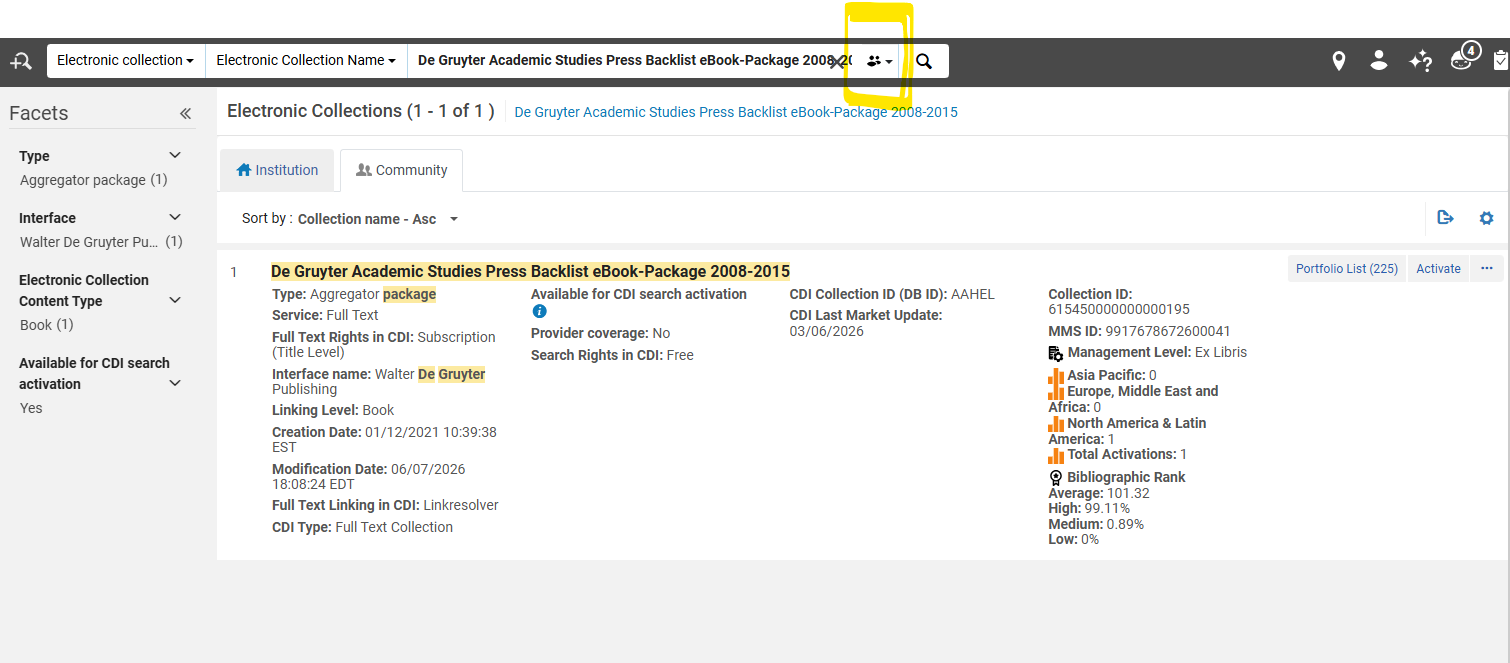
2\. Choose the Activate option for the collection.

3\. In the **Electronic Collection and Services Setup** page :

a. Under the **Local Electronic Collection Information** section

i. Add the **Public Name (override)** to be the same name as the collection, with '<span style="text-decoration: underline;">*(WRLC)'*</span> added at the end of the name. This will help consortial staff identify the collection as a WRLC managed electronic collection.

ii. Checkmark **Mark Bib as suppressed**. This ensures that the bibliographic record that describes the collection is suppressed from Primo; it does NOT suppress the portfolios attached to the collection.

iii. **Electronic Collection Proxy enabled = No**. This ensures that a proxy is not added to the URL for the entire electronic collection; it does NOT remove a proxy from the portfolios attached to the collection.

[![Screenshot 2026-06-12 100039.png](https://alma-documentation-bookstack.azurewebsites.net/uploads/images/gallery/2026-06/scaled-1680-/screenshot-2026-06-12-100039.png)](https://alma-documentation-bookstack.azurewebsites.net/uploads/images/gallery/2026-06/screenshot-2026-06-12-100039.png)

b. Under the **Central Discovery Index Information** section

i. **CD Search activation status = Active**

ii. **We subscribe to only some titles in this collection = Yes**

<p class="callout info">Please note that the above setting may be changed later, depending on the linking settings of the collection. When first activating a collection, it is safest to set this criteria to 'Yes."</p>

iii. IF collection includes only ebooks, Checkmark Do not show as Full Text available in CDI even if active in Alma.

IF collection includes journals, do not checkmark Do not show as Full Text available in CDI even if active in Alma.

[![Screenshot 2026-06-12 100053.png](https://alma-documentation-bookstack.azurewebsites.net/uploads/images/gallery/2026-06/scaled-1680-/screenshot-2026-06-12-100053.png)](https://alma-documentation-bookstack.azurewebsites.net/uploads/images/gallery/2026-06/screenshot-2026-06-12-100053.png)

c, Under the F**ull Text Service** section

i. Checkmark the following options

- - - Activate this electronic collection service
        - Make service available
        - Automatically delete portfolios removed from service

ii. For the following option...

- - - Automatically activate new portfolios : only checkmark if NOT setting up an autoholdings collection, AND if all portfolios in the collection are available through our subscription.

All remaining options can be left blank.

[![Screenshot 2026-06-12 100207.png](https://alma-documentation-bookstack.azurewebsites.net/uploads/images/gallery/2026-06/scaled-1680-/screenshot-2026-06-12-100207.png)](https://alma-documentation-bookstack.azurewebsites.net/uploads/images/gallery/2026-06/screenshot-2026-06-12-100207.png)
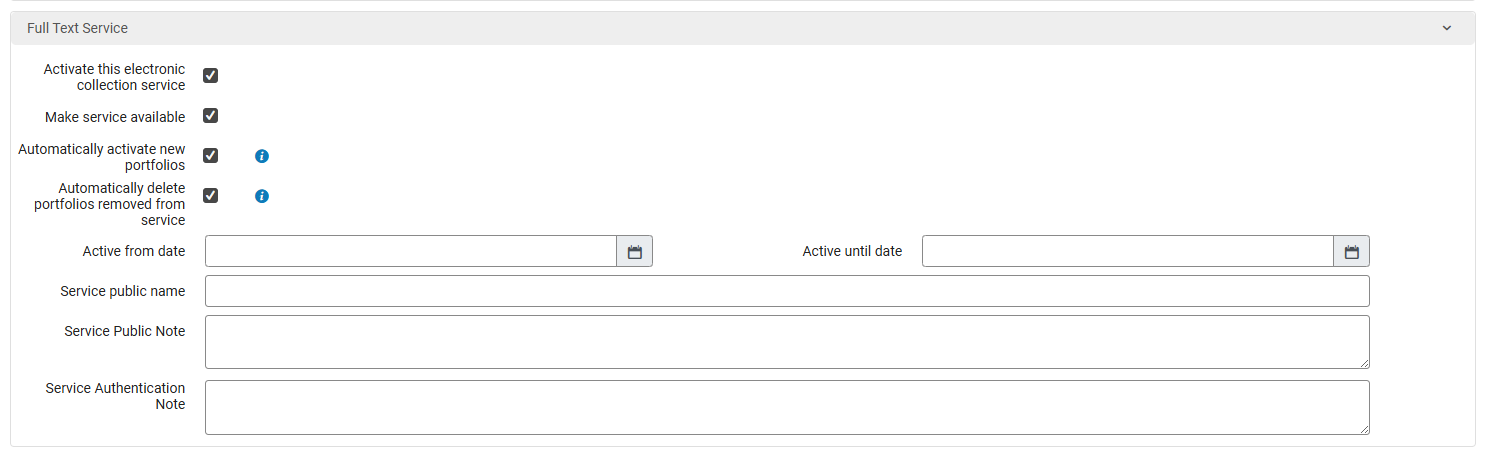
ii. Then click Next.

4\. In the **Linking Information** page :

a, Under the **Full Text Service - Linking Parameters** section

i. Leave all parameters blank

b. Under the **Full Text Service - Proxy setup** section

i. **Proxy enabled = No**. If the collection requires a proxy, the proxy settings for each individual Institution will be set later in the workflow.

[![Screenshot 2026-06-12 101016.png](https://alma-documentation-bookstack.azurewebsites.net/uploads/images/gallery/2026-06/scaled-1680-/screenshot-2026-06-12-101016.png)](https://alma-documentation-bookstack.azurewebsites.net/uploads/images/gallery/2026-06/screenshot-2026-06-12-101016.png)
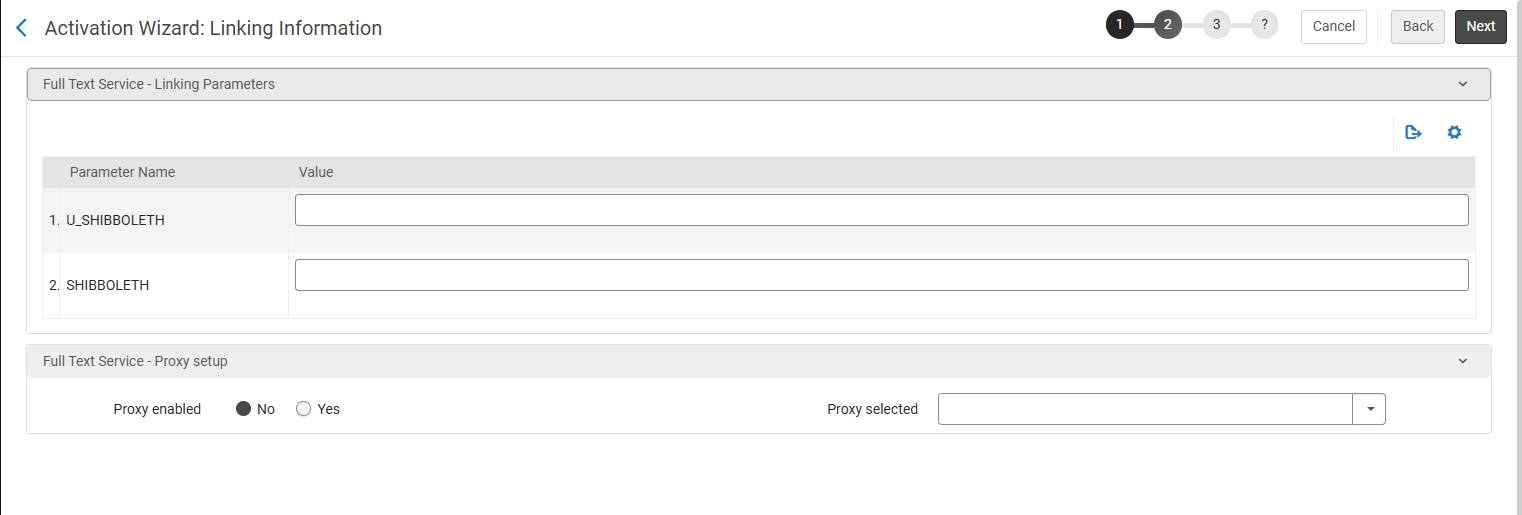
ii. Then click Next

5\. In the **Select Activation Method** page :

a. **Activate all - Activation of the complete electronic collection with no selection of portfolios** : choose if all portfolios in the collection are available through our subscription.

b. **Manual activation - activate electronic collection and manually select portfolios** : choose this option if you are activating a collection that will be used for autoholdings.

b. Then click Next

6\. Review the **Activation Summary** page and make sure everything looks accurate. Click **Activate** to activate the collection. This will trigger an Activation job to run.

7\. At this point, you will be brought back to your original Alma search page. Find the collection you just activated, and click on the house icon to view the same collection in the Network Zone (as opposed to the Community Zone).

8\. Click on the ellipsis button, then choose **Edit Service**

[![Screenshot 2026-06-12 102625.png](https://alma-documentation-bookstack.azurewebsites.net/uploads/images/gallery/2026-06/scaled-1680-/screenshot-2026-06-12-102625.png)](https://alma-documentation-bookstack.azurewebsites.net/uploads/images/gallery/2026-06/screenshot-2026-06-12-102625.png)
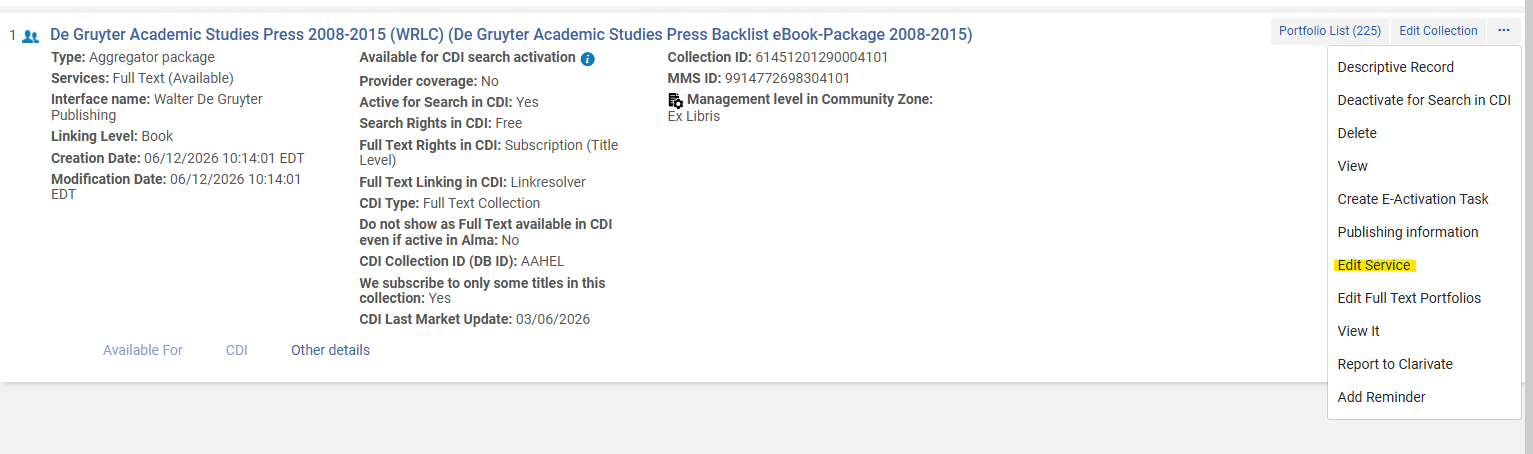
a. Go to the **Linking** tab

i. Under the **General Linking Information** section

IF a proxy is necessary for this resource, select Proxy enabled = Yes, then leave the Proxy selected drop down menu blank

IF a proxy is NOT necessary for this resource, leave Proxy enabled = No.

[![Screenshot 2026-06-15 112612.png](https://alma-documentation-bookstack.azurewebsites.net/uploads/images/gallery/2026-06/scaled-1680-/screenshot-2026-06-15-112612.png)](https://alma-documentation-bookstack.azurewebsites.net/uploads/images/gallery/2026-06/screenshot-2026-06-15-112612.png)
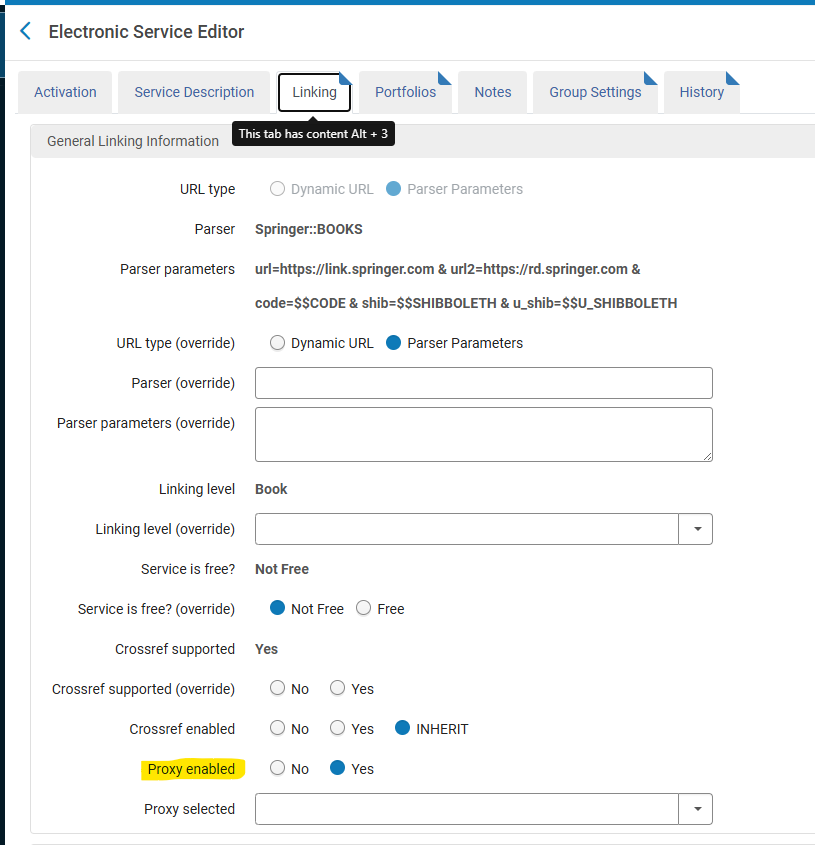
b. Go to the **Group Settings** tab

i. Click **Add Settings For Group** to add each institution that has access to the collection.

ii. IF a proxy is necessary for this resource, select Resource Default for the Proxy Enabled configuration

IF a proxy is NOT necessary, select No for the Proxy Enabled configuration;

<p class="callout warning">Do NOT choose Yes for Proxy Enabled. This setting is only for proxies configured in the Network Zone, and WRLC does not configure proxies in our NZ.</p>

iii. Proxy Selected is left blank.

iv. Click Save, and repeat for each institution.

[![Screenshot 2026-06-15 112530.png](https://alma-documentation-bookstack.azurewebsites.net/uploads/images/gallery/2026-06/scaled-1680-/screenshot-2026-06-15-112530.png)](https://alma-documentation-bookstack.azurewebsites.net/uploads/images/gallery/2026-06/screenshot-2026-06-15-112530.png)
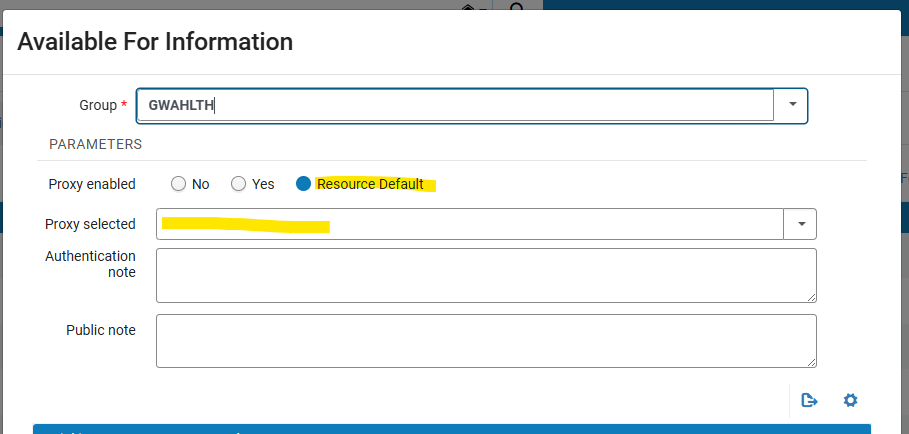
v. Once you have configured each Institution, click Save on the Electronic Service Editor page.

<p class="callout warning">Please note that there is also a Group Settings tab in the Edit Collection page; the Electronic Service page is the <span style="text-decoration: underline;">only one</span> that should be edited for Group Settings. </p>

c. Afterwards, you should be brought back to the Alma search page with a view of the electronic collection.

9\. From here, click Edit Collection

[![Screenshot 2026-06-12 102237.png](https://alma-documentation-bookstack.azurewebsites.net/uploads/images/gallery/2026-06/scaled-1680-/screenshot-2026-06-12-102237.png)](https://alma-documentation-bookstack.azurewebsites.net/uploads/images/gallery/2026-06/screenshot-2026-06-12-102237.png)
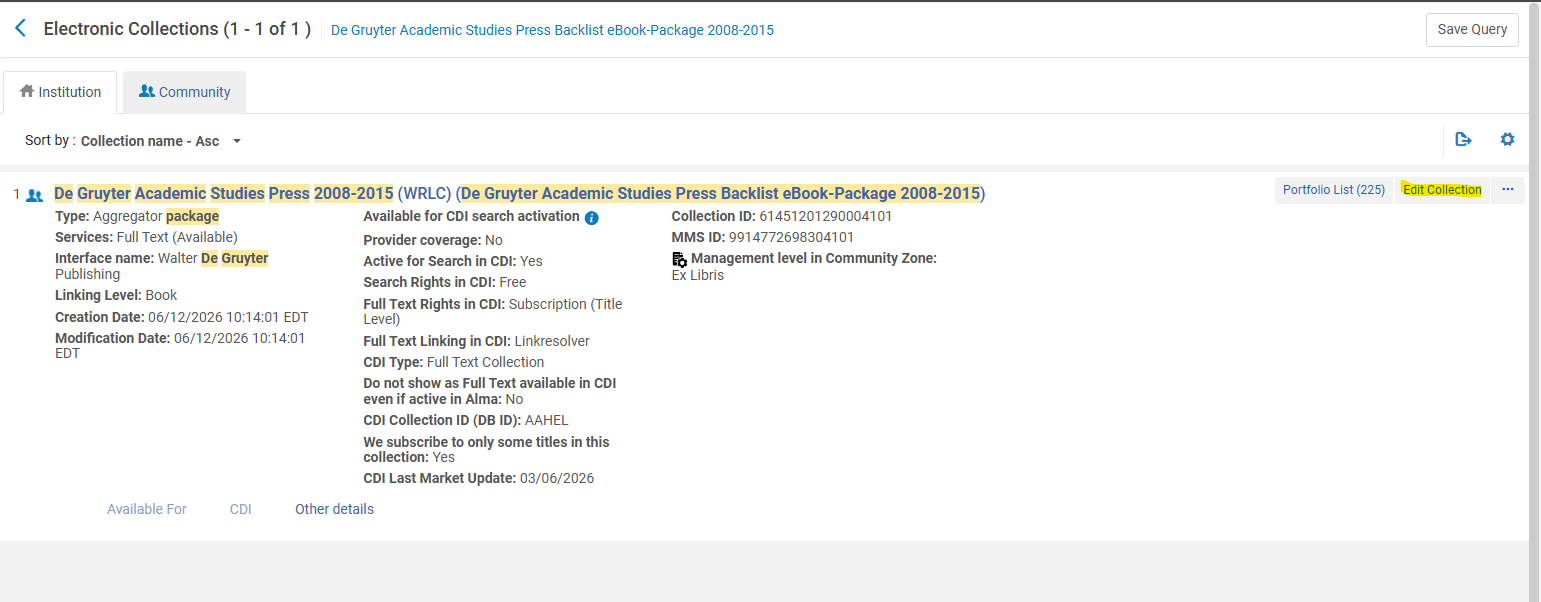
Go to the CDI tab and follow the instructions for setting CDI settings for electronic collections found on the [Configuration of CDI Settings for Shared Electronic Collections](https://alma-documentation-bookstack.azurewebsites.net/books/wrlc-hq/page/configuration-of-cdi-settings-for-shared-electronic-collections) page on the Alma Wiki.

# SCF IZ Maintenance

Information on the configuration and maintenance of the Shared Collections Facility Institution Zone, specifically in relation to user groups, ongoing scheduled jobs, etc.

# Affiliate Library Configuration in the SCF

##### 1. Create user group

- Configuration &gt; User Management &gt; User Details &gt; User Groups
- + Add Row
- Choose a code and a description (preferably \[*Affiliate Library\] Patron*)
- Choose ***Add Row***, and then ***Save*** the table

[![aff_lib_config1.PNG](https://alma-documentation-bookstack.azurewebsites.net/uploads/images/gallery/2025-02/scaled-1680-/aff-lib-config1.PNG)](https://alma-documentation-bookstack.azurewebsites.net/uploads/images/gallery/2025-02/aff-lib-config1.PNG)
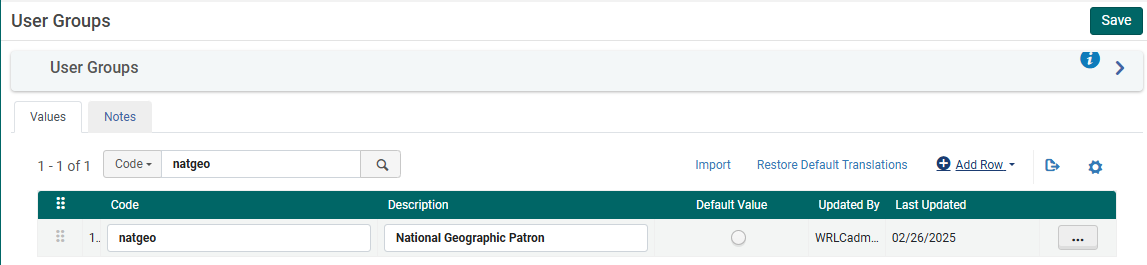
##### 2. Apply user record group to a specific type

- Configuration &gt; User Management &gt; User Details &gt; User Record Type/User Group
- + Add Row
- Choose the user group created in step #1, then choose a record type of ***Staff***, ***Public***, and ***Organization***
- Choose ***Add Row***, and then ***Save*** the table

[![aff_lib_config2.PNG](https://alma-documentation-bookstack.azurewebsites.net/uploads/images/gallery/2025-02/scaled-1680-/aff-lib-config2.PNG)](https://alma-documentation-bookstack.azurewebsites.net/uploads/images/gallery/2025-02/aff-lib-config2.PNG)

##### 3. Associate library location with Fulfillment Unit

- Configuration &gt; Fulfillment &gt; Physical Fulfillment &gt; Fulfillment Units
- ***Edit*** the Fulfillment Unit ***Affiliate Library***
- Choose the ***Fulfillment Unit Locations*** tab
- Attach to the list the location(s) associated with the affiliate library
- ***Save*** the Fulfillment Unit

<p class="callout info">The Request TOU ("Library Delivery Request') used is what sets the terms for Home Delivery; because of this TOU, all requests made for these items are automatically home delivery requests.</p>

##### 4. Prevent affiliate user group from requesting other SCF materials

Depending on the rules in place for the affiliate library patrons, they may not be allowed to request WRLC items at the SCF; in that case, you will need to include the affiliate library patron user group to the appropriate Fulfillment Unit rules.

The specific rules that need to be edited can be found listed below :

1. **Fulfillment Unit :** Library Delivery Only 
    1. **Rule Type** : Request
    2. **Rule Name** : Affiliate Library Patrons No Requesting
    3. Add affiliate library patron user group to the rule
2. **Fulfillment Unit** : Regular 
    1. **Rule Type** : Request
    2. **Rule Name** : Affiliate Library Patrons No Requesting
    3. Add affiliate library patron user group to the rule


##### 5. Create Provenance Code for affiliate library items

- Configuration &gt; Resources &gt; General &gt; Provenance Code
- + Add Row
- Choose a code and a description
- Save the Provenance Code table


##### 6. Create a restricted search group for Primo VE

This restricted search group will not allow non-affiliate library users (ex. Trinity users) to view the affiliate library's items in the SCF's instance of Primo.

- Configuration &gt; Discovery &gt; Search Configuration &gt; Restricted Search Groups
- + Add Restricted Search Group
- Choose a code, a name (preferably \[*Affiliate Library Name\] Affiliate Library*), and a description

[![aff_lib_config6.PNG](https://alma-documentation-bookstack.azurewebsites.net/uploads/images/gallery/2025-02/scaled-1680-/aff-lib-config6.PNG)](https://alma-documentation-bookstack.azurewebsites.net/uploads/images/gallery/2025-02/aff-lib-config6.PNG)

- Add the ***Restricted Search Condition*** of: 
    - Search Index = Location
    - Operator = Equals
    - Value = all library locations associated with affiliate library

[![aff_lib_config7.PNG](https://alma-documentation-bookstack.azurewebsites.net/uploads/images/gallery/2025-02/scaled-1680-/aff-lib-config7.PNG)](https://alma-documentation-bookstack.azurewebsites.net/uploads/images/gallery/2025-02/aff-lib-config7.PNG)

- Add the following ***Allowed Users***: 
    - Patron Group Rule 
        - Name = \[Affiliate Library\] Patron Group
        - Input Parameter 
            - Name = User Group
            - Operator = "="
            - Value = all user groups created in step #1

[![aff_lib_config8.PNG](https://alma-documentation-bookstack.azurewebsites.net/uploads/images/gallery/2025-02/scaled-1680-/aff-lib-config8.PNG)](https://alma-documentation-bookstack.azurewebsites.net/uploads/images/gallery/2025-02/aff-lib-config8.PNG)
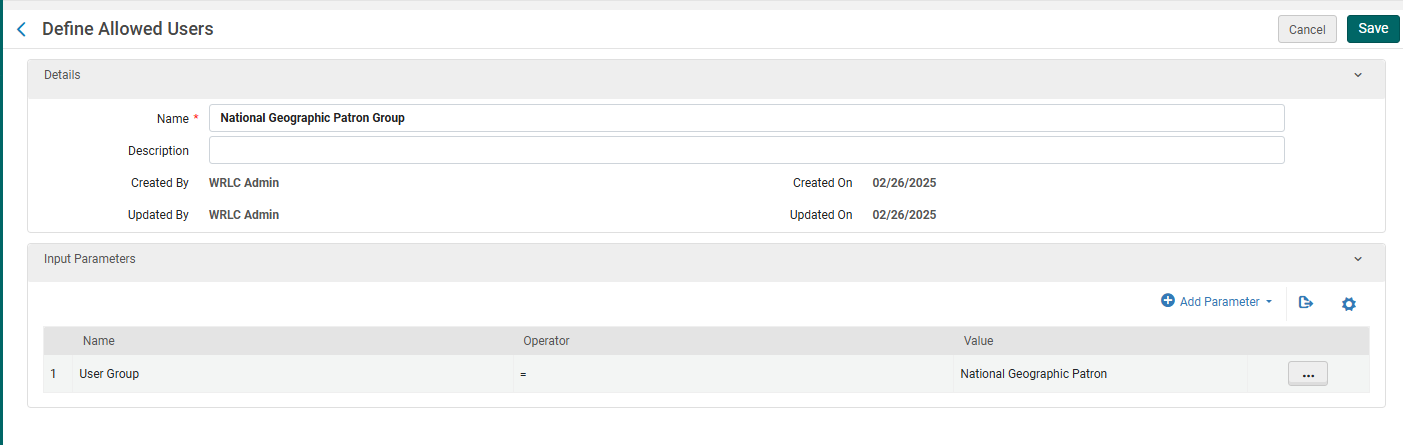
- - IP Address Rule 
        - Name = \[Affiliate Library\] IP Address
        - Input Parameter 
            - Name = IP Range
            - Operator = "="
            - Value = \[IP range of affiliate library\]
- ***Save*** the Restricted Search Group Definition

[![aff_lib_config9.PNG](https://alma-documentation-bookstack.azurewebsites.net/uploads/images/gallery/2025-02/scaled-1680-/aff-lib-config9.PNG)](https://alma-documentation-bookstack.azurewebsites.net/uploads/images/gallery/2025-02/aff-lib-config9.PNG)
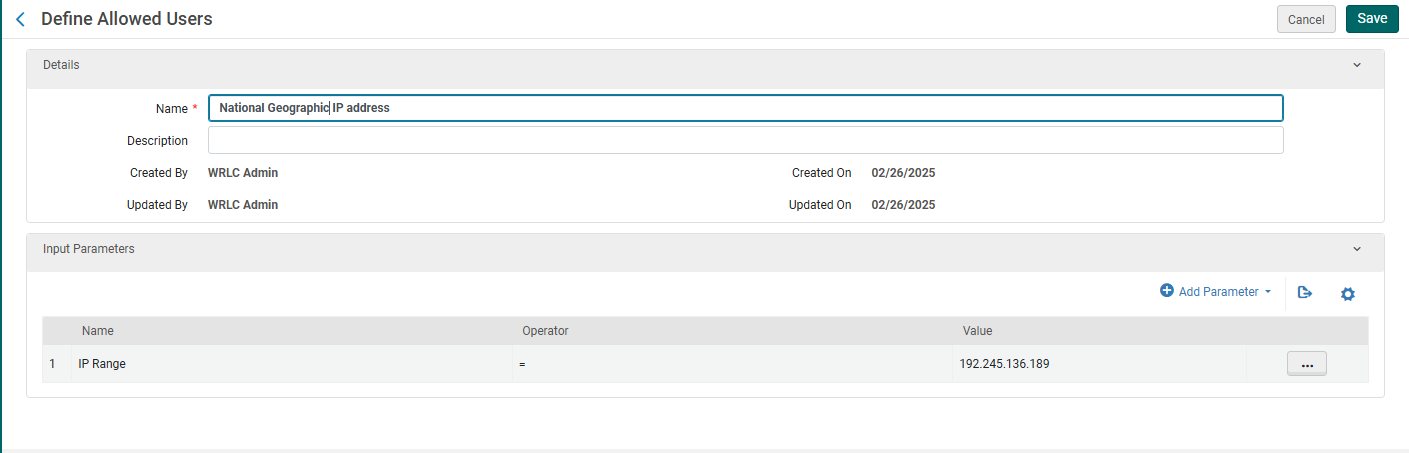

##### 7. Create a Hide rom Network definition

This definition will prevent the affiliate library's bibliographic and item records from appearing in the other Primo instances in our Network.

- Configuration &gt; Discovery &gt; Search Configuration &gt; Hide from Network definitions
- + Add Hide from Network Definition
- Choose a code and a name
- Then add the following Condition: 
    - Search Index = Inventory &gt; Location
    - Operator = Equals
    - Value = Location(s) associated with affiliate library
- ***Add Condition***, then ***Save*** the Custom Scope


##### 8. Create a custom local data search scope

- Configuration &gt; Discovery &gt; Search Configuration &gt; Search Profiles
- Choose the ***Custom Local Data Scopes*** tab
- + Add a Custom Scope
- Choose a code and a name
- Then add the following Scope Condition: 
    - Search Index = Inventory &gt; Location
    - Operator = Equals
    - Value = Location(s) associated with affiliate library
- ***Add Condition***, then ***Save*** the Custom Scope

[![aff_lib_config10.PNG](https://alma-documentation-bookstack.azurewebsites.net/uploads/images/gallery/2025-02/scaled-1680-/aff-lib-config10.PNG)](https://alma-documentation-bookstack.azurewebsites.net/uploads/images/gallery/2025-02/aff-lib-config10.PNG)
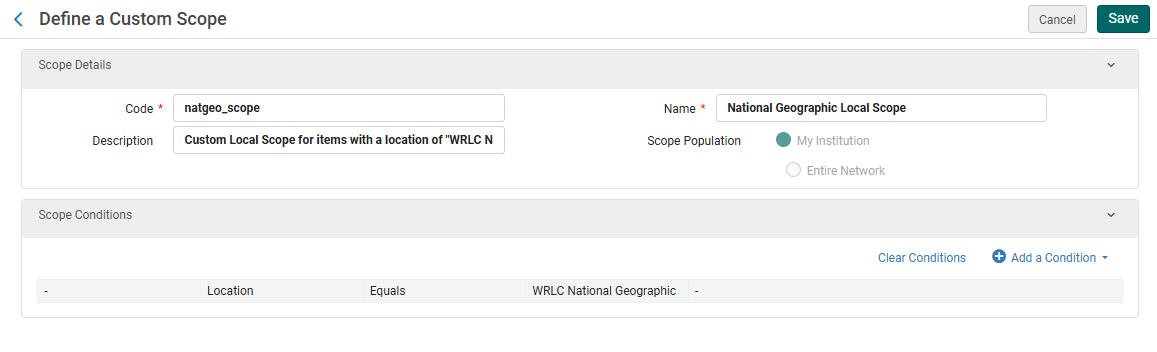
##### 9. Create a search profile

- Configuration &gt; Discovery &gt; Search Configuration &gt; Search Profiles
- Choose the ***Search Profiles*** tab
- + Add a Search Profile
- Choose a code and a display name
- Then add the following scope: 
    - Select Scope Type = Custom (Local Data)
    - Select Custom Scope = the custom scope created in step #6
- Click ***Add and close***, then ***Save*** the Custom Search Profile


##### 10. Create a Primo VE view for affiliate library users

- <span style="font-family: -apple-system, BlinkMacSystemFont, 'Segoe UI', Oxygen, Ubuntu, Roboto, Cantarell, 'Fira Sans', 'Droid Sans', 'Helvetica Neue', sans-serif; font-size: 14px; font-style: normal; font-variant-ligatures: normal; font-variant-caps: normal; font-weight: 400;">Configuration &gt; Discovery &gt; Display Configuration &gt; Configure Views</span>
- <span style="font-family: -apple-system, BlinkMacSystemFont, 'Segoe UI', Oxygen, Ubuntu, Roboto, Cantarell, 'Fira Sans', 'Droid Sans', 'Helvetica Neue', sans-serif; font-size: 14px; font-style: normal; font-variant-ligatures: normal; font-variant-caps: normal; font-weight: 400;">+ Add View</span>
- <span style="font-family: -apple-system, BlinkMacSystemFont, 'Segoe UI', Oxygen, Ubuntu, Roboto, Cantarell, 'Fira Sans', 'Droid Sans', 'Helvetica Neue', sans-serif; font-size: 14px; font-style: normal; font-variant-ligatures: normal; font-variant-caps: normal; font-weight: 400;">Choose a code and a name</span>
- <span style="font-family: -apple-system, BlinkMacSystemFont, 'Segoe UI', Oxygen, Ubuntu, Roboto, Cantarell, 'Fira Sans', 'Droid Sans', 'Helvetica Neue', sans-serif; font-size: 14px; font-style: normal; font-variant-ligatures: normal; font-variant-caps: normal; font-weight: 400;">Choose the following settings as you work through the configuration pages</span>
    - <span style="font-family: -apple-system, BlinkMacSystemFont, 'Segoe UI', Oxygen, Ubuntu, Roboto, Cantarell, 'Fira Sans', 'Droid Sans', 'Helvetica Neue', sans-serif; font-size: 14px; font-style: normal; font-variant-ligatures: normal; font-variant-caps: normal; font-weight: 400;">***General*** tab &gt; ***Discovery Network Settings*** section</span>
        - <span style="font-family: -apple-system, BlinkMacSystemFont, 'Segoe UI', Oxygen, Ubuntu, Roboto, Cantarell, 'Fira Sans', 'Droid Sans', 'Helvetica Neue', sans-serif; font-size: 14px; font-style: normal; font-variant-ligatures: normal; font-variant-caps: normal; font-weight: 400;">Display locations from member institutions = No</span>
        - <span style="font-family: -apple-system, BlinkMacSystemFont, 'Segoe UI', Oxygen, Ubuntu, Roboto, Cantarell, 'Fira Sans', 'Droid Sans', 'Helvetica Neue', sans-serif; font-size: 14px; font-style: normal; font-variant-ligatures: normal; font-variant-caps: normal; font-weight: 400;">Include member institution physical inventory in facets = Never</span>

<span style="font-family: -apple-system, BlinkMacSystemFont, 'Segoe UI', Oxygen, Ubuntu, Roboto, Cantarell, 'Fira Sans', 'Droid Sans', 'Helvetica Neue', sans-serif; font-size: 14px; font-style: normal; font-variant-ligatures: normal; font-variant-caps: normal; font-weight: 400;">[![aff_lib_config11.PNG](https://alma-documentation-bookstack.azurewebsites.net/uploads/images/gallery/2025-02/scaled-1680-/aff-lib-config11.PNG)](https://alma-documentation-bookstack.azurewebsites.net/uploads/images/gallery/2025-02/aff-lib-config11.PNG)</span>

- <span style="font-family: -apple-system, BlinkMacSystemFont, 'Segoe UI', Oxygen, Ubuntu, Roboto, Cantarell, 'Fira Sans', 'Droid Sans', 'Helvetica Neue', sans-serif; font-size: 14px; font-style: normal; font-variant-ligatures: normal; font-variant-caps: normal; font-weight: 400;">***Links Menu*** tab</span>
    - <span style="font-family: -apple-system, BlinkMacSystemFont, 'Segoe UI', Oxygen, Ubuntu, Roboto, Cantarell, 'Fira Sans', 'Droid Sans', 'Helvetica Neue', sans-serif; font-size: 14px; font-style: normal; font-variant-ligatures: normal; font-variant-caps: normal; font-weight: 400;">Only activate the following links</span>
        - <span style="font-family: -apple-system, BlinkMacSystemFont, 'Segoe UI', Oxygen, Ubuntu, Roboto, Cantarell, 'Fira Sans', 'Droid Sans', 'Helvetica Neue', sans-serif; font-size: 14px; font-style: normal; font-variant-ligatures: normal; font-variant-caps: normal; font-weight: 400;">Library Search</span>
        - <span style="font-family: -apple-system, BlinkMacSystemFont, 'Segoe UI', Oxygen, Ubuntu, Roboto, Cantarell, 'Fira Sans', 'Droid Sans', 'Helvetica Neue', sans-serif; font-size: 14px; font-style: normal; font-variant-ligatures: normal; font-variant-caps: normal; font-weight: 400;">Collections Discovery (if they have collections in the SCF IZ)</span>
        - <span style="font-family: -apple-system, BlinkMacSystemFont, 'Segoe UI', Oxygen, Ubuntu, Roboto, Cantarell, 'Fira Sans', 'Droid Sans', 'Helvetica Neue', sans-serif; font-size: 14px; font-style: normal; font-variant-ligatures: normal; font-variant-caps: normal; font-weight: 400;">URL leading to the affiliate library website</span>
- <span style="font-family: -apple-system, BlinkMacSystemFont, 'Segoe UI', Oxygen, Ubuntu, Roboto, Cantarell, 'Fira Sans', 'Droid Sans', 'Helvetica Neue', sans-serif; font-size: 14px; font-style: normal; font-variant-ligatures: normal; font-variant-caps: normal; font-weight: 400;">***Search Profile Slots*** tab</span>
    - <span style="font-family: -apple-system, BlinkMacSystemFont, 'Segoe UI', Oxygen, Ubuntu, Roboto, Cantarell, 'Fira Sans', 'Droid Sans', 'Helvetica Neue', sans-serif; font-size: 14px; font-style: normal; font-variant-ligatures: normal; font-variant-caps: normal; font-weight: 400;">+ Add a Slot</span>
        - <span style="font-family: -apple-system, BlinkMacSystemFont, 'Segoe UI', Oxygen, Ubuntu, Roboto, Cantarell, 'Fira Sans', 'Droid Sans', 'Helvetica Neue', sans-serif; font-size: 14px; font-style: normal; font-variant-ligatures: normal; font-variant-caps: normal; font-weight: 400;">Choose a code and a name</span>
        - <span style="font-family: -apple-system, BlinkMacSystemFont, 'Segoe UI', Oxygen, Ubuntu, Roboto, Cantarell, 'Fira Sans', 'Droid Sans', 'Helvetica Neue', sans-serif; font-size: 14px; font-style: normal; font-variant-ligatures: normal; font-variant-caps: normal; font-weight: 400;">Select the search profile created in step #7</span>
        - <span style="font-family: -apple-system, BlinkMacSystemFont, 'Segoe UI', Oxygen, Ubuntu, Roboto, Cantarell, 'Fira Sans', 'Droid Sans', 'Helvetica Neue', sans-serif; font-size: 14px; font-style: normal; font-variant-ligatures: normal; font-variant-caps: normal; font-weight: 400;">Click Save</span>
    - <span style="font-family: -apple-system, BlinkMacSystemFont, 'Segoe UI', Oxygen, Ubuntu, Roboto, Cantarell, 'Fira Sans', 'Droid Sans', 'Helvetica Neue', sans-serif; font-size: 14px; font-style: normal; font-variant-ligatures: normal; font-variant-caps: normal; font-weight: 400;">Deactivate all other search slots</span>
- <span style="font-family: -apple-system, BlinkMacSystemFont, 'Segoe UI', Oxygen, Ubuntu, Roboto, Cantarell, 'Fira Sans', 'Droid Sans', 'Helvetica Neue', sans-serif; font-size: 14px; font-style: normal; font-variant-ligatures: normal; font-variant-caps: normal; font-weight: 400;">***Advanced Search Configuration*** tab &gt; ***List of Indexes*** section</span>
    - <span style="font-family: -apple-system, BlinkMacSystemFont, 'Segoe UI', Oxygen, Ubuntu, Roboto, Cantarell, 'Fira Sans', 'Droid Sans', 'Helvetica Neue', sans-serif; font-size: 14px; font-style: normal; font-variant-ligatures: normal; font-variant-caps: normal; font-weight: 400;">Deactivate all indexes associated with Course Reserves</span>
    - <span style="font-family: -apple-system, BlinkMacSystemFont, 'Segoe UI', Oxygen, Ubuntu, Roboto, Cantarell, 'Fira Sans', 'Droid Sans', 'Helvetica Neue', sans-serif; font-size: 14px; font-style: normal; font-variant-ligatures: normal; font-variant-caps: normal; font-weight: 400;">Checkmark ***Enable for Basic Search***</span>
- <span style="font-family: -apple-system, BlinkMacSystemFont, 'Segoe UI', Oxygen, Ubuntu, Roboto, Cantarell, 'Fira Sans', 'Droid Sans', 'Helvetica Neue', sans-serif; font-size: 14px; font-style: normal; font-variant-ligatures: normal; font-variant-caps: normal; font-weight: 400;">***Brief Results*** tab &gt; ***Facets*** section</span>
    - <span style="font-family: -apple-system, BlinkMacSystemFont, 'Segoe UI', Oxygen, Ubuntu, Roboto, Cantarell, 'Fira Sans', 'Droid Sans', 'Helvetica Neue', sans-serif; font-size: 14px; font-style: normal; font-variant-ligatures: normal; font-variant-caps: normal; font-weight: 400;">Deactivate all facets associated with Course Reserves</span>
- <span style="font-family: -apple-system, BlinkMacSystemFont, 'Segoe UI', Oxygen, Ubuntu, Roboto, Cantarell, 'Fira Sans', 'Droid Sans', 'Helvetica Neue', sans-serif; font-size: 14px; font-style: normal; font-variant-ligatures: normal; font-variant-caps: normal; font-weight: 400;">***Manage Customization Package*** tab</span>
    - <span style="font-family: -apple-system, BlinkMacSystemFont, 'Segoe UI', Oxygen, Ubuntu, Roboto, Cantarell, 'Fira Sans', 'Droid Sans', 'Helvetica Neue', sans-serif; font-size: 14px; font-style: normal; font-variant-ligatures: normal; font-variant-caps: normal; font-weight: 400;">Using Primo Studio, change appearance, logo etc. of Primo to match the colors and logo of the affiliate library</span>
- <span style="font-family: -apple-system, BlinkMacSystemFont, 'Segoe UI', Oxygen, Ubuntu, Roboto, Cantarell, 'Fira Sans', 'Droid Sans', 'Helvetica Neue', sans-serif; font-size: 14px; font-style: normal; font-variant-ligatures: normal; font-variant-caps: normal; font-weight: 400;">***Save*** the new Primo view</span>

##### 11. Create user profile(s)

- <span style="font-family: -apple-system, BlinkMacSystemFont, 'Segoe UI', Oxygen, Ubuntu, Roboto, Cantarell, 'Fira Sans', 'Droid Sans', 'Helvetica Neue', sans-serif; font-size: 14px; font-style: normal; font-variant-ligatures: normal; font-variant-caps: normal; font-weight: 400;">When creating user profiles for affiliate libraries, make sure the following fields have the correct values:</span>
    - <span style="font-family: -apple-system, BlinkMacSystemFont, 'Segoe UI', Oxygen, Ubuntu, Roboto, Cantarell, 'Fira Sans', 'Droid Sans', 'Helvetica Neue', sans-serif; font-size: 14px; font-style: normal; font-variant-ligatures: normal; font-variant-caps: normal; font-weight: 400;">***General Information*** tab</span>
        - <span style="font-family: -apple-system, BlinkMacSystemFont, 'Segoe UI', Oxygen, Ubuntu, Roboto, Cantarell, 'Fira Sans', 'Droid Sans', 'Helvetica Neue', sans-serif; font-size: 14px; font-style: normal; font-variant-ligatures: normal; font-variant-caps: normal; font-weight: 400;">Primary ID = work email address</span>
        - <span style="font-family: -apple-system, BlinkMacSystemFont, 'Segoe UI', Oxygen, Ubuntu, Roboto, Cantarell, 'Fira Sans', 'Droid Sans', 'Helvetica Neue', sans-serif; font-size: 14px; font-style: normal; font-variant-ligatures: normal; font-variant-caps: normal; font-weight: 400;">User Group = user group created in step #1</span>
        - <span style="font-family: -apple-system, BlinkMacSystemFont, 'Segoe UI', Oxygen, Ubuntu, Roboto, Cantarell, 'Fira Sans', 'Droid Sans', 'Helvetica Neue', sans-serif; font-size: 14px; font-style: normal; font-variant-ligatures: normal; font-variant-caps: normal; font-weight: 400;">Password = create a temporary password for the user, checkmark ***Force password change on next login***</span>
        - <span style="font-family: -apple-system, BlinkMacSystemFont, 'Segoe UI', Oxygen, Ubuntu, Roboto, Cantarell, 'Fira Sans', 'Droid Sans', 'Helvetica Neue', sans-serif; font-size: 14px; font-style: normal; font-variant-ligatures: normal; font-variant-caps: normal; font-weight: 400;">User Roles (the following are necessary to allow for users to log into the SCF IZ and create requests through Alma)</span>
            - <span style="font-family: -apple-system, BlinkMacSystemFont, 'Segoe UI', Oxygen, Ubuntu, Roboto, Cantarell, 'Fira Sans', 'Droid Sans', 'Helvetica Neue', sans-serif; font-size: 14px; font-style: normal; font-variant-ligatures: normal; font-variant-caps: normal; font-weight: 400;">Patron</span>
            - <span style="font-family: -apple-system, BlinkMacSystemFont, 'Segoe UI', Oxygen, Ubuntu, Roboto, Cantarell, 'Fira Sans', 'Droid Sans', 'Helvetica Neue', sans-serif; font-size: 14px; font-style: normal; font-variant-ligatures: normal; font-variant-caps: normal; font-weight: 400;">Circulation Desk Operator - Limited</span>
            - <span style="font-family: -apple-system, BlinkMacSystemFont, 'Segoe UI', Oxygen, Ubuntu, Roboto, Cantarell, 'Fira Sans', 'Droid Sans', 'Helvetica Neue', sans-serif; font-size: 14px; font-style: normal; font-variant-ligatures: normal; font-variant-caps: normal; font-weight: 400;">Requests Operator</span>
            - <span style="font-family: -apple-system, BlinkMacSystemFont, 'Segoe UI', Oxygen, Ubuntu, Roboto, Cantarell, 'Fira Sans', 'Droid Sans', 'Helvetica Neue', sans-serif; font-size: 14px; font-style: normal; font-variant-ligatures: normal; font-variant-caps: normal; font-weight: 400;">Physical Inventory Operator - Limited</span>

<span style="font-family: -apple-system, BlinkMacSystemFont, 'Segoe UI', Oxygen, Ubuntu, Roboto, Cantarell, 'Fira Sans', 'Droid Sans', 'Helvetica Neue', sans-serif; font-size: 14px; font-style: normal; font-variant-ligatures: normal; font-variant-caps: normal; font-weight: 400;">[![aff_lib_config12.PNG](https://alma-documentation-bookstack.azurewebsites.net/uploads/images/gallery/2025-02/scaled-1680-/aff-lib-config12.PNG)](https://alma-documentation-bookstack.azurewebsites.net/uploads/images/gallery/2025-02/aff-lib-config12.PNG)</span>

- - <span style="font-family: -apple-system, BlinkMacSystemFont, 'Segoe UI', Oxygen, Ubuntu, Roboto, Cantarell, 'Fira Sans', 'Droid Sans', 'Helvetica Neue', sans-serif; font-size: 14px; font-style: normal; font-variant-ligatures: normal; font-variant-caps: normal; font-weight: 400;">***Contact Information*** tab</span>
        - <span style="font-family: -apple-system, BlinkMacSystemFont, 'Segoe UI', Oxygen, Ubuntu, Roboto, Cantarell, 'Fira Sans', 'Droid Sans', 'Helvetica Neue', sans-serif; font-size: 14px; font-style: normal; font-variant-ligatures: normal; font-variant-caps: normal; font-weight: 400;">Add address of affiliate library as the work address</span>

##### 12. Update letter configuration for pull slip

- Configuration &gt; General &gt; Letters &gt; Letters Configuration
- Search for the letter titled ***Ful Resource Request Slip Letter***, choose ***Edit***
- Edit the XSL around line 100 to include the following example
- Click ***Save Draft***
- Click ***Save***

```
<!--   Internal Alma request from affiliate institution [Insert affiliate library here}   -->
<xsl:when test="(notification_data/user_for_printing/user_group='[User Group Code]')">
<font size ="40px;">[Affiliate Library Name]</font>
</xsl:when>
```

# User Accounts in the SCF IZ

### User Groups

Below are the active user groups in the Shared Collections Facility (SCF) Institution Zone (IZ)

<table border="1" id="bkmrk-user-group-user-grou" style="border-collapse: collapse; width: 100%;"><colgroup><col style="width: 24.4338%;"></col><col style="width: 16.4482%;"></col><col style="width: 10.6304%;"></col><col style="width: 48.4876%;"></col></colgroup><tbody><tr><td>***User Group***</td><td>***User Group Code***</td><td>***Type***</td><td>***Notes***</td></tr><tr><td>Library pickup locations</td><td>*wrlclib*</td><td>Internal

</td><td>Patron accounts that represent each library pickup location. When SCF items owned by one of our partner institutions are requested, they are checked out to these patron accounts in the SCF IZ.

For more information about these accounts, please see the [Patron Accounts for Libraries page](https://alma-documentation-bookstack.azurewebsites.net/books/shared-collections-facility-scf-institution-zone/page/patron-accounts-for-libraries) on the Alma Wiki.

For more information on the workflow of SCF requests, please see the [Requests in the Remote Storage App page](https://alma-documentation-bookstack.azurewebsites.net/books/shared-collections-facility-scf-institution-zone/page/requests-in-the-remote-storage-app) on the Alma Wiki.

</td></tr><tr><td>WRLC HQ Staff</td><td>*db wrlc*</td><td>Internal</td><td>Accounts for staff who work at WRLC headquarters.</td></tr><tr><td>Trinity Faculty</td><td>*tr fac*</td><td>External</td><td>Accounts for Trinity University faculty. Imported via SIS.

For more information on circulation workflows for Trinity, see the [How to Bring up a Patron and Check Items Out page](https://alma-documentation-bookstack.azurewebsites.net/books/fulfillment/page/how-to-bring-up-a-patron-record-and-check-items-out) on the Alma Wiki.

</td></tr><tr><td>Trinity Student</td><td>*tr stud*</td><td>External</td><td>Accounts for Trinity University students. Imported via SIS.

For more information on circulation workflows for Trinity, see the [How to Bring up a Patron and Check Items Out page](https://alma-documentation-bookstack.azurewebsites.net/books/fulfillment/page/how-to-bring-up-a-patron-record-and-check-items-out) on the Alma Wiki.

</td></tr><tr><td>Trinity Staff</td><td>*tr staf*</td><td>Internal</td><td>Accounts for Trinity University staff.

Manually created by staff at WRLC headquarters.

For more information on circulation workflows for Trinity, see the [How to Bring up a Patron and Check Items Out page](https://alma-documentation-bookstack.azurewebsites.net/books/fulfillment/page/how-to-bring-up-a-patron-record-and-check-items-out) on the Alma Wiki.

</td></tr><tr><td>National Geographic Patron</td><td>*natgeo*</td><td>Internal</td><td>Accounts for staff at our affiliate library, National Geographic.

For more information on configuring affiliate libraries, see the [Affiliate Library Configuration page](https://alma-documentation-bookstack.azurewebsites.net/books/wrlc-hq/page/affiliate-library-configuration-in-the-scf) on the Alma Wiki.

For more information on Affiliate Libraries at the WRLC, see the [Affiliate Libraries page](https://alma-documentation-bookstack.azurewebsites.net/books/fulfillment/chapter/affiliate-libraries) on the Alma Wiki.

</td></tr><tr><td>wrlc user</td><td>*wrlcuser*</td><td>External (Linked)</td><td>Accounts for patrons from our partner libraries who have requested items owned by WRLC (primarily WRLC Shared Monographs) from the SCF IZ.</td></tr><tr><td>AU Staff</td><td>*au staf*</td><td>Internal</td><td>User group used by Ex Libris account (unable to delete or edit the account)</td></tr></tbody></table>

###   

# Scheduled Jobs in the SCF IZ

<table border="1" id="bkmrk-system-set-updates-d" style="border-collapse: collapse; width: 100%;"><colgroup><col style="width: 13.826%;"></col><col style="width: 18.236%;"></col><col style="width: 12.3957%;"></col><col style="width: 38.8544%;"></col><col style="width: 16.8071%;"></col></colgroup><tbody><tr><td>**System**</td><td>**Set**</td><td>**Updates**</td><td>**Description**</td><td>**Frequency**</td></tr><tr><td>Alma  
Scheduled Jobs</td><td>Patron accounts

where

user group = empty

AND

job category = empty

</td><td>User Group

changed from

empty

to

'tri stud'

</td><td>Students accounts are not given a user group when they are first imported to the SCF IZ; a job is scheduled to run every week (Mondays at 2am) that adds the 'tr stud' user group to a logical set containing new users where user group = empty, and job category = empty.

</td><td>Weekly

Monday at 2am

</td></tr><tr><td>Alma Scheduled Jobs</td><td>Bib records

where

Linked to NZ = No

AND

Current Location of attached item is NOT

wrlc shrm

wrlc natg

AND

Provenance Code is NOT

WRLC

AND

Suppressed = No

AND

Has Inventory = Yes

</td><td>Suppress bib records in set

</td><td>Bibliographic records for 'copied' items (item records that are copies from the Owning Institution's IZ) should always be suppressed. If an item is linked to an NZ Bib, the holdings records are automatically suppressed in the SCF IZ, ***however***, bib records not linked to the NZ should be imported as suppressed. This scheduled job makes sure that any unsuppressed, unlinked bib records of 'copied' items are suppressed.

</td><td>Every 3 months on day 1 at 4am

</td></tr><tr><td>Alma Scheduled Jobs</td><td>Holdings records

where

Has Items = No

</td><td>Delete the holdings record

</td><td>Delete any holdings records that do not have items attached.

</td><td>Monthly on 2nd Monday at 2am

</td></tr><tr><td>Alma Scheduled Jobs</td><td>Bib records

where

Has Inventory = No

</td><td>Delete the bib record

</td><td>Delete any bib records that do not have items/holdings attached.

</td><td>Monthly on 3rd Monday at 2am

</td></tr></tbody></table>